Every Shopify barcode label app in this guide prints a physical label you stick on something. Most merchants meet Shopify's own Retail Barcode Labels app first: it is free, it ships with every store, and it sits at 2.3 stars across 466 reviews , which is probably why you are reading this.
Then you search the App Store and get two unrelated kinds of app mixed together. One kind draws "Sale" and "New" stickers on your product photos. The other kind puts ink on paper you stick to a box. If you are holding a Zebra printer or a sheet of Avery 5160, only the second kind is any use, and this guide covers only the second kind.
One scoping note. This is about getting a label onto paper. Whether the number on that label is a marketplace-valid GTIN is a separate question, and we covered it in our guide to Shopify barcode and GTIN apps.
The Shortlist
| # | App | Rating | Free option | Paid from | Best at |
|---|---|---|---|---|---|
| 1 | Label Wizard | 5.0★ (3) | 20 labels/mo | $24.99/mo | 400+ templates, and you build your own size |
| 2 | BarcodeMan | 4.8★ (94) | Unlimited, text only | $5.99/mo | Flat price, no volume cap |
| 3 | CTS Multi | 4.9★ (85) | None | $9.99/mo | Odd printers and hand-built templates |
| 4 | Yanet | 4.9★ (443) | 200 labels/mo | $7.99/mo | Printing onto part-used sheets |
| 5 | MS Barcode | 4.9★ (373) | 200 labels/mo | $7.99/mo | Creating barcode numbers you do not have |
| 6 | RF | 5.0★ (310) | Fully free | Free | Costing nothing, forever |
| 7 | Printout Designer | 4.9★ (45) | None | $4.99/mo | Invoices and packing slips, labels on the side |
| 8 | Airo | 5.0★ (30) | 5,000 credits | $5.99/mo | Too little evidence to say |
| 9 | F: Retail | 4.4★ (72) | 40 credits | $5 once | GS1-128 cheaply, if you have no barcodes to lose |
Competitor ratings and review counts checked 20 August 2026; Label Wizard's rechecked 24 September 2026. They move.
Badge Apps vs Label Printers
If you came here wanting the "Sale" sticker on your product photos, you want a badge app, and this is the wrong page. DECO, Sami, Lably, BSS and Labeler all do that well. They are conversion tools and they never touch a printer.
Label printer apps take your product data, title, price, SKU, barcode, variant, and lay it out on physical stock, then send it to a printer as a PDF or a print job.
The quickest test: if the app talks about increasing conversions, it draws on your website. If it names Dymo, Zebra, Avery, DPI or roll widths, it prints.
How We Tested
Nobody else ranking for this search publishes their criteria. We are publishing ours, because the order below only means something if you can see how it was reached.
We read 1,843 merchant reviews covering these nine apps and Shopify's own free one, tagged them by what merchants actually complained about, and scored each app on six things in this order:
| # | Test | Why it ranks here |
|---|---|---|
| 1 | Can it make your label size? | If it cannot fit your stock, nothing else matters. Template fit is the second-largest source of complaints we tagged, behind printers |
| 2 | How fast to your first printed label? | Install to paper. Every single "too many steps" complaint we tagged was about Shopify's own free app |
| 3 | Does it drive your printer? | 48 pain-tagged complaints, 73% of them about Shopify's free app |
| 4 | Does your text survive? | Long names, accents, Cyrillic, Chinese. Rarely mentioned, but when it is, it is almost always Shopify's free app cutting text off |
| 5 | What does it cost as you grow? | Free tier, and what the bill does when your catalogue does |
| 6 | Is support any good? | Ranked last on purpose. Nearly every app scores well here, so it barely separates them |
We do not rank on star rating, review count, or the Built for Shopify badge. All three are in the table because you look for them, but they measure how long an app has been around, not whether it fits your problem. RF holds 5.0 stars across 310 reviews and still cannot make a custom label size.
Reading the reviews also turned up two apps whose star average is doing more work than their reviews are. Airo and F: Retail, and the detail is in their entries.
Why Shopify's own app is not ranked. It is the thing the other nine are alternatives to, and on our first test it scores zero: its templates are fixed and there is no way to build your own size.
The 9 Best Shopify Barcode Label Apps
1. Label Wizard
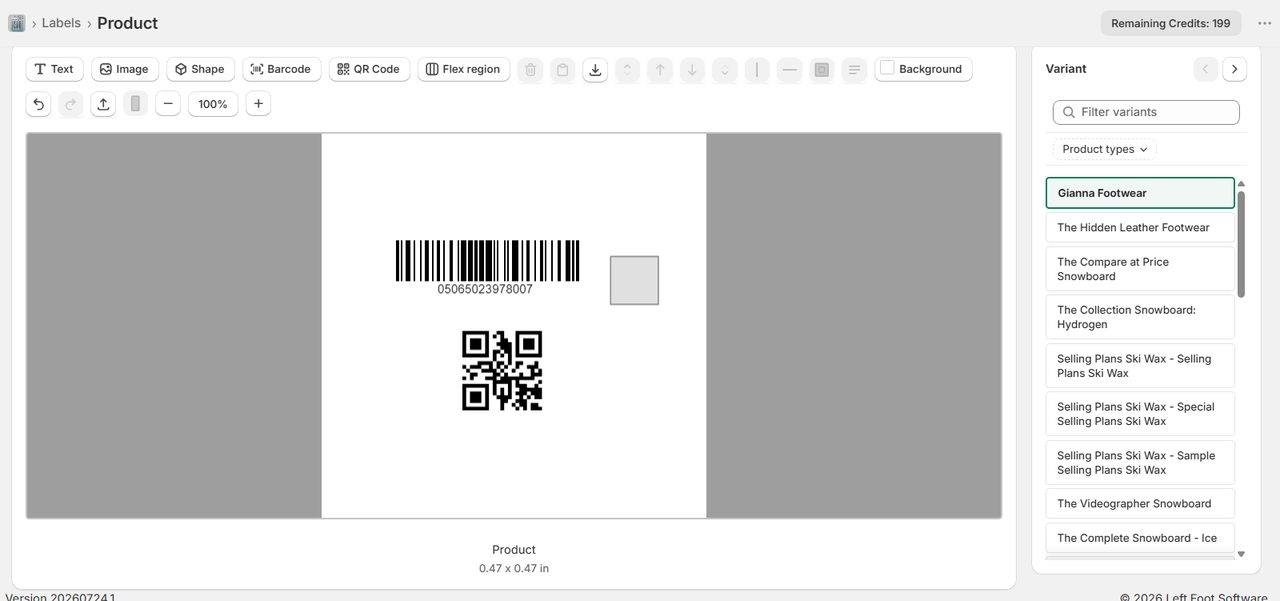
400+ ready-made templates, and a grid editor for when yours is not one of them.
- Developer: Left Foot Software
- Rating: 5.0 ★ (3 reviews)
- Pricing: Pay As You Go, first 20 label generations per month free, then $0.03/label (21-500), $0.02/label (501-1,000), $0.01/label (1,001+) | Pro $24.99/mo or $199/yr, unlimited
- Built for Shopify: No
- View Label Wizard on the Shopify App Store →
Label stock does not come in standard sizes, and most apps hand you a fixed list and wish you luck. Label Wizard ships 400+ templates covering Avery, Online Labels and Uline, which is the largest published count in this category. If you are not sure which Avery size fits your container, our Avery label sizes guide walks through matching a template number to the product. No other app here publishes a number at all, and none of the five we studied in depth names Online Labels as a supported brand.
When your stock is not in the list, you build it: rows, columns, margins, spacing, with the labels-per-sheet count calculated as you type. BarcodeMan also lets you do this yourself, and we rank it second partly for that. The difference is where you start from, 400+ known-good layouts or a blank grid.
Barcode coverage runs EAN-13, UPC, GTIN-14, GS1-128 and Code 128, plus QR codes on the same label. You can place 19 built-in fields plus any product or variant metafield, including price, compare-at price, SKU, product images and your logo, across 19 fonts. Every variant gets its own label automatically, so a 40-variant product is not 40 rows of typing.
Accented, Cyrillic and Chinese characters print as typed, and long product names wrap instead of getting cut off. We test that by printing it rather than claiming it: a Cyrillic title and a Chinese title on one label, both wrapping onto a second line, neither truncated.
Support is a person answering email, and we will build your first template for you at no charge.
What to watch out for: Three reviews. That is the honest number. All three are five stars with real detail, but three is a thin base next to Yanet's 443, and there is no Built for Shopify badge. Two real gaps: Label Wizard cannot start printing partway down a part-used sheet, which Yanet can, and it does not generate barcode numbers, it prints the ones you already have. If you need numbers created, use MS Barcode. There is also no help centre and no guided tour. The app opens and you start designing, which suits some people and strands others.
"The app allowed us to customize exactly to our requeriments and their customer support is excellente!" (Utilitario Mexicano, Mexico, 5★, July 2026, after 3 months of use)
Another review is worth reading for a different reason. GC Shoes wrote "was able to design and print professional looking labels almost immediately" with Shopify's own metadata recording 29 minutes using the app, which is the second test answered independently.
Best for: Merchants whose label stock is not a standard Avery size, who print non-Latin product names, or who need every variant labelled without typing a single SKU. Our step-by-step guide to printing barcode labels for Shopify variants shows the workflow.
View Label Wizard on the Shopify App Store →
2. BarcodeMan Barcode Labels
Any label size you like, and one flat $5.99 no matter how much you print.
- Developer: Gookit, Inc.
- Rating: 4.8 ★ (94 reviews)
- Pricing: Free (unlimited label printing, text elements only) | Pro $5.99/mo (adds barcode, QR and image elements), 10-day free trial
- Built for Shopify: Yes
- View BarcodeMan on the Shopify App Store →
This is the app we would send you to if Label Wizard did not exist, and merchants say why in their own words:
"This app allows you to create your own template ANY SIZE! and select whatever fields you want to display." (SavvyBoutique, US, 5★)
"it's great that you can create custom size template... you are not limited to only a handful of default sizes like the app that Shopify pushes." (Nor'easter Apparel, Canada, 5★)
18 of the 22 reviews that mention sizing are positive, and it is the app's most-praised capability. Custom layout is available even on the free plan.
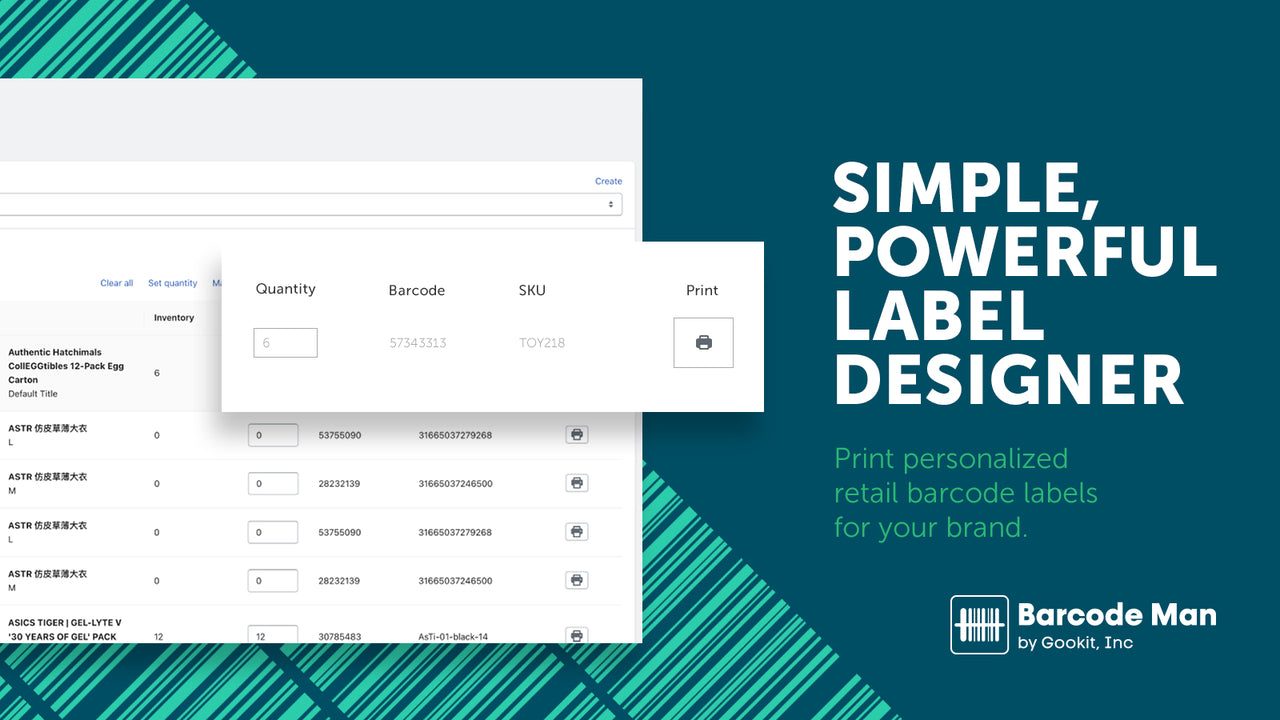
Its pricing is the most unusual here and might be the cheapest thing on this page for you. The free plan prints unlimited labels. There is no monthly cap. What you pay for is element types: barcodes, QR codes and images sit behind $5.99, text is free forever. Every other app here meters volume. BarcodeMan meters capability. If you print thousands of labels a month, $5.99 flat beats Yanet's $29.99 for 25,000 and MS Barcode's $27.99 for unlimited.
It also supports metafields and international pricing, does GS1-128, and offers permissioned multi-user printing, so a stockroom account can print labels without access to anything else. Printing from Shopify Transfers arrived in 2026 after merchants asked for three years.
What to watch out for: It is hungrier for printer resolution than its rivals, and the developer says so on the record. Replying to a merchant whose Zebra ZD410 produced poor output, they wrote that the app "needs a higher dpi than other solutions." The ZD410 is a mainstream 203 dpi unit, so check yours. An update also reordered label printing alphabetically instead of by entry order, reported independently by two merchants with over a year each on the app. The free plan being text-only means $5.99 is the real price for barcode labels. And nobody replied to any review published in 2026.
Best for: High-volume merchants who want a flat, predictable bill, and anyone who needs custom sizing without paying much for it.
View BarcodeMan on the Shopify App Store →
3. CTS Multi Barcode Labels
The app most likely to get your awkward old printer working, because a human will do it for you.
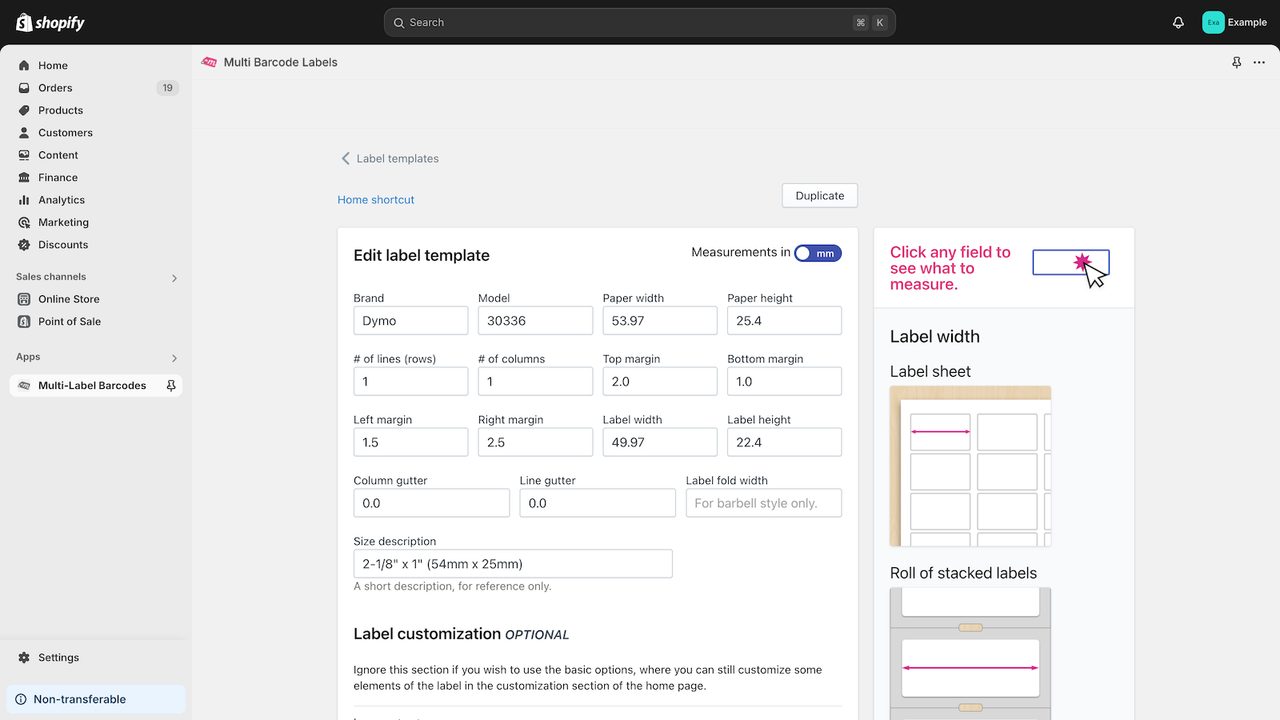
- Developer: Cashew Tree Software Inc.
- Rating: 4.9 ★ (85 reviews)
- Pricing: No free plan | Standard $9.99/mo, 5-day free trial
- Built for Shopify: No
- View CTS on the Shopify App Store →
CTS has the best printer evidence of any app here. Merchants name working hardware in their reviews: Dymo 450, Zebra ZD410, TSC-247, Avery 8167 sheets at 80 labels a page, and a Mac, which several apps struggle with.
It is also the clearest case in this category of support being the product. 44% of its reviewers name Flávio personally, and about a quarter describe staff building or fixing their template by hand.
"Flavio stayed with it until all three of our old Zebra printers were printing labels far better than they ever did with our old POS system!" (Samaritan Shop, US, 5★)
"When I didn't see a template for the tag size I needed they quickly made me a custom template." (Screaming Mimis Vintage Fashion, US, 5★)
Read that as a strength if you want someone to solve your problem, and as a risk if you want to solve it yourself at 11pm. It also edits templates in Liquid, so a developer can do almost anything with the layout.
What to watch out for: No free plan, and five days is a tight trial for a label workflow. No Built for Shopify badge, despite being one of the oldest apps here, which is a useful reminder that tenure and certification are different things. It caps a print run at 400 labels, which one merchant with large purchase orders called out directly, and the developer's reply quoted different figures again, so confirm before you commit. Barcode assignment is all or nothing, with no way to set one product's barcode. It does not work in Shopify Mobile, reported by a five-month user who never got a reply. And the review flow has slowed to one so far in 2026, with 15 of the 85 dating from 2018.
Best for: Retailers with legacy or unusual printers who would rather have an expert configure it than configure it themselves.
View CTS on the Shopify App Store →
4. Yanet Retail Barcode Labels
The most-reviewed app here, and the only one that prints onto a part-used sheet.
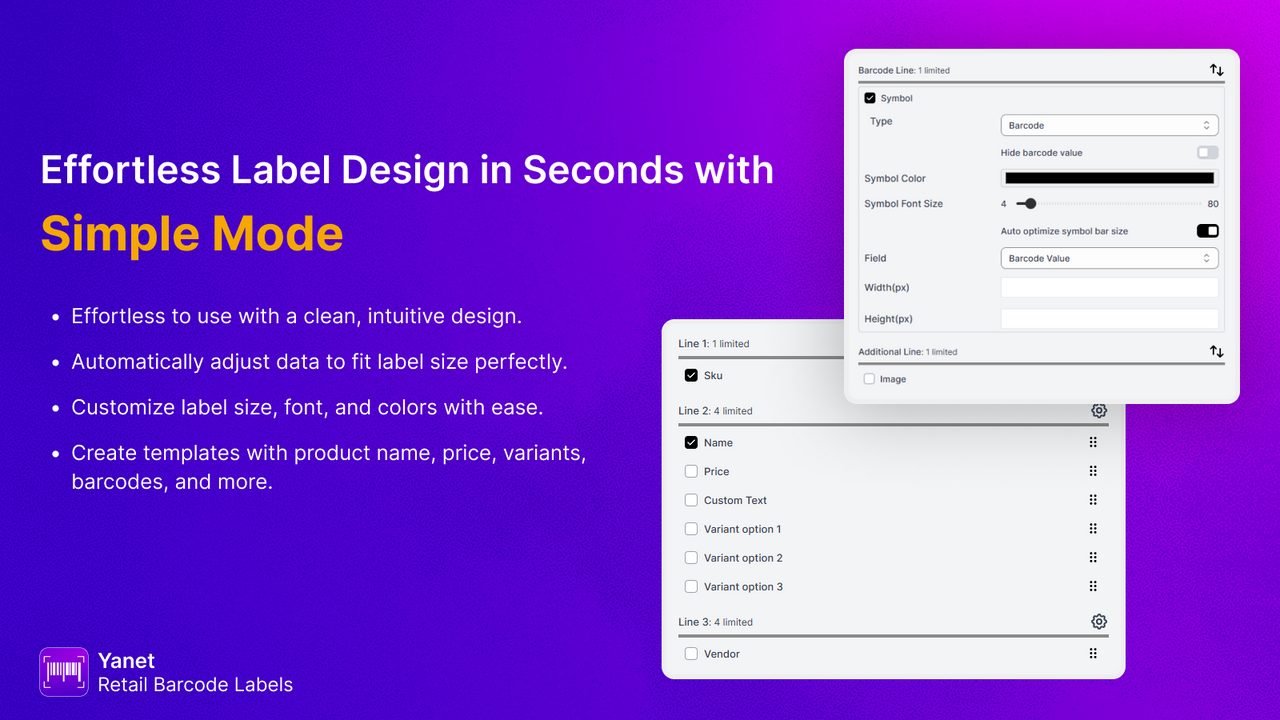
- Developer: Yanet
- Rating: 4.9 ★ (443 reviews)
- Pricing: Free (200 labels/mo) | Pro $7.99/mo (2,000) | Ultimate $29.99/mo (25,000) | Unlimited $69.99/mo. Extra-label packs from $15
- Built for Shopify: Yes
- View Yanet on the Shopify App Store →
443 reviews at 4.9 stars makes Yanet the most-reviewed label printer on Shopify by a wide margin.
It barely markets its best feature. Start-position printing lets you begin at label 14 on a sheet so it skips the first 13. If you print small batches on Avery sheets you already know why that matters, because every other app on this page wastes the rest of a part-used sheet. Label Wizard cannot do this. Yanet can, and for a lot of merchants that decides it.
The designer needs no code, the free tier gives 200 labels a month, and it works with Shopify POS, Flow and Stocky.
What to watch out for: Long product names truncate silently. The label prints, it just loses the end of your title, and you may not notice until you are holding a sheet of them. Test print before a long run. Custom paper is shallower than it looks: the setting exists, but reviews describe support building templates on request rather than merchants doing it themselves. Barcode format documentation is vague beyond UPC and EAN, so if you need GS1-128, use Label Wizard or BarcodeMan. Its Pro plan now lists a "GTIN Generator" and the listing never explains what that produces, so do not assume it mints marketplace-valid numbers.
Best for: Merchants printing small batches on part-used Avery sheets who want the most battle-tested app in the category.
View Yanet on the Shopify App Store →
5. MS Barcode Labels & Generator
Creates the barcode numbers you do not have, then prints them.
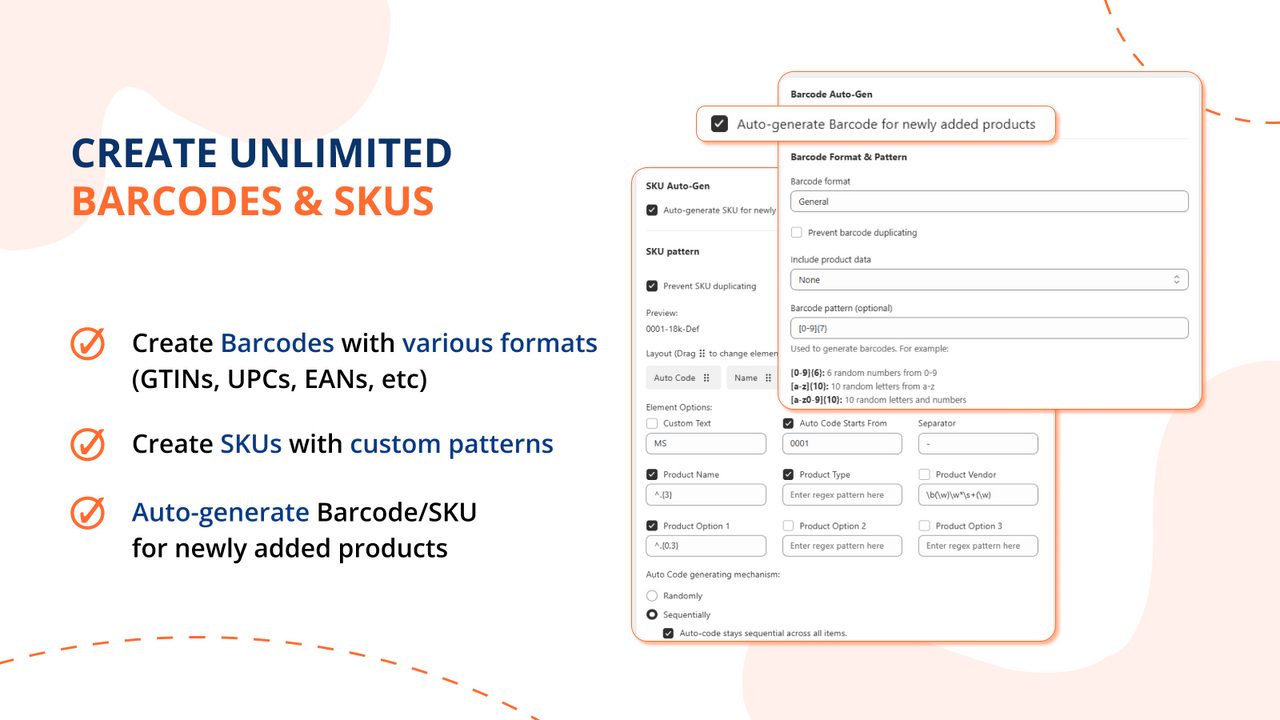
- Developer: Magestore
- Rating: 4.9 ★ (373 reviews)
- Pricing: Free (200 labels/mo, unlimited barcode generation) | Standard $7.99/mo (2,000) | Pro $27.99/mo (unlimited) | Credit packs $11.99-$44.99
- Built for Shopify: Yes
- View MS Barcode on the Shopify App Store →
If half your problem is that your products have no barcodes at all, MS Barcode handles both halves. It generates numbers and SKUs in bulk then prints them, and generation is unmetered even on the free plan. Only printing counts against the quota.
The generator has three modes: fill only products missing a barcode, replace everything, or clear and start over. It also reports duplicate barcodes and SKUs across your catalogue, which is the sort of thing you discover you needed about six months in. One merchant review worth quoting if you print non-Latin text: "No other app was able to print our unicode fonts."
What to watch out for: Metafields cap at four attributes per template. New sheet geometry goes through a support ticket, and Magestore's own documentation says so: "You can even request us to add more templates." Turnaround varies, and one merchant reports waiting up to two months. Symbologies are published only as "GTINs, EANs, UPCs, etc," which is not a specification. And a number this app generates is an internal one, not a GS1-registered GTIN, so Amazon will reject it.
Best for: Merchants with a catalogue of products carrying no barcodes, who want numbers created and labels printed in one place.
View MS Barcode on the Shopify App Store →
6. RF: Barcode Generator & Labels
Free, permanently, with no quota and no upsell.
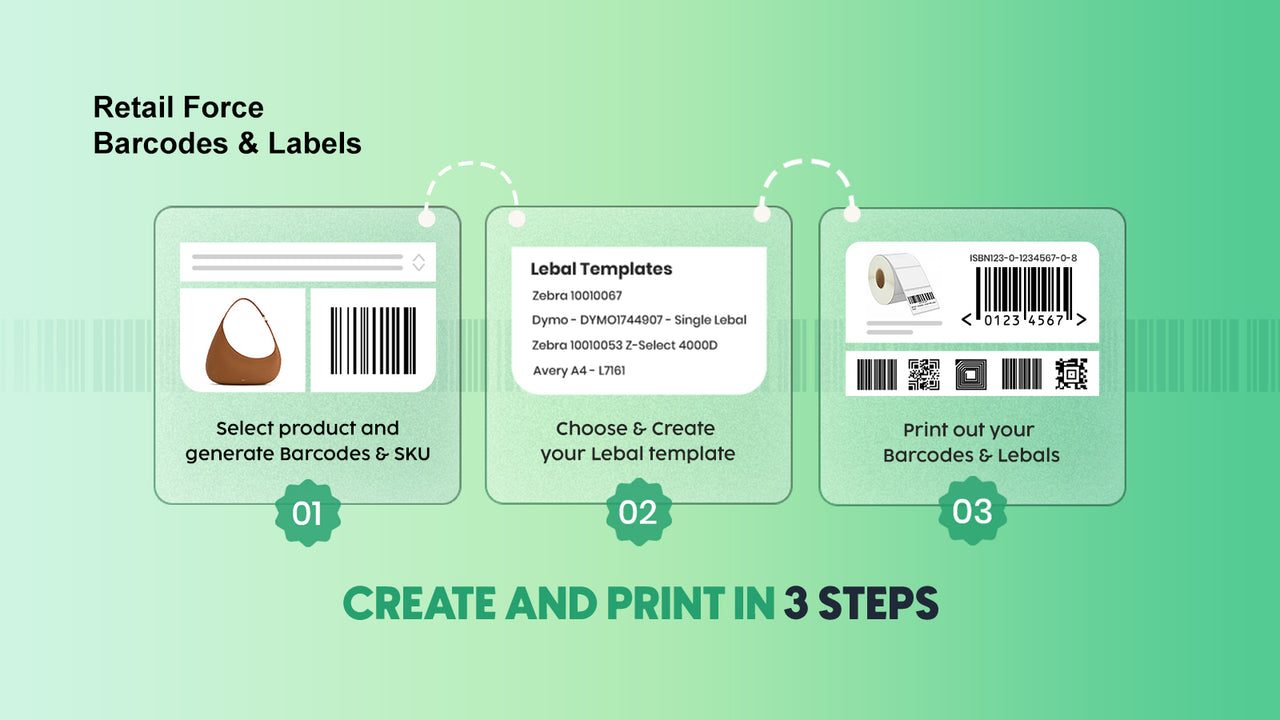
- Developer: Retail Force
- Rating: 5.0 ★ (310 reviews)
- Pricing: Free, single plan, no paid tier
- Built for Shopify: Yes
- View RF on the Shopify App Store →
Sometimes you do not need the deepest editor. You need labels, today, for nothing.
RF carries the highest rating here, 5.0 across 310 reviews, with a Built for Shopify badge and one plan: free. No trial that converts, no quota that throttles you in week three. It generates barcodes and SKUs with custom formatting, prints single or bulk, supports Code 128, EAN-8, EAN-13, UPC-A and UPC-E, and flags products missing barcodes or SKUs. It ships presets for 25+ paper brands including Avery, Zebra, Dymo, Brother, Uline and Rollo.
What to watch out for: This is the narrowest designer in the top six, which is exactly why it is sixth despite the best rating. You get eight fixed printable fields and no metafields, so custom product data cannot go on the label. No GS1-128, so cartons bound for a retail distribution centre are out. No circular labels. No self-serve grid editor: a new sheet layout means a support ticket. Online Labels stock is not in the preset list.
Best for: Merchants printing straightforward barcode labels on common paper who do not want to pay anything, ever.
View RF on the Shopify App Store →
7. Printout Designer
An invoice and packing-slip tool that also does labels.
- Developer: Actual Reports OÜ
- Rating: 4.9 ★ (45 reviews)
- Pricing: No free plan | Micro $4.99/mo (50 orders and products) | Starter $9.99/mo (300) | Basic $19.99/mo (1,000) | Professional $59.99/mo (unlimited), 14-day free trial
- Built for Shopify: No
- View Printout Designer on the Shopify App Store →
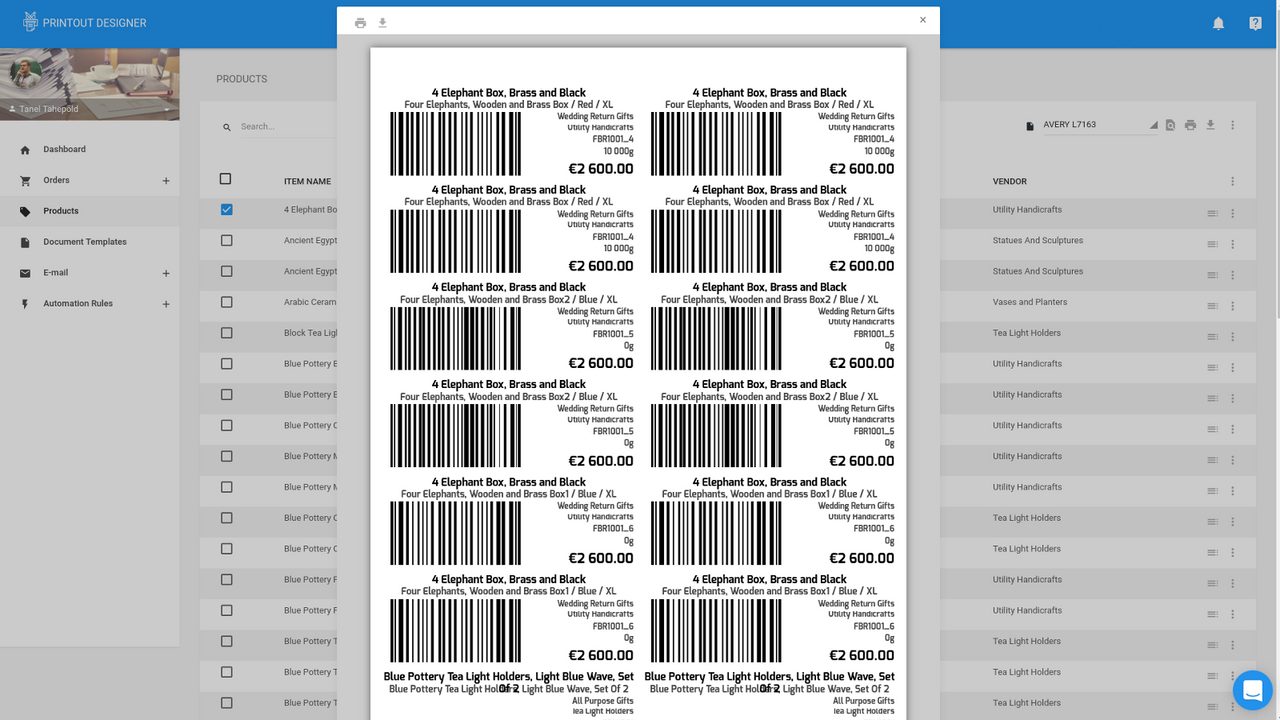
We read all 45 of its reviews to check whether it belongs on a label list. Ten mention labels at all. None mentions a barcode. Three describe labelling a product; the rest are invoices, packing slips, pick lists and shipping labels. So it is here for one specific reader: someone who already needs order documents and would rather not run two apps.
For that reader it is good. Its editor makes any size and format, PrintNode integration prints straight to hardware with no browser dialog, and it can print automatically when an order arrives, which no dedicated label app here does. Support is its strongest suit by a distance, praised in 62% of reviews.
What to watch out for: Pricing is metered on orders and products processed per month, not labels, so labelling existing stock means paying for order capacity you never use. The step from $19.99 for 1,000 to $59.99 for unlimited is steep, and one merchant describes being stranded on the wrong side of it after building all their templates. No free plan, and no Built for Shopify badge. The reviews are also old: half predate 2020, only 16% come from the last two years, and one glowing review praises a Google service that has since shut down.
Best for: Merchants who already need automated invoices and packing slips and want labels from the same tool.
View Printout Designer on the Shopify App Store →
8. Airo Retail Barcode Generator
A perfect rating, and not much you can check it against.
- Developer: Airo Apps
- Rating: 5.0 ★ (30 reviews)
- Pricing: Free (5,000 credits/30 days) | Starter $5.99/mo (2,000 credits) | Professional $29.99/mo (10,000) | Enterprise $99.99/mo (20,000)
- Built for Shopify: Yes
- View Airo on the Shopify App Store →
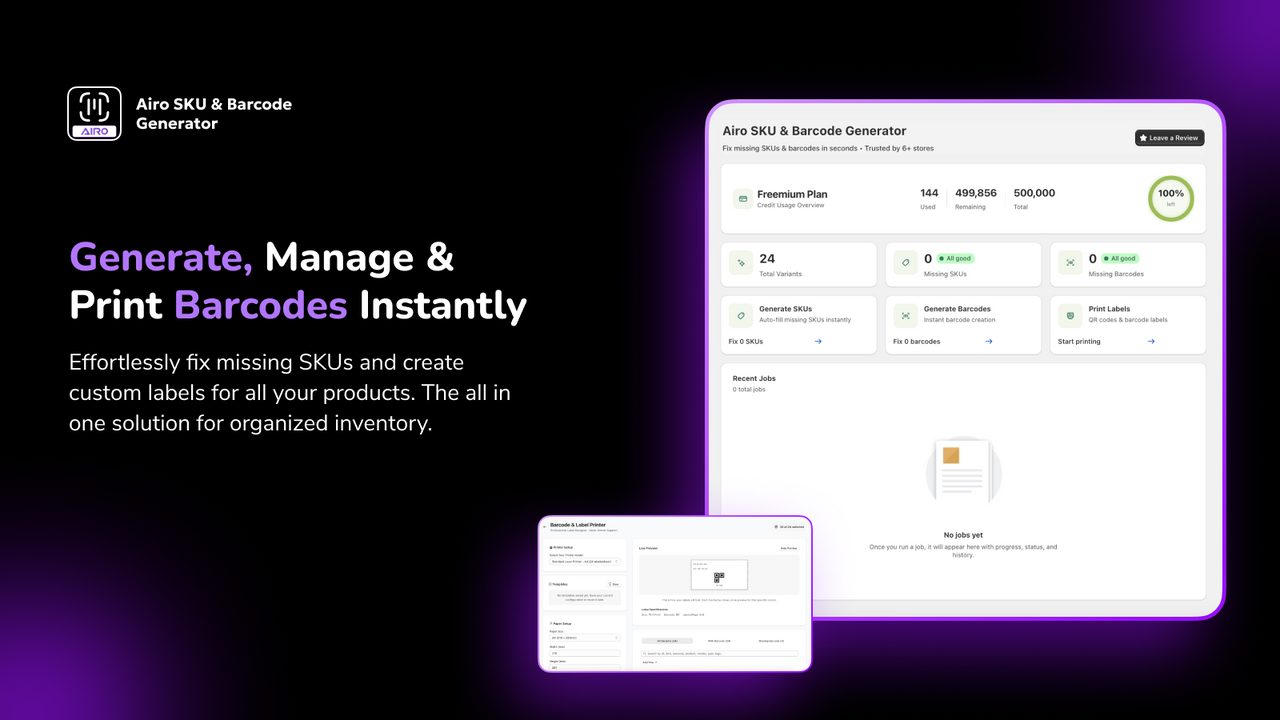
Airo is new, carries a Built for Shopify badge already, and does SKU and barcode generation, PDF label printing, custom templates and packing slips.
We read all 30 of its reviews and could not score it on four of our six tests. Here is exactly what we found, so you can weigh it yourself:
- All 30 reviews are five stars. No four, no three, nothing lower.
- 18 of the 30 were written after less than 24 hours with the app. Only 6 reviewers had used it a week or more, and the longest tenure on record is about two months.
- Not one review mentions a printer, by brand or otherwise. Nor label sizes, templates, fonts, text fitting, or pricing.
- One review praises a "Great virtual try-on experience", which is not a thing a barcode app does.
- Four reviews posted on 8 July 2026 are all from the same country, all five stars, and all state the identical "About 15 hours using the app."
- No review has a developer reply.
We are not drawing a conclusion from that, and you may read it differently. What we can say is that we could not verify whether this app prints well, because nobody in its reviews says they printed anything on a named printer.
The pricing has a genuine quirk worth checking before you upgrade. The free plan's 5,000 credits are more than the $5.99 Starter plan's 2,000, so paying moves you to fewer credits unless you jump to Professional. QR code labels are locked to the $99.99 Enterprise tier, a steep gate for something free elsewhere on this list.
Best for: Early adopters comfortable evaluating an app themselves rather than through other merchants' experience.
View Airo on the Shopify App Store →
9. F: Retail Barcode Generator
GS1-128 at $5, but it can overwrite barcodes you already have.
- Developer: Final Apps
- Rating: 4.4 ★ (72 reviews)
- Pricing: Free (unlimited generation, 40 print credits) | Pay As You Go $5 one-time (100 credits) | Pro $19/mo (1,000 credits) | Premium $49/mo (5,000 credits)
- Built for Shopify: Yes
- View F: Retail Barcode Generator on the Shopify App Store →
F does one thing that earns a place on this list: GS1-128 at a budget price. That is the format retail distribution centres and 3PLs ask for on cartons, because it encodes batch numbers, expiry dates and quantities rather than just a product number. It is $5 one time if your need is occasional.
It ranks last because of what a merchant reported happening to their catalogue:
"Though the app claims "A unique 10 digit alphanumeric code would be generated for each product if it doesn't have QR/Barcode", it replaces EXISTING barcodes with it's own random string of letters. There is no way to undo this other than re-entering the old barcodes, and the app does not warn beforehand that the barcode will be changed." (Jack of Dice, Netherlands, 1★)
If you own GS1-registered GTINs, that is a catalogue-destroying event, and re-entering them by hand is the stated remedy. The developer replied offering to undo it and said a warning would be added.
Two more things to know. Its print credits are consumed by previews and by prints that fail, reported independently by two merchants, so an unreliable print path costs you money. And its star rating flatters it: of 72 ratings, 27 carry no written text at all, and those silent ratings skew higher than the written ones. The 45 people who actually wrote something left 8 one-star reviews and every single two-star. 14% of all its ratings are one star, the highest proportion in this list.
Best for: Occasional GS1-128 carton labels on a catalogue with no existing barcodes to lose.
View F: Retail Barcode Generator on the Shopify App Store →
Stocky Shuts Down on 31 August 2026
Shopify is retiring Stocky, and it was pulled from the App Store on 2 February 2026, so it cannot be reinstalled. If you print labels when a purchase order arrives, that workflow ends this month.
There is no native replacement. Shopify's own community thread on the migration names label printing from a purchase order as a confirmed gap, particularly for items that have no barcode yet.
Three apps here read Shopify Transfers or purchase orders directly, which is the closest equivalent:
- BarcodeMan added Transfers printing in 2026 after a three-year request. One merchant on the app over three years wrote "I was struggling and about to cancel my subscription......Love the update."
- CTS Multi imports a Stocky purchase order and prints tags from it, described in several reviews.
- Yanet integrates with Stocky, POS and Flow, though the Stocky half of that stops mattering after this month.
If your products have no barcodes when they arrive, you need generation as well as printing, which points at MS Barcode or BarcodeMan.
Which One Should You Pick?
You want to spend nothing. RF. One free plan, no quota games. If its eight fixed fields are too few, Yanet's free 200 labels a month is the next step.
Your label stock is not a standard size. Label Wizard for a head start of 400+ templates, BarcodeMan if $5.99 flat matters more than the library.
You print on part-used Avery sheets. Yanet, for start-position printing. Nothing else here does it.
Your products have no barcode numbers yet. MS Barcode generates and prints in one app, unmetered even on free. Those are internal numbers, not marketplace-valid GTINs.
You print thousands of labels a month. BarcodeMan at $5.99 flat with no cap beats every metered plan here.
You ship cartons to a retail DC or 3PL demanding GS1-128. Label Wizard or BarcodeMan. Use F only if your catalogue has no existing barcodes to lose.
You print in Cyrillic, Chinese or any accented script. Label Wizard handles it as typed, and MS Barcode has a merchant review praising its unicode output.
Your printer is old, odd, or fighting you. CTS, where a named human will configure it with you.
You need invoices and packing slips too. Printout Designer, and skip running two apps.
Frequently Asked Questions
How do I print barcode labels in Shopify?
Shopify has no built-in label designer. You install an app, pick or build a template that matches your label stock, choose which product fields go on the label, then print to a desktop printer with sheet labels or a thermal printer with a roll. Every app on this list outputs a PDF, so any printer your computer already knows about will work.
Do I need an app, or can Shopify do this by itself?
You need an app. Shopify publishes a free one, Retail Barcode Labels, which is why most merchants meet it first. It sits at 2.3 stars across 466 reviews and its templates are fixed, so if your label stock is not on its list you are stuck.
What replaces Stocky for label printing after 31 August 2026?
Nothing native. The closest equivalents are apps that read Shopify Transfers or purchase orders directly: BarcodeMan, CTS Multi and Yanet. If arriving stock has no barcodes yet, MS Barcode or BarcodeMan can generate them at the same time.
Can I start printing partway down a part-used Avery sheet?
Only with Yanet, of the apps here. It calls this start-position printing and lets you begin at any label on the sheet. Everywhere else, a part-used sheet means wasting the remainder, and merchants describe reversing sheets in the tray as a workaround.
Which apps print GS1-128 or SSCC carton labels?
Label Wizard, BarcodeMan and F: Retail. GS1-128 encodes structured data such as batch numbers, expiry dates and quantities, which is what retail distribution centres and 3PLs ask for. Yanet, RF and Shopify's own app do not support it.
Do I need a GS1 Company Prefix to use a label printing app?
No. Every app here prints whatever number you give it, including one you invented. A label printer is a layout tool, not a barcode registry.
Whether you need a GS1 prefix depends on where you sell. For scanning your own stock, any unique number works. For Amazon or Walmart, you need a GTIN registered to your company in GS1's database, and an unregistered number gets the listing rejected. Retail buyers that require GS1 membership apply their own onboarding checks. We covered that in our guide to barcode and GTIN apps. If you don't have a prefix yet, our GS1 Company Prefix setup guide for Shopify covers getting one and connecting it. If you already own a prefix, GS1 Assistant handles assigning and validating codes against the registry. For the whole path from assigning a GTIN to printing it on a label, see our GTIN-to-label guide.
What is the difference between a label app and a badge app?
A label app produces a physical label you stick on something. A badge app draws "Sale" or "Only 3 left" graphics on your product images and prints nothing. They share the word "label" and nothing else. If the marketing talks about conversion rates, it is a badge app. If it names Dymo, Zebra, Avery or DPI, it prints.
Do these apps work with Dymo, Zebra and Brother printers?
Yes, because they all output PDF rather than driving the printer directly. Merchant reviews confirm working setups on Dymo 450, Zebra ZD410, Brother QL-800 and TSC-247. CTS has the most named hardware in its reviews. One caution: BarcodeMan's developer states the app needs a higher DPI than rival apps, after a merchant reported poor output from a 203 dpi Zebra.
Can I put ingredients, allergens or metafield data on a label?
Only on apps that read metafields. Label Wizard and BarcodeMan both do, and RF explicitly does not. MS Barcode caps metafields at four per template. This matters for food, cosmetics and anything with regulated label content.
Do I need a thermal printer, or will a normal one do?
A normal desktop printer is fine, and that is how most small stores print labels, using Avery-style sheets. Thermal printers pay off as volume rises: faster, no ink, continuous rolls instead of sheets, so no part-page waste. A Dymo or Zebra becomes reasonable at a few hundred labels a month.
Start Printing
Nine apps on Shopify design and print physical labels. Most of what ranks for "product label apps" is storefront badge software that will never touch your printer, so if you are holding a printer, this is your shortlist.
If your label stock is unusual, if you print in a non-Latin script, or if you want 400+ ready-made layouts before you start drawing your own, try Label Wizard. The first 20 label generations each month are free, and you can preview on your real products without spending anything.
If you want the most-reviewed option, go to Yanet. If you want free forever, go to RF. If you want a flat bill at any volume, go to BarcodeMan. We would rather you print the labels you need than install ours.