If you've ever had a product listing rejected on Amazon, Google Shopping, or Walmart because of a “missing or invalid GTIN,” you already know the frustration. The fix sounds straightforward: add a barcode to your product. But then you open the Shopify App Store, search “barcode,” and find yourself staring at dozens of apps that all claim to solve your problem.
Nobody tells you this upfront: “barcode app” means wildly different things depending on which app you install. Some apps print physical labels for your warehouse shelves. Some sell you cheap barcode numbers in bulk, numbers that Amazon may reject because they're not registered to your company. And a smaller handful actually connect to GS1, the global organization that issues legitimate barcodes, to help you manage the codes you already own.
The difference matters more than you'd think. Even Shopify's own first-party solution, Retail Barcode Labels, sits at 2.3 stars with over 40% one-star reviews. If Shopify themselves can't get barcode tooling right, it's worth being careful about which third-party app you trust with yours.
Full transparency: we built GS1 Assistant, the first app on this list. We obviously think it’s the best. We wouldn’t have spent years building it otherwise. But we reviewed every competitor using the same criteria, pulled real review data from the Shopify App Store, and included the negatives for every app, including our own. You decide.
Here's what this guide covers: 8 apps compared across features, pricing, ratings, and real merchant reviews. But before we rank anything, we'll explain the 3 types of barcode apps on Shopify, because picking the right category matters more than picking the right app within the wrong category. Most merchants get tripped up right there, and most “best barcode apps” articles never mention the distinction at all.
Let's fix that.
The 3 Types of Shopify Barcode Apps (Read This First)
Before you install anything, you need to understand what kind of barcode app you're actually looking for. This single distinction will save you more time (and rejected listings) than any feature comparison ever could.
Type 1: Barcode Label Printers
These apps do one thing well: they print physical barcode labels for your products, shelves, warehouse bins, or retail displays. You give them a number (a SKU, a UPC, whatever you want), and they generate a scannable label you can stick on things.
What they don't do is generate valid GTINs. They're printing tools, not barcode registries. If you type in a made-up number, they'll happily print a beautiful label with a made-up number on it.
Great for: internal inventory management, retail POS systems, warehouse picking and packing.
Examples: Yanet Barcode Labels, MS Barcode Labels, RF Barcode Generator.
Won't help with: Amazon, Walmart, and retail buyers that require a GTIN registered to your business. A printed label and a valid GTIN are two completely different things.
Type 2: Barcode Resellers (Buy Codes in Bulk)
These apps sell you barcode numbers, usually hundreds or thousands at a time, for a one-time fee. No annual renewal, no paperwork. Sounds great, right?
The catch: these codes are almost never registered to your company in GS1's global database. They're typically recycled or resold numbers from a prefix that belongs to someone else. GS1 US quotes Amazon Seller Central saying Amazon verifies UPC authenticity against the GS1 database, and that UPCs which don't match the information GS1 provides are treated as invalid . Walmart cross-references product IDs against the same database . A number registered to someone else is a listing risk on both.
Examples: AR: Buy GTINs & EAN Codes, Dragon UPC Barcodes Manager.
The tradeoff: cheap and fast today, potential headaches tomorrow. If you're only selling on your own Shopify store and never plan to list on marketplaces, resold codes might be fine. If you're selling anywhere else, this is a gamble.
Type 3: GS1 Prefix & GTIN Management
This is the category most merchants actually need but don't know to search for. Type 3 apps let you assign barcodes from your own GS1 Company Prefix, and some connect to your GS1 organisation where it has an API. They check numbers as you go: format, check digit and duplicates across your catalogue.
These apps work on the underlying problem: putting numbers from your own GS1 Company Prefix on your Shopify products. Numbers you own, checked for format and duplicates before you list.
Examples: GS1 Assistant (that's us).
The takeaway: If you need barcodes for marketplace selling, you need a Type 3 app, or at minimum a Type 1 label printer plus a manual process to enter your GS1 codes and keep them free of duplicates. Most merchants don't realize this distinction exists until after their first rejection email. Now you know before that happens.
How We Ranked These Apps
Every “best apps” list has a methodology, and you deserve to know ours. Here's what we evaluated and how heavily each factor weighed in our rankings:
| Criteria | Weight | Why It Matters |
|---|---|---|
| GS1 Prefix Support | High | Marketplaces that ask for a GTIN expect one licensed to the seller. This is the whole point for most merchants |
| Features | High | Bulk operations, format and duplicate checks, integrations with marketplaces and GS1 |
| Pricing & Value | Medium | Free plan availability, cost per feature, how pricing scales as your catalog grows |
| Rating & Reviews | Medium | Merchant trust signal; we read the negative reviews, not only the star average |
| Ease of Use | Medium | Setup time, learning curve, quality of documentation and support |
| Built for Shopify Badge | Low | Shopify’s own quality certification. Helpful signal, but not decisive on its own |
We weighted GS1 prefix support highest because that’s what most merchants actually need, even if "barcode app" is what they typed into the search bar. The majority of merchants searching for barcode help are trying to sell on marketplaces, and Amazon and Walmart both require GTINs licensed to the seller. Everything else is secondary to that.
If you only need label printing, your priorities are different, and that's perfectly valid. Skip ahead to apps #2 to #4, where we cover the best options for physical labels and internal inventory workflows.
The 8 Best Shopify Barcode & GTIN Apps in 2026
1. GS1 Assistant (UPC EAN GTIN) (Best for Assigning GTINs From Your Own GS1 Prefix)
- Type: GS1 Prefix & GTIN Management
- Developer: Left Foot Software
- Rating: 5.0★ (10+ reviews)
- Pricing: Essential $0/mo plus usage | Growth $4.99/mo plus usage | Automation $29.99/mo or $299.99/yr
- Built for Shopify: Yes
- View on Shopify App Store
- GS1 Assistant product page
If you sell on Amazon or Walmart Marketplace, you already know the headache: every product needs a valid GTIN, and those GTINs need to trace back to a legitimate GS1 Company Prefix. Not a reseller code you bought off eBay. Not a made-up number. A real barcode from your own GS1 Company Prefix.
Most merchants managing GS1 codes today are stuck running the process through manual Excel spreadsheets, tracking which GTINs are assigned, checking for duplicates, building export files for GS1 uploads by hand. GS1 Assistant replaces that spreadsheet workflow directly inside Shopify.
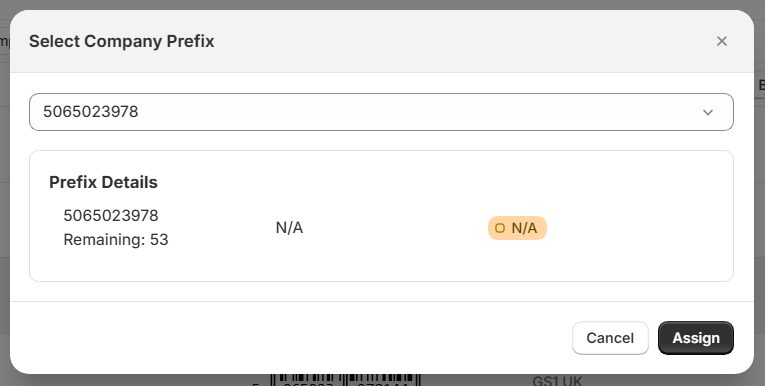
It connects to GS1's own registry APIs in Germany, the Netherlands, Sweden and Brazil, and integrates with GS1 US through a Channel Partner. When you assign a GTIN to a product, the app checks the format and check digit and catches duplicates.
In those four API countries, Auto Sync sends your product data to your GS1 organisation automatically, and it appears in Verified by GS1 shortly after. In other regions, the app builds a ready-to-upload file in your GS1 organisation's import format, where that format is supported.
Getting your products into Verified by GS1 matters more than most merchants realise. Retailers and marketplaces increasingly cross-reference Verified by GS1 to confirm product legitimacy, and having your listings show up there gives you a trust signal that no label printer can replicate.
Key features:
- Assign GTINs from your own GS1 Company Prefix: works with prefixes you already own, no proprietary barcode reselling
- Direct API integration with 4 GS1 organizations (Germany, Netherlands, Sweden, Brazil), plus a GS1 US Channel Partner integration
- GTIN checks: format, check digit and duplicate detection across your catalog
- Auto Sync (Germany, the Netherlands, Sweden, Brazil): your products reach Verified by GS1, the registry retailers and marketplaces check
- Supports your GS1 organization's import format: download a ready-to-upload file instead of building one by hand
- Flags missing, invalid and duplicate GTINs: before you list on Amazon, Google Shopping, eBay, Etsy and more
- Shopify Flow integration: automate GTIN assignment as part of your existing workflows
- Multi-language support: English, German, Italian, Dutch, and Portuguese (Brazil)
What merchants are saying:
“Excellent app and outstanding support. We run a Shopify store with more than 20,000 SKUs and manage our own GS1 Norway company prefix. Before finding GS1 Assistant, our workflow relied heavily on manual Excel spreadsheets”
Retrospillkongen, Norway, June 2026
“it is the best thing that is available for GS1 code management”
ÜCHÉ Fashion Brand, US
“Saved me 2 days of work” on 600 SKUs
Infantium Victoria, Germany
“the products appear in Verified by GS1 shortly after uploading to GS1”
Jessica Rich, US
“An Incredibly Helpful and Time-Saving Tool… a must-have for anyone working with product barcodes”
Grunt Style LLC, US
The honest downsides: The review count is small: 10+ reviews next to label-printing apps with hundreds. Several are detailed enough to be useful, but that is still a thin evidence base next to an app with 400+ reviews. If you have an exceptionally large catalog, install it and test it on one product line first. One merchant runs more than 20,000 SKUs on its own GS1 Norway prefix. Its June 2026 review calls the app “a huge time saver” for large catalogues.
Why it ranks #1:
The feature gap between GS1 Assistant and everything else on this list is not subtle. It's the only app here that connects directly to national GS1 registries: API connections with GS1 Germany, the Netherlands, Sweden and Brazil, plus a GS1 US Channel Partner integration. In those four API countries, it's the only app on this list that sends your products to Verified by GS1 automatically. It’s free to install; usage charges apply. The app currently serves 663 active merchants across 38 countries, all through organic growth. No paid ads, no affiliate deals. Just word of mouth and app store discovery.
A note on our bias: Yes, we built this. Yes, we genuinely believe it's the best option for marketplace sellers. The reviews and feature set speak for themselves, but don’t take our word for it. Install it and test it on your own products.
2. Yanet Retail Barcode Labels (Best Free Label Printer)
- Type: Barcode Label Printer
- Developer: Yanet
- Rating: 4.9★ (436 reviews)
- Pricing: Free (200 labels/mo) | From $7.99/mo
- Built for Shopify: Yes
If your barcode problem is not “I need valid GTINs” but rather “I need to physically print labels for products I already have barcodes for,” Yanet is probably where you should start, and we ranked nine of them in our guide to the best Shopify barcode label apps. It does one thing and does it well: turns your existing barcode numbers into printable labels.
Key features:
- Multiple barcode formats: UPC, EAN, QR codes, Code 128, and more
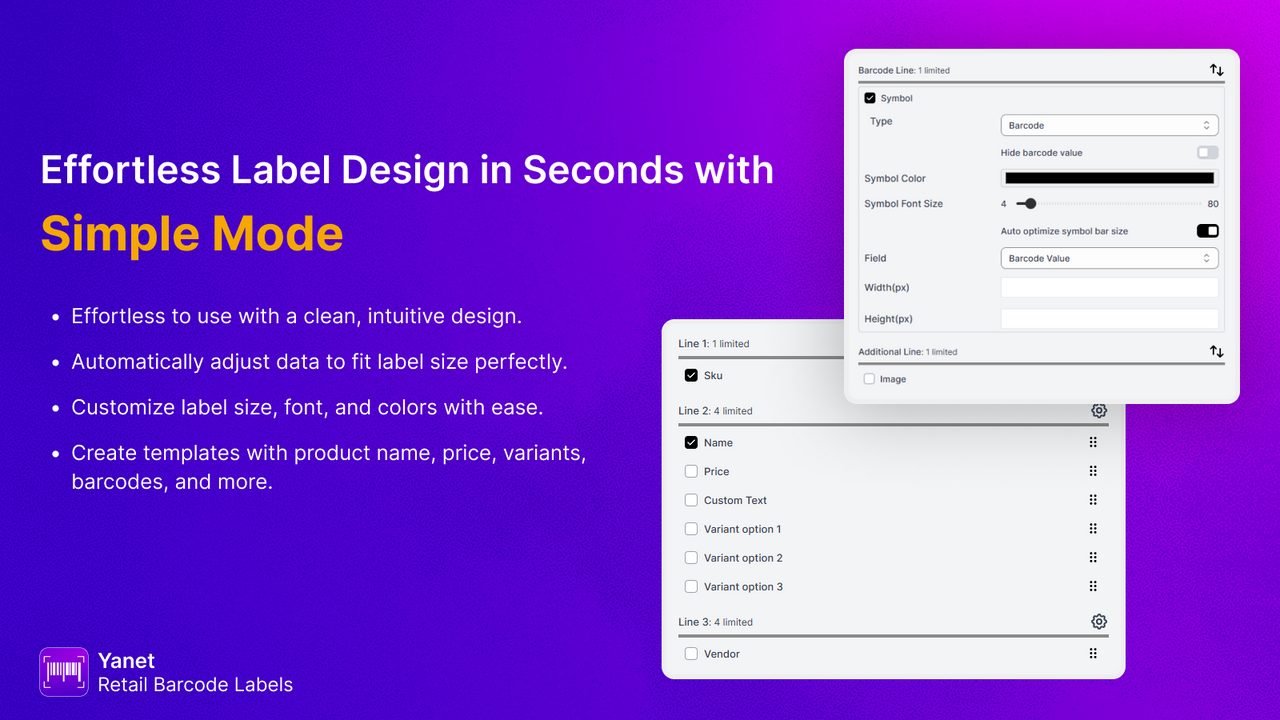
- Custom label templates: drag-and-drop designer, no coding required
- Bulk printing: select products directly from your Shopify catalog or upload a CSV
- Printer compatibility: works with Dymo, Zebra, Avery, and standard desktop printers
- Staff permission controls: limit who can print and access barcode data
- Stocky integration: pulls data from Shopify's inventory management tools
What makes it stand out: The 436-review count at 4.9 stars is not a fluke. The free tier is genuinely generous: 200 labels per month covers a lot of small stores entirely. The template designer is clean and intuitive enough that you won't spend an afternoon fighting with label dimensions. For a free app, the polish is impressive.
What to watch out for: Yanet does not generate valid GTINs. It does not connect to GS1. It does not verify that the barcode numbers you're printing are legitimate, properly formatted, or registered to anyone. It prints whatever number you give it onto a label. That's perfectly fine if you sourced your barcodes correctly. But if you’re printing unverified numbers and shipping products to Amazon, you're going to have problems that no label printer can fix.
Best for: Stores that already have valid, properly sourced barcodes and need a fast, affordable way to get them onto physical labels. Pair it with a GS1 prefix tool (like GS1 Assistant) and you have a complete barcode workflow.
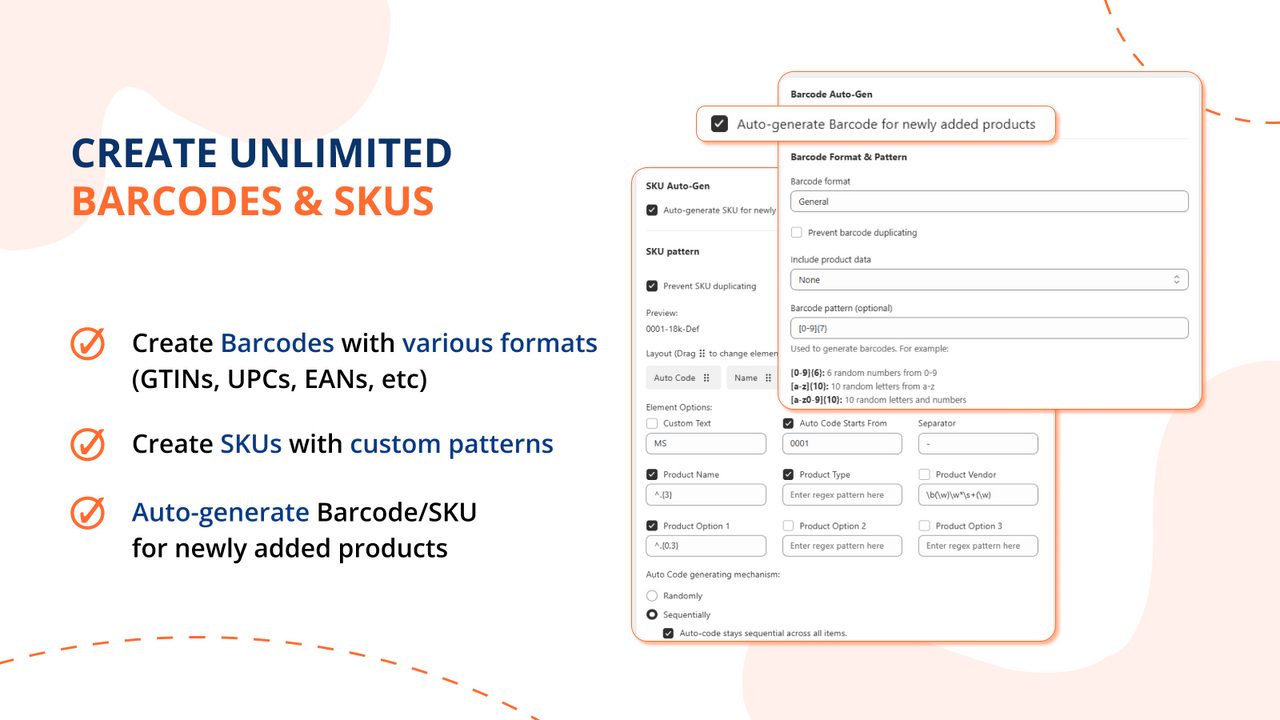
3. MS Barcode Labels & Generator (Best for Labels + SKU Management)
- Type: Barcode Label Printer + SKU Generator
- Developer: Magestore
- Rating: 4.9★ (360 reviews)
- Pricing: Free (200 labels/mo) | Standard $7.99/mo | Pro $27.99/mo | Pay-as-you-go options
- Built for Shopify: Yes
MS Barcode Labels takes the label-printing concept a step further by bundling in SKU generation. If you've been managing product codes in a spreadsheet and printing labels from a separate app, this two-in-one approach can simplify your setup considerably.
Key features:
- Barcode generation and printing: supports GTIN, UPC, EAN, QR, Code 128, and other formats
- Custom SKU patterns: create structured internal codes with prefixes, suffixes, and sequential numbering
- Drag-and-drop label designer: customize layout, size, and included fields without touching code
- Bulk printing: handle large batches efficiently across your catalog
- Multi-language support: useful for international teams
- Stocky + POS integration: ties into Shopify's own inventory and point-of-sale tools
What makes it stand out: The combination of SKU generation and label printing in one app is the reason to pick it. Merchants consistently praise the support team: when something goes wrong with a template or a print job, the Magestore team is responsive and hands-on. At 360 reviews and 4.9 stars, the track record is solid. The pay-as-you-go option is also a nice touch for seasonal businesses that don't need a monthly subscription year-round.
What to watch out for: The same caveat applies here as with Yanet: "barcode generator" in this context means generating barcode images and labels, not GS1-registered GTINs. The SKU generation feature creates internal numbering systems for your own warehouse organization. These are not marketplace-valid identifiers. If Amazon or Google Shopping asks for a GTIN, an auto-generated SKU will not satisfy that requirement. Our guide to GTIN errors in Google Merchant Center covers what Google actually checks. Also, the Pro plan at $27.99/month is steep for what is fundamentally a label printing tool. Make sure you actually need the Pro features before upgrading.
Best for: Stores that need both a structured internal SKU numbering system and a label printer in one package. Particularly useful for brick-and-mortar shops with Shopify POS that want consistent internal codes across their inventory.
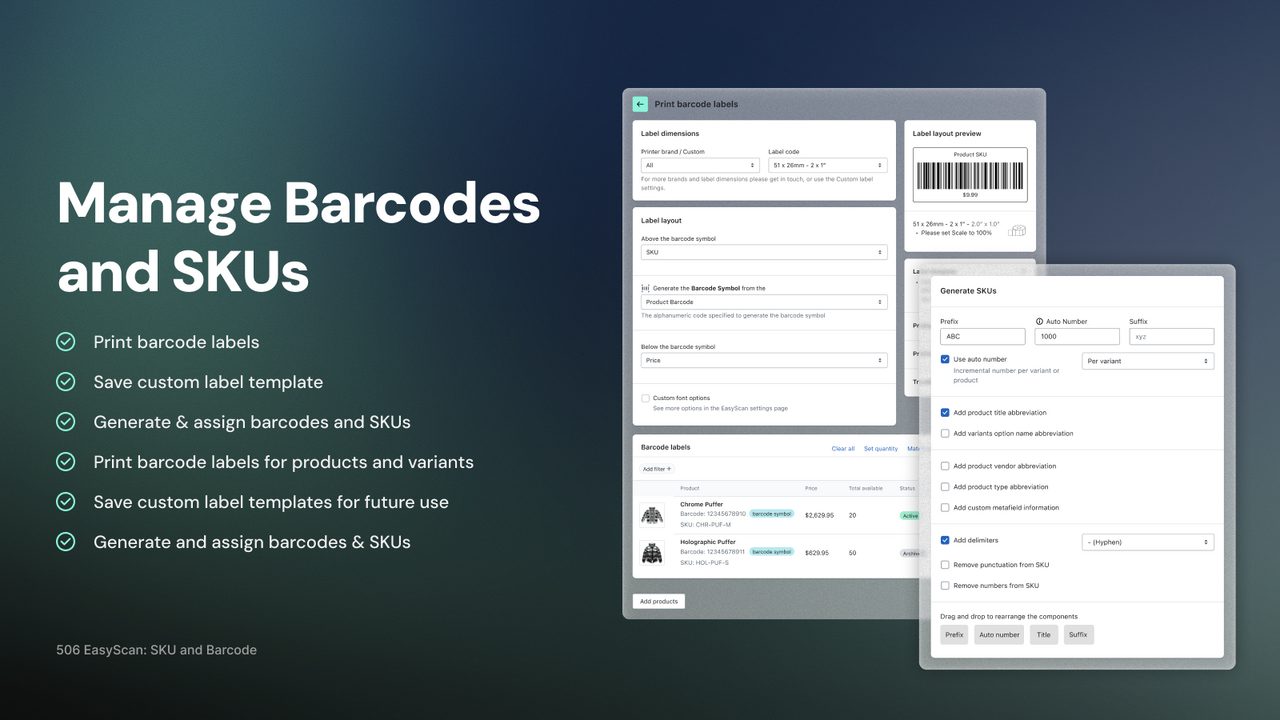
4. 506 EasyScan SKU & Barcode (Best for Warehouse & Fulfillment)
- Type: Inventory & Fulfillment Tool
- Developer: 506
- Rating: 5.0★ (331 reviews)
- Pricing: $9.99–$129.99/mo (10-day free trial, no free plan)
- Built for Shopify: Yes
EasyScan is a different animal than the other apps on this list. While most barcode apps focus on generating numbers or printing labels, EasyScan is built for the people actually walking around a warehouse with a scanner in hand. It turns barcodes into a full pick-pack-ship workflow.
Key features:
- Barcode scanner fulfillment: scan products to verify, pick, and pack orders accurately
- Pick/pack/ship workflow: structured process that reduces packing errors and missed items
- Multi-location inventory: track stock across multiple warehouses or store locations
- Stock transfers + purchase orders: move inventory between locations and manage reordering
- Custom packing slips + pick lists: generate warehouse documents tailored to your operation
- Inventory analytics: visibility into stock levels, movement trends, and fulfillment speed
What makes it stand out: A perfect 5.0 across 331 reviews is hard to hold. That’s not a small sample size, and keeping a flawless rating at that volume says the execution is consistent. The app goes well beyond barcode basics. It’s closer to a lightweight warehouse management system (WMS) than a barcode tool. If you're fulfilling orders in-house and your team is still eyeballing product picks instead of scanning them, the error reduction alone probably pays for the subscription within the first month.
What to watch out for: There's no free plan. The entry point is $9.99/month, and larger operations will land between $39.99 and $129.99. If you only need to assign GTINs to products for marketplace listings, this app is massive overkill. It wasn’t designed for that use case at all. EasyScan is also not a GS1 prefix tool. It doesn't assign GTINs from your GS1 Company Prefix or connect to GS1 registries. It can generate SKUs and barcodes, but not GS1-licensed GTINs, and it focuses on what happens in the warehouse, during fulfillment.
Best for: Stores with physical warehouse operations that need barcode-driven picking, packing, and inventory management. If your fulfillment team is more than one person and accuracy matters (it always does), EasyScan is worth the trial. Not the right choice if your primary need is GTINs from your own GS1 prefix. Look at app #1 for that.
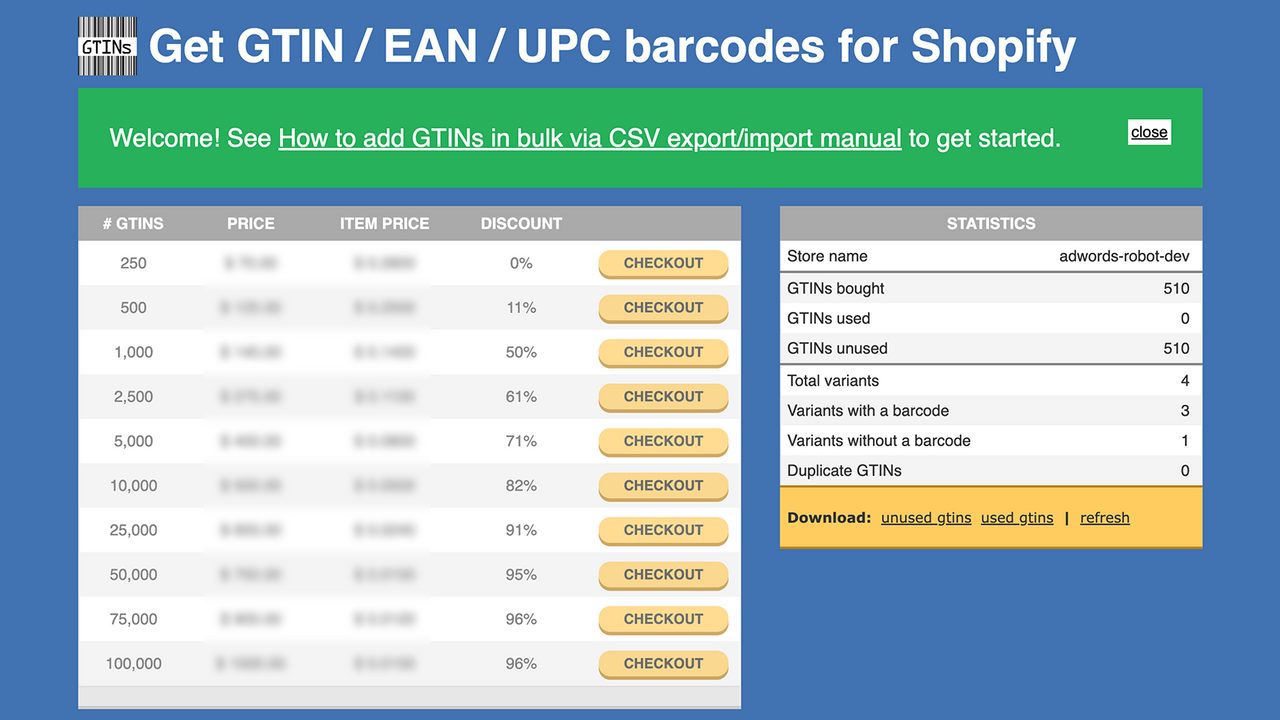
5. AR: Buy GTINs/UPC/EAN Barcodes (Cheapest Barcode Purchase Option)
- Type: Barcode Reseller
- Developer: Apps Robots
- Rating: 5.0★ (61 reviews)
- Pricing: Free to install | $0.01–$0.28 per GTIN
- Built for Shopify: No
If you just need barcodes and you need them cheap, AR delivers on that promise. The pitch is direct: buy 13-digit GTIN barcodes right inside your Shopify admin, have them automatically assigned to your products, and get on with your day. No monthly subscription. No annual renewal fees. Prices start at $0.28 per barcode and drop to a penny each at volume.
Setup is quick. Install the app, grab 10 free test codes to make sure everything works, and then buy what you need. The barcodes are compatible with Google Shopping, Facebook, and Instagram product feeds, which is exactly where most Shopify merchants need them.
The 5.0 rating looks impressive, and for the narrow use case of “I need a GTIN number to list products on Google Shopping,” it genuinely works.
But here's the catch you absolutely cannot ignore.
“These GTINs are not brand registered. If a marketplace (Amazon & Bol) requires that, then these GTINs will not work.”
Straight from the AR app listing
That’s not fine print. That’s a fundamental limitation. These barcodes aren't registered to your brand in any GS1 database. At least one merchant reported spending $50 on barcodes that Amazon flatly rejected. There's no GS1 sync and no Built for Shopify badge.
Think of it this way: these are the gas station sunglasses of the barcode world. They work fine for a beach day. You wouldn't wear them to a job interview.
Best for: Merchants who exclusively sell on Google Shopping or Facebook and don't need GS1 brand registration. If Amazon or Walmart is in your future, even potentially, skip this one.
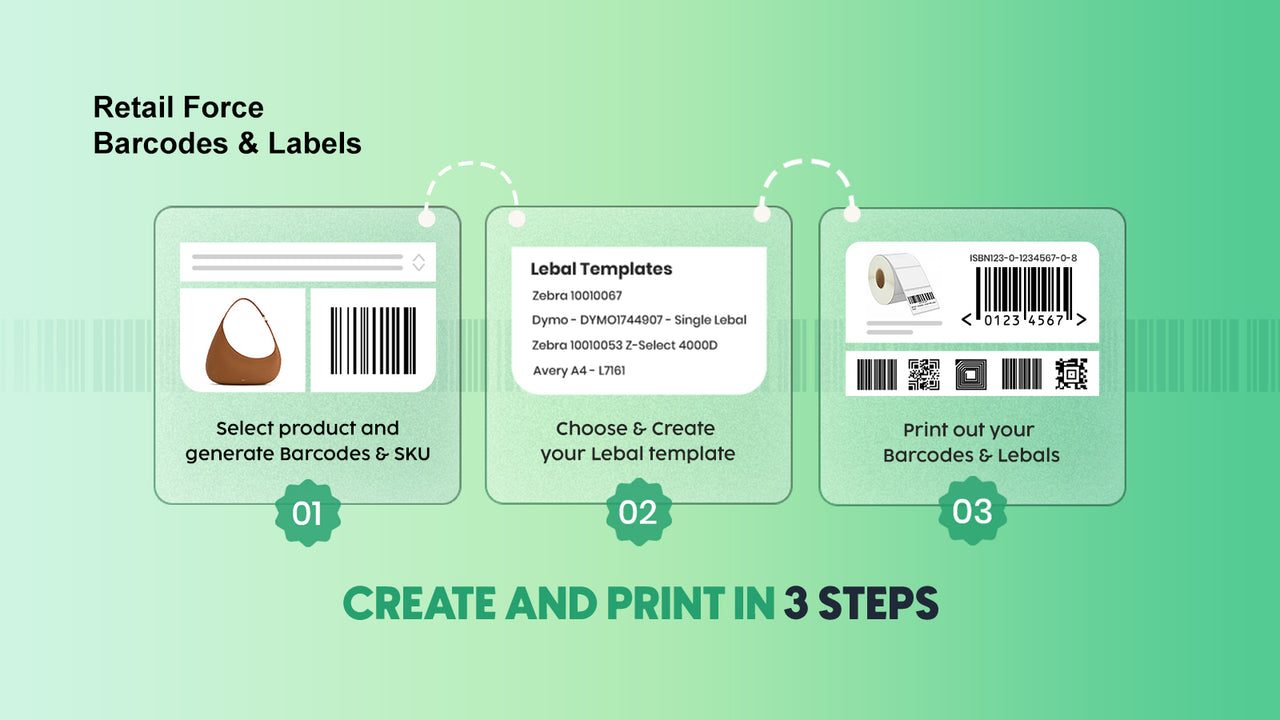
6. RF: Barcode Generator & Labels (Best Free All-Rounder)
- Type: Barcode Label Printer
- Developer: Retail Force
- Rating: 5.0★ (275 reviews)
- Pricing: Completely free
- Built for Shopify: Yes
Sometimes you don't need the Swiss Army knife. You just need the knife.
RF Barcode Generator does one thing well: it generates barcode labels and lets you print them. No upsells, no premium tiers you'll inevitably need, no “free plan” that's really a trial in disguise. It's actually, genuinely free.
You get barcode labels, SKU generation, UPC and GTIN support, bulk printing, and customizable label templates. It carries the Built for Shopify badge, which means Shopify has vetted the code quality, security, and performance. And 275 merchants have collectively given it a 5.0-star rating. That’s not a fluke.
The interface is straightforward. Pick your products, choose a label format, print. If you've got a thermal printer, great. If you're printing on standard sheets, that works too.
The trade-offs are what you'd expect from a free tool. Customization options are more limited than what you'd get from Yanet or MS Barcode. There’s no GS1 integration. It prints the barcodes you already have. And if you need advanced features like Shopify Flow automation or sophisticated template design, you'll outgrow this quickly.
Most small stores never need those features. They need to print a barcode on a label and stick it on a product. RF does exactly that without asking for your credit card.
Best for: Budget-conscious stores that need basic, reliable label printing and nothing more. If your barcode needs start and end at “print labels,” this is the move.
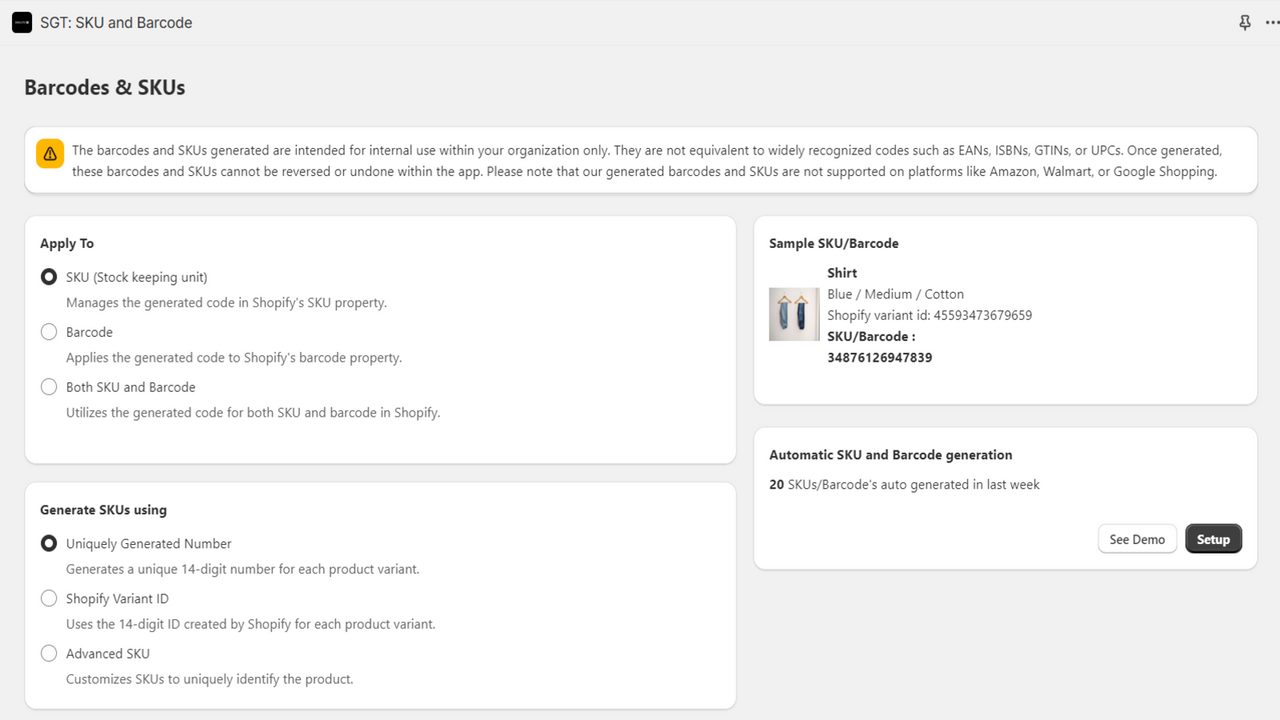
7. SGT: SKU and Barcode Generator (Best Budget SKU Tool)
- Type: SKU & Barcode Generator
- Developer: SingleTec
- Rating: 4.7★ (42 reviews)
- Pricing: Free plan | $3.99/mo
- Built for Shopify: No
Here's a question most new merchants don't think about until it's too late: how are you organizing your SKUs?
If you've got 50 products with variants and your SKU system is “I'll figure it out later,” SGT exists to solve that specific headache. It auto-generates SKUs using custom numbering rules, creates barcodes in bulk, and automatically assigns them to new products as you add them. There's also a random SKU generator if you don't want sequential numbering.
At $3.99 per month on the paid plan, it's one of the cheapest apps on this entire list. The free plan lets you test the waters before committing, and the paid tier is less than a coffee.
The 4.7-star rating across 42 reviews shows solid satisfaction, though the smaller review count means less data to work with compared to apps like Yanet (436 reviews) or RF (275 reviews). It doesn't carry the Built for Shopify badge, so it hasn't gone through Shopify's enhanced vetting process.
The limitations are clear. SGT generates SKUs and barcodes, including GTINs from your own GS1 prefix, and its free plan includes unlimited label printing. What its listing doesn't name is any connection to a GS1 organisation, so there is no sync and you upload to GS1 yourself.
Think of SGT as the organizational backbone rather than the full solution. It makes sure every product has a clean, logical SKU and a barcode number. What you do with that barcode afterward is up to you.
Best for: Small stores that need organized internal SKU numbering on a tight budget. Pairs well with a separate label printing app if you need physical barcodes too.
8. F: Retail Barcode Generator (Budget Label Printer with GS1-128)
- Type: Barcode Label Printer
- Developer: Final Apps
- Rating: 4.4★ (72 reviews)
- Pricing: Free (40 credits) | $5 one-time | Pro $19/mo | Premium $49/mo
- Built for Shopify: Yes
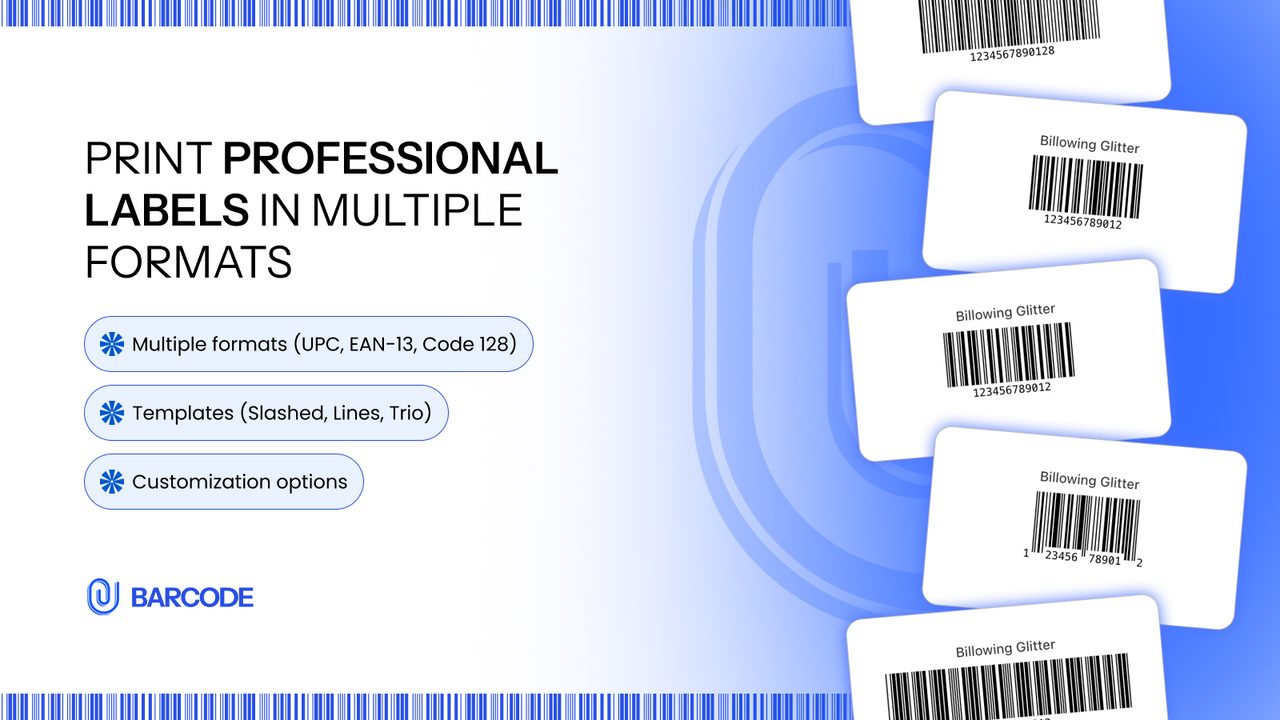
F: Retail Barcode Generator has something none of the other label printers on this list offer: GS1-128 barcode format support. If that term doesn't mean anything to you, you probably don't need this app. But if you're shipping to retailers or warehouses that require GS1-128 on your cartons, this is worth a look.
The feature set is legitimately broad. UPC-A, EAN-13, GTIN, and GS1-128 formats. Bulk generation and printing. Custom label templates. Support for Dymo, Zebra, and Avery printers. Shopify Flow integration on higher tiers. The pricing is flexible too: you can start with 40 free credits, buy a $5 one-time pack, or go monthly.
It also carries the Built for Shopify badge, which is a genuine quality signal.
Now for the part where honesty matters. F has the lowest rating on this entire list at 4.4 stars, with 14% one-star reviews. That's a yellow flag. Dig into those negative reviews and you'll find a pattern: merchants cite unresponsive customer support and barcodes described as “impossible to print” with no resolution offered.
The Premium tier at $49 per month also puts it in expensive territory, more than Yanet, MS Barcode, and EasyScan, all of which have higher ratings.
Best for: Stores that specifically need GS1-128 shipping barcodes and can't find that format elsewhere. But read the recent reviews carefully before committing, and start with the free credits to test printing with your specific hardware before spending money.
Quick Comparison Table
| App | Type | Rating | Reviews | Free Plan | Paid From | GS1 Integration | Built for Shopify |
|---|---|---|---|---|---|---|---|
| GS1 Assistant | GS1 Prefix & GTIN | 5.0★ | 9 | Yes, plus usage | $4.99/mo plus usage | Yes (4 API + US partner) | Yes |
| Yanet Barcode Labels | Label Printer | 4.9★ | 436 | Yes (200 labels) | $7.99/mo | No | Yes |
| MS Barcode Labels | Label + SKU | 4.9★ | 360 | Yes (200 labels) | $7.99/mo | No | Yes |
| EasyScan | Inventory/Fulfillment | 5.0★ | 331 | No (trial only) | $9.99/mo | No | Yes |
| AR: Buy GTINs | Barcode Reseller | 5.0★ | 61 | Yes (10 codes) | $0.01/code | No (non-registered) | No |
| RF Barcode Gen | Label Printer | 5.0★ | 275 | Yes (full) | Free | No | Yes |
| SGT: SKU Generator | SKU/Barcode Gen | 4.7★ | 42 | Yes | $3.99/mo | No | No |
| F: Barcode Gen | Label Printer | 4.4★ | 72 | Yes (40 credits) | $5 one-time | No | Yes |
Notice the pattern? GS1 Assistant is the only app on this list that syncs with a GS1 organisation, where that organisation offers an API. If assigning GTINs from your own prefix is your goal, that column tells the whole story.
Which App Should You Choose?
Picking the right barcode app depends entirely on what problem you're solving. Here's the quick version:
“I sell on Amazon or Walmart.” → GS1 Assistant. You need real, registered GTINs tied to your brand. It’s the only app on this list with direct connections to GS1 organisations.
“I just need to print barcode labels for my warehouse.” → Yanet Barcode Labels (free and proven) or MS Barcode Labels (if you also need automatic SKU generation).
“I need barcode scanning for order fulfillment.” → EasyScan. It’s a warehouse operations tool for barcode scanning and pick lists. Its barcodes aren’t GS1-licensed GTINs.
“I want the cheapest barcodes possible for Google Shopping only.” → AR: Buy GTINs. But understand the risks. These aren't GS1-registered, and the app itself warns they won't work where brand registration is required.
“I need basic labels on zero budget.” → RF Barcode Generator. Free, handles the basics, nothing more.
“I need organized SKU numbers for internal tracking.” → SGT: SKU & Barcode Generator. Cheap, focused, and does exactly that.
“I need GS1-128 shipping barcodes for retail compliance.” → F: Retail Barcode Generator. But read the reviews carefully before committing.
When in doubt, ask yourself one question: Am I selling on Amazon or Walmart, or to retail buyers? If yes, start with GTINs from your own GS1 prefix. Everything else is secondary.
Frequently Asked Questions
Do I need a GS1 Company Prefix before installing a barcode app?
Only if you're using a GS1 prefix app like GS1 Assistant. Label printers like Yanet or RF Barcode Generator work with whatever barcode numbers you already have. They just print what’s there. If you don't have a GS1 prefix yet, you can purchase one directly through GS1 or your regional GS1 organization, then assign GTINs from that prefix in GS1 Assistant and check them for duplicates. Our GS1 Company Prefix setup guide for Shopify walks through both steps.
What's the difference between UPC, EAN, and GTIN?
They're all part of the same numbering system, just different lengths. UPC is 12 digits, used primarily in North America. EAN is 13 digits, used globally. GTIN is the umbrella term that covers both (plus 8-digit and 14-digit variants). Any decent barcode app handles all three formats. Don’t overthink it. If someone asks for your GTIN, your UPC or EAN qualifies.
Will a barcode app fix my Amazon GTIN rejections?
Only if the rejections are caused by invalid or unregistered GTINs, which is the most common reason. You need barcodes assigned from your own GS1 Company Prefix, not codes bought from a reseller. GS1 Assistant assigns GTINs from your own prefix, so each barcode traces back to your company. It is also the only app on this list with direct connections to GS1 organisations.
Can I use cheap barcodes from a reseller for Amazon?
Risky. Amazon validates barcode ownership against GS1's database. If the GTIN isn't registered to your brand, expect rejections, or worse, listing suspensions down the road. Some merchants have reported wasting hundreds of dollars on reseller barcodes that Amazon simply won't accept. Even AR: Buy GTINs, app #5 on this list, states in their own app listing that their codes won't work if a marketplace requires brand registration.
What happens to my barcodes if I uninstall a barcode app?
Your GTINs stay put. Barcode numbers are stored in Shopify's native product barcode fields, and uninstalling an app doesn't remove that product data. This applies to every app on this list. You won’t lose your barcodes, though you will lose access to any app-specific features like duplicate checks or label templates.
Final Thoughts
After reviewing all eight apps, the split is clear. Barcode apps for Shopify fall into three categories: GS1 prefix tools, label printers, and reseller code providers. They solve very different problems, and picking the wrong category is the most expensive mistake you can make.
Most merchants discover this too late: if you're selling on Amazon or Walmart, you need registered GTINs assigned from your own GS1 Company Prefix. Label printers won't generate valid codes for you. Reseller barcodes carry real risk of marketplace rejection. Numbers from your own prefix matter.
If you're selling on marketplaces, or planning to, start with GS1 Assistant. It’s free to install, so you can check the setup on your own products and decide for yourself whether it’s the right fit.
Got questions about barcodes, GTINs, or GS1 prefixes? Drop us a line. We're always happy to help, even if you don't end up using our app.