Is this guide for you? It's for you if you print barcode labels for the products on your shelves and some of your product or variant names run long. We make Label Wizard, the app these steps use.
Why Shopify's Retail Barcode Labels App Shrinks, Then Cuts Off, Long Product Names
When your product name is long, the free app makes it smaller to squeeze it onto the label. One 5-star reviewer says it resizes text "the best it can up to a certain point".
Here's the catch. Past that point, the app cuts off the end of your name.
"If you have a long product name, the letters become so small that you need a magnify glass to be able to read them."
An annoyed merchant in the US
"It's understandable that product and variant names need to be truncated to fit on the label but this app does so inconsistently and even in different ways on the same print job."
A fed-up merchant in Canada
Sound familiar? You're not alone. Retail Barcode Labels has a 2.3 rating from 476 reviews, and text that won't fit is one of the complaints merchants raise most.
In 2026 Shopify also moved the app to a thicker font you can't change. Merchants say it fits fewer characters on the title line (more on switching from Retail Barcode Labels).
Why Retail Barcode Labels Says Your Text Won't Fit
The app now flashes a yellow warning when your text won't fit, and you can't switch it off. Replying to one merchant, Shopify acknowledged "Your point that the fit warning can't be turned off".
So the app tells you there's a problem, and gives you nothing to fix it.
When a merchant asked how to make the text bigger, Shopify Support replied that the app "does not provide a direct setting to increase the font size on barcode labels". Support suggested "a third party barcode label printing app" instead. If you're weighing those apps, see our comparison of barcode label apps for Shopify.
Can You Change the Font Size on Shopify Barcode Labels? Free-App Fixes and Their Costs
So what can you do inside the free app? You have four ways to give a long name more room, and each one costs you something:
- Use a bigger supported label size. When names get cut off, Shopify points you at label size first. You pay for new label stock. And the smaller the label, the less you can change: "Smaller template sizes have fewer customization options because of the limited space on the label."
- Take fields off the template so your name gets the space. You lose the price or the variant from the label.
- Shorten your product titles in Shopify. You change the title your shoppers and search engines see, too.
- Design your labels in Dymo Label software. Shopify suggests "using a Dymo printer with Dymo Label software" for font size changes. You need a Dymo printer, and you design outside Shopify.
Notice what's missing? None of these gives you a font size setting inside the app. Even Shopify's reply to the fit-warning complaint ends: "There may be other label printing apps that can help with further customizations."
Here's what changes when you switch to Label Wizard:
| Retail Barcode Labels (free) | Label Wizard | |
|---|---|---|
| Font size | No direct setting | A size range you set, with a Min and a Max |
| Long product names | Shrunk, then cut off | Wrapped onto two or three lines |
| Before you print | A fit warning you can't turn off | A preview on your real products, before you print |
| Font | No font choice | 19 built-in fonts |
| A shorter name for the label | Merchants ask for it in reviews | Your product and variant metafields |
| Cost | Free | 20 labels free every 30 days, then $0.03 a label |
See your longest product name on a label before you print. In Label Wizard, add the name to a label and preview it against your real products. Previewing doesn't use credits.
How Do You Wrap a Long Product Name onto Two Lines on a Barcode Label?
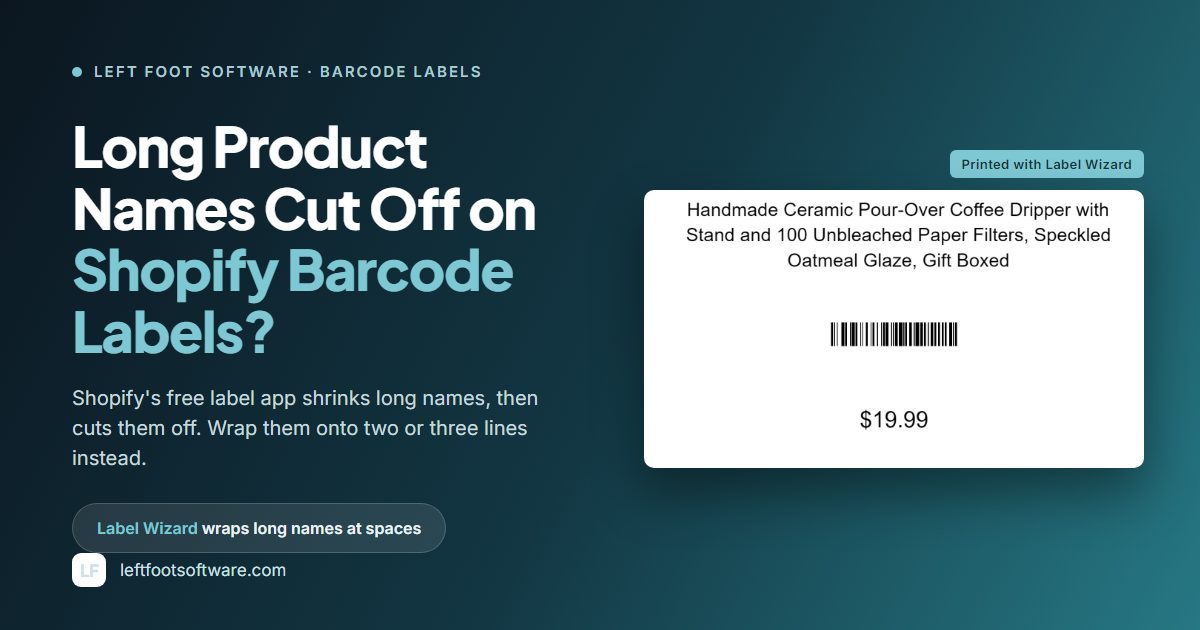
You give the name a wide text box and a low minimum size. Label Wizard wraps long names onto extra lines automatically, at the spaces. Merchants have asked for exactly this. Here's one from Shopify's community forum in 2022:
"Is there anyway to have the title take up two lines rather than the text shrinking smaller and smaller?"
A merchant on Shopify's community forum
Here's how you do it in Label Wizard.
- Pick your label size. Choose one of 400+ label stock templates from Avery, Online Labels and Uline, or set up your own sheet.
- Give your product name a text box wide enough to wrap onto two or three lines. Stretch it across the label and leave height for the extra lines.
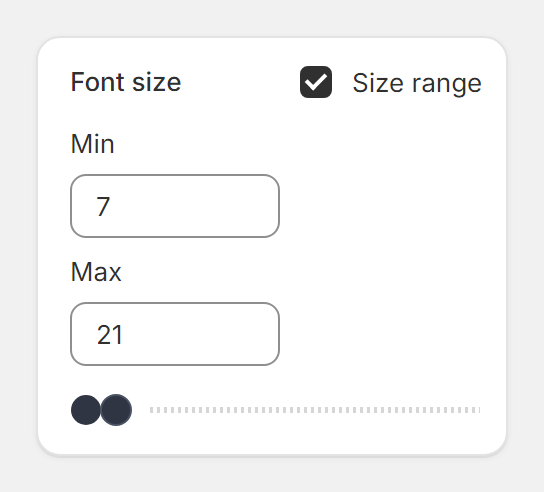
- Check that Size range is ticked, and set a low Min. Size range is on by default. Label Wizard wraps your name at spaces automatically, and the Min decides how far a name may shrink when it still needs room.
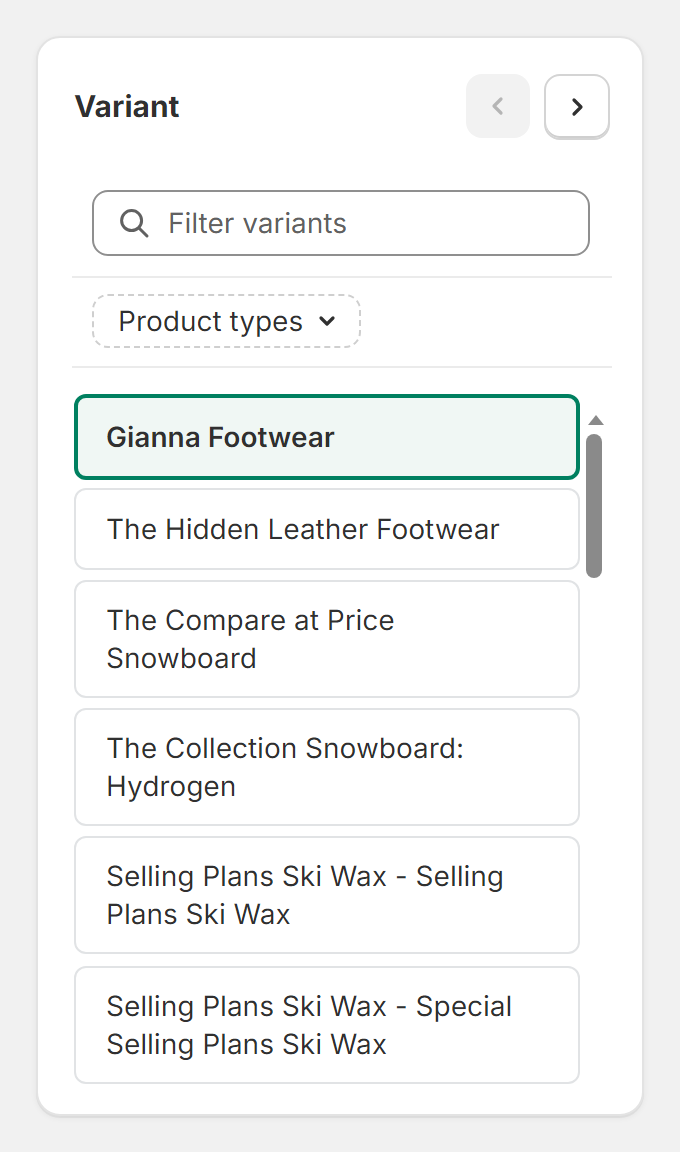
- Preview your longest names. Step through your products in the editor with the variant arrows and check the longest ones.
- Print one test label and read it before you print the whole run.
“The app allowed us to customize exactly to our requeriments and their customer support is excellente!”
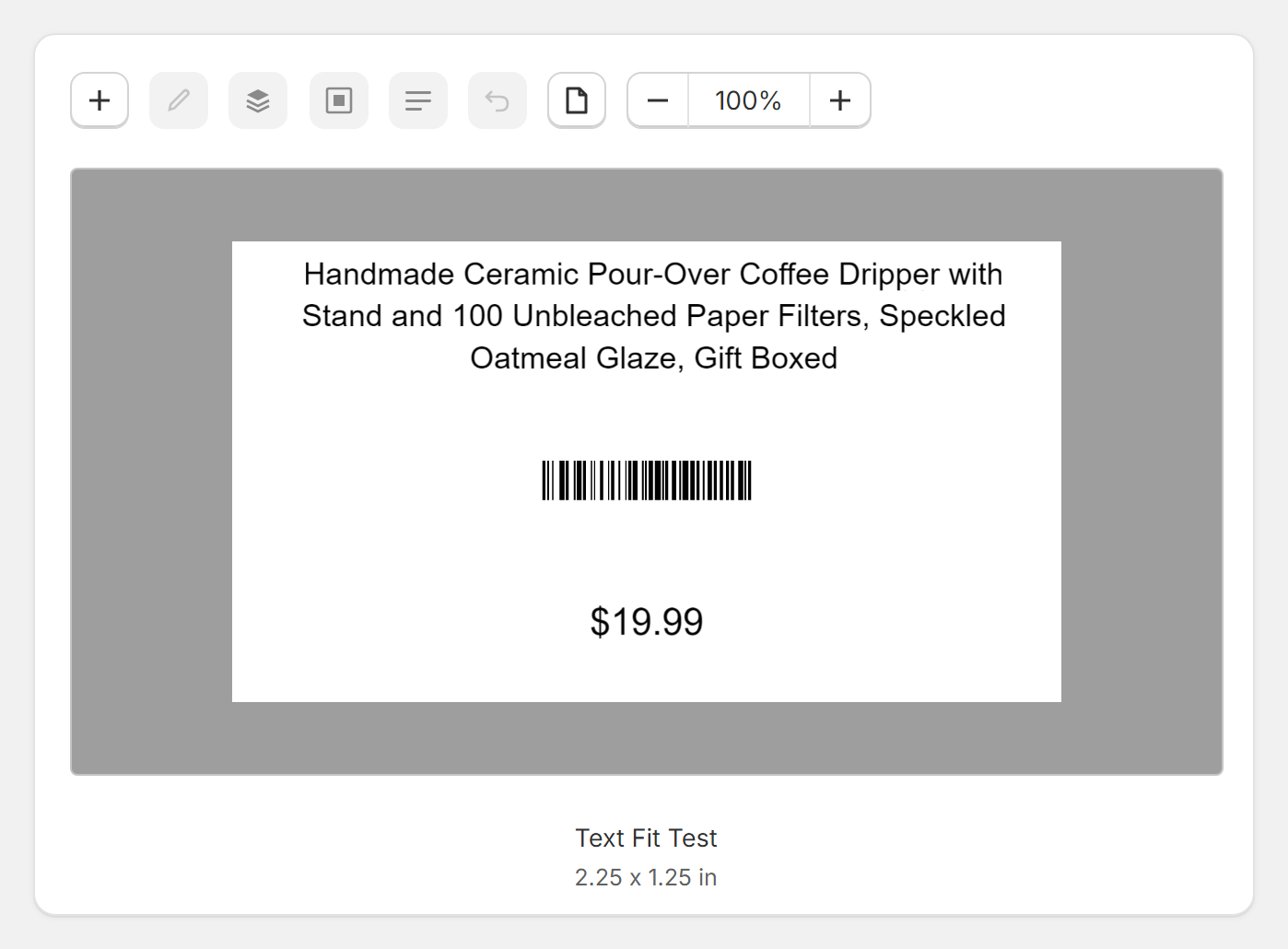
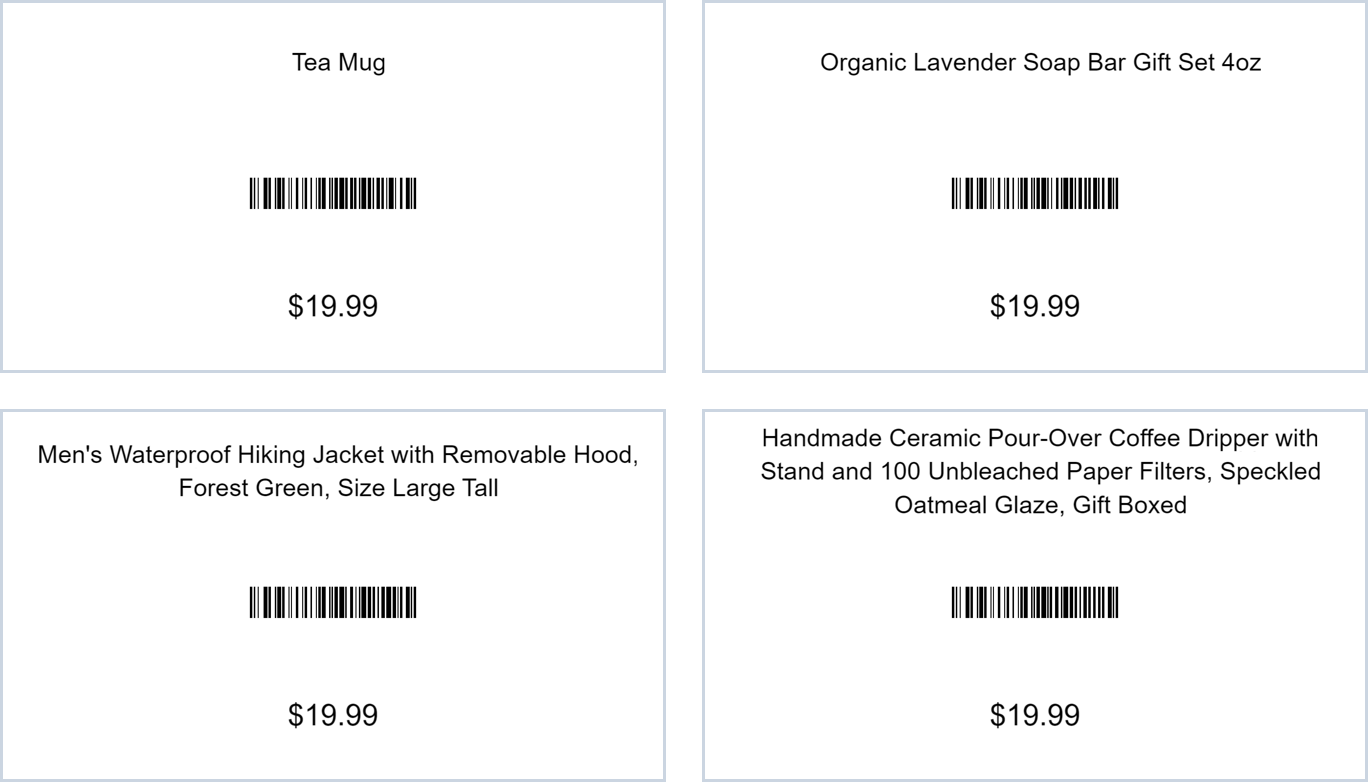
Does it work? We tested it on a 2.25 x 1.25 inch label with four names, from a short one to one of more than 120 characters. All four printed in full, wrapped on one to three lines at the same size.

“Just installed Label Wizard and was able to design and print professional looking labels almost immediately!”
Want bigger text? Raise the Max, give your name a taller box or use a larger label, then print another test.
Do your long names come from variants, with colour and size added to the title? Our guide to printing barcode labels for product variants shows you how to print one label per variant.
If a Long Name Still Gets Cut Off on a Printed Label: Three Fixes
A size range only works inside the box you give it. In our test prints, three names still came out cut off, and each has a quick fix.
Lower the Minimum Size, or Make the Box Taller
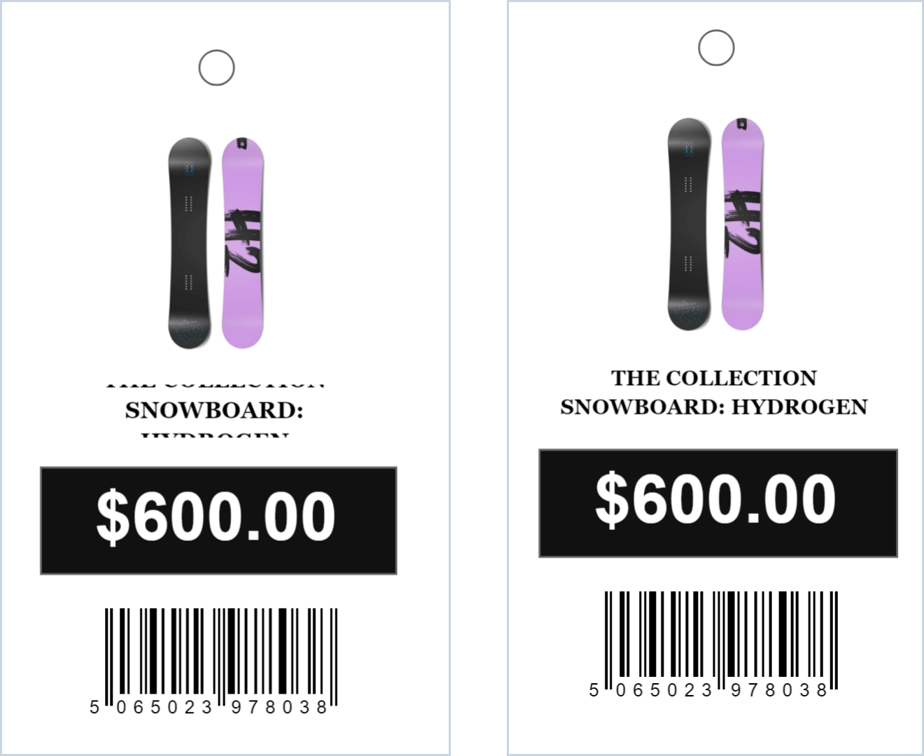
On a narrow test label, "The Collection Snowboard: Hydrogen" printed with its top and bottom lines cut off. We had set the Min to 12, so the name needed three lines and the box held two.
At Min 6, the same name printed in full on two lines.
A taller box also helps. In our 2.25 x 1.25 inch test, a box about a third of the label tall held our longest name, more than 120 characters, on three lines. And you don't have to waste labels finding out, because the editor preview shows you the cut before you print.
Add a Space to Names Written as One Long Word
Label Wizard wraps text at spaces. On the same narrow label, a 38-character name with no spaces lost its last letter at the edge. If your names run together like a SKU, add spaces to the title, or put a spaced version in a metafield and place that on the label.
Print a Shorter Name from a Metafield
Some names are just too long for a small label. On the narrow label, even Min 6 couldn't fit our longest test name. For names like that, put a short label name in a product or variant metafield, and place it on the label instead of the title.
One Retail Barcode Labels reviewer asked for exactly that: "a way to also add product metafields to the label. Like for showing a shorter name".
What Else You Can Put on a Barcode Label with Label Wizard
Long names are one reason merchants move off the free app. Once you're in Label Wizard, the same label can carry more than the name:
Choose from 400+ label stock templates from Avery, Online Labels and Uline, or set up your own sheet with its rows, columns and margins.
Put the compare-at price on the label next to the sale price. Our guide to printing compare-at prices on sale labels shows how.
These characters all print correctly, exactly as typed.
Choose from 19 built-in fields, plus your product and variant metafields, in 19 built-in fonts.
Label Wizard prints the barcodes your products already have. A product with no barcode still prints a clean label.

“The base-level app is fantastic. Super powerful, easy to use. However, I had some customer requirements I floated with Brian and he was only too happy to help.”
Frequently Asked Questions
How much does it cost to print barcode labels with Label Wizard?
On Start Free, you pay no monthly fee: your first 20 labels every 30 days are free, then $0.03 a label up to 500, and less after that. If you print 333 labels in 30 days, you pay about $9.39. Unlimited costs $24.99 a month or $199 a year, with no charge per label.
Why did my Shopify barcode labels change font in 2026?
Shopify changed the font and layout in its Retail Barcode Labels app in 2026, and you can't pick a different one. One merchant wrote:
"The font is thick and bulky, limiting to even fewer characters on the title line."
An upset merchant in the US
Shopify's replies to other font-change reviews acknowledge "changes to font" and say the feedback went to its developers.