Is this guide for you? It's for stores printing with Shopify's own Retail Barcode Labels app, not the similarly named Yanet app, and thinking of moving. If you're choosing a first label app, start with our comparison of Shopify barcode label apps. We make Label Wizard, one of the apps you could move to, and it appears near the end.
Where Your Retail Barcode Labels Barcodes Live
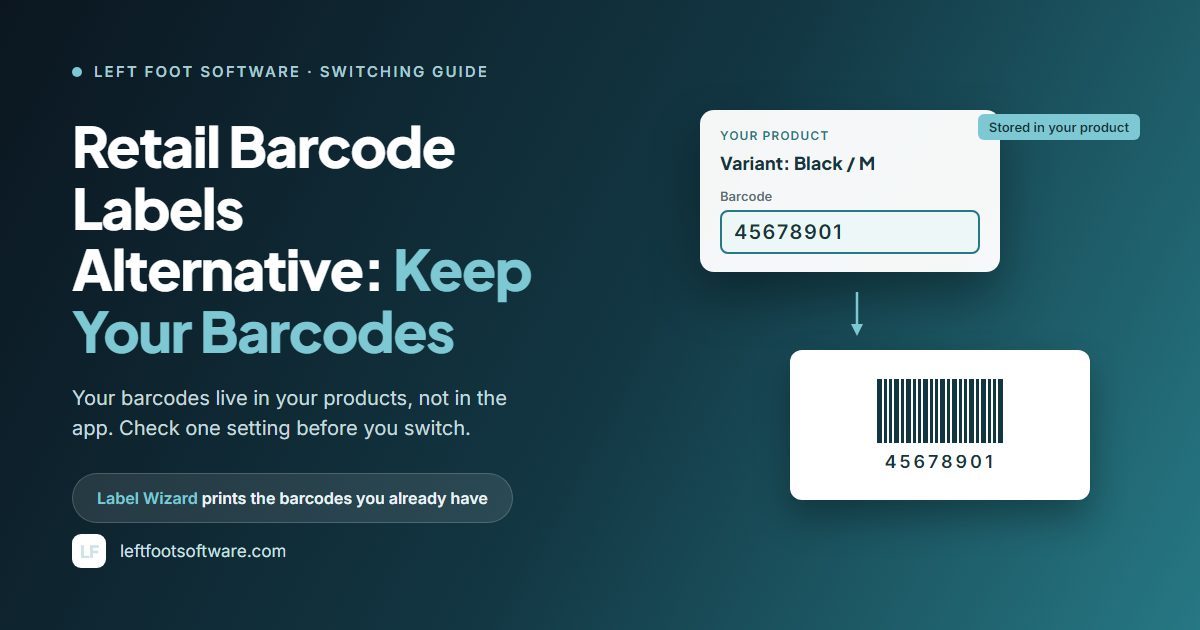
Retail Barcode Labels doesn't keep your barcodes inside the app. Shopify's help centre says the app "assigns the last 8 digits of the variant ID as the variant's barcode." The variant ID is the long number Shopify gives each variant of a product.
That puts the barcode in the Barcode field of each variant in your Shopify admin. The same page says you can edit it "from the product details or variant details page, or by using a bulk action."
So installing another label app doesn't change your barcodes, unless that app writes barcodes of its own. When Shopify added multiple barcodes per variant in September 2026, it said: "The first barcode on a variant is still the one used wherever a single barcode is expected, which means your labels, sales channel feeds, and apps keep working exactly as they do today."
You don't have to uninstall Retail Barcode Labels to switch. It's free, so it costs nothing to leave it installed while another app does your printing.
If you do remove any app later, export your products to CSV first. Shopify's own advice is to "Export any data you need before you remove the app."
These barcodes work in your own store. When Shopify launched the app, it said they "work with your current barcode scanner, or within Shopify POS using your device's camera." Outside it, Shopify says they "are not suitable for Google Shopping because they can be shared across multiple stores." If you sell on Google, you'll need GS1 barcodes, and our guide to printing GS1 barcode labels in Shopify covers that path.
Disclosure: Left Foot Software, which publishes this guide, also makes GS1 Assistant, an app that assigns GTINs from a merchant's own GS1 company prefix.
What Changed in Retail Barcode Labels in 2026
If your labels have looked different this year, it isn't just you. Merchants' reviews date these changes:
- April 2026: the default number of labels per variant went from 0 to 1. Shopify changed it back by early June.
- April and again in July 2026: merchants reported a bigger barcode and a new, heavier font. Shopify's replies acknowledge "changes to font." The app has no font choice.
- July 2026: one merchant reported that SKU no longer prints on Avery 5167 labels.
One merchant who'd used the app for over three years wrote:
"I absolutely hate that now all my labels do not match and I am literally given no choice in the matter." (4★, 17 July 2026)
The older complaints haven't gone away either. At least 59 reviews ask for a label size the app doesn't offer, or for custom sizes:
"would be better if they added more label sizes or let us create our own. some of us use circle labels that are 3 inches." (3★, 20 May 2026)
At least 45 hit field or layout limits, such as no compare-at price or no metafields:
"Only 8 product detail options and the barcode itself. Given the wealth of data held in product/variant metafields it would be great if this could be referenced too." (3★, 3 June 2025)
Long product names are an older complaint too. Merchants have described names shrunk or cut off inconsistently since at least 2023, and one reported new fit-warning banners in October 2026.
Replying to that merchant on 1 October 2026, Shopify wrote: "For context, these may be limitations of the label printers themselves. There may be other label printing apps that can help with further customizations."
How to Switch Without Relabelling
Your printed labels keep matching your products as long as the barcode in each product stays the same. The risk is a setting in Shopify's own app.
In replies from 2024 and 2025, Shopify's support team named an option in the app's "Create barcodes for products" dialog: "Replace any existing barcodes with new ones." It named that option to three merchants whose barcodes had changed. One of them wrote:
"the app is automatically updating barcodes which prevents the labels on existing products from scanning." (1★, 9 January 2025)
Shopify's reply called that unexpected, and named the option as one way it can happen. That review is one of 209 one-star reviews; the app averages 2.3 across 478.
When you create barcodes for new products, don't select "Replace any existing barcodes with new ones."
From there, you have three ways to switch, and only one avoids relabelling:
- Keep your barcodes. Move your printing to another app that prints the barcode already in each product. Nothing gets relabelled.
- Let a new app create new barcodes. Some label apps create barcodes as a feature. If one replaces your existing barcodes, the labels already printed for those products stop matching. Before you let any app touch existing barcodes, check our label app comparison for which ones create them.
- Move to GS1 barcodes. Needed for "third-party channels like Google." Products that get a GS1 barcode need new labels, so it's a step to take when a channel asks for one. Our guide to bulk-assigning GTINs to Shopify variants covers it.
New products still need barcodes after you switch. You can keep Retail Barcode Labels for that job. Shopify's help says to "create new barcodes only for specific products that don't already have barcodes assigned." You can also type your own barcodes into the Barcode field.
See your own barcodes on your own label stock. Install Label Wizard and preview your real products before you print. Previewing doesn't use credits.
What to Check Before You Install Another App
Run any replacement against this list before you print a full sheet:
- Does it print the barcode you already have, or create a new one? This decides whether your shelf labels keep scanning.
- Does it print Code 128? Your existing barcodes are 8-digit Code 128 barcodes. An app that prints only UPC or EAN can't print them as they are. Expect a different size and font either way.
- Does it fit your label stock? Check your sheet or roll is in its list, or that you can define your own size.
- Does it print the fields you need? Compare-at price and metafields come up again and again in reviews of Retail Barcode Labels.
- Does it print your characters? Shopify's help says special characters "might not display correctly on labels" in its app. Test a product name with accents before a full run.
- Does it work with your printer? Most label apps produce a PDF you print through your computer, on sheets or rolls. Print one test label first.
- What does it cost at your volume? Free tiers range from 20 labels every 30 days to no cap at all. Our list of which label apps are free has each one.
Switching to Label Wizard as Your Retail Barcode Labels Alternative
Label Wizard prints the barcode already in each product's Barcode field. It reads your product data, it doesn't change it. It never invents a barcode, so a product without one prints a clean label with no barcode.
If you only have a handful of products and Retail Barcode Labels' sizes fit your stock, the free app may be all you need. Label Wizard pays off when you print for a real range of products and variants.
Your first session looks like this:
-
Pick your label stock, or define your own sheet. Label Wizard has 400+ label stock templates from Avery, Online Labels and Uline. If yours isn't there, set the rows, columns, spacing and margins yourself.
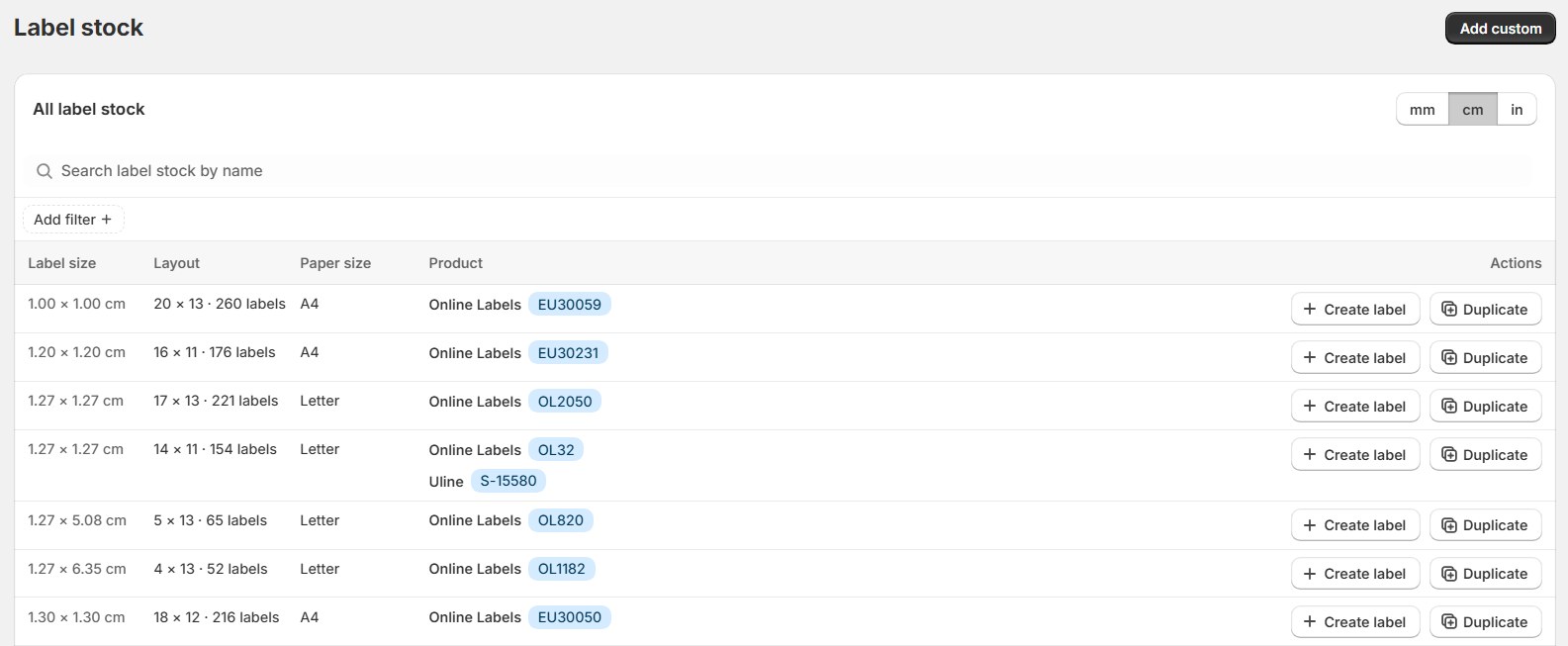
The label stock list: each row is a sheet you can print on, with its size and layout. "The app allowed us to customize exactly to our requeriments" (5★, 23 July 2026)
-
Add the fields you want. There are 19 built-in fields, compare-at price among them, plus your product and variant metafields, in 19 font families. Its five barcode formats include Code 128.
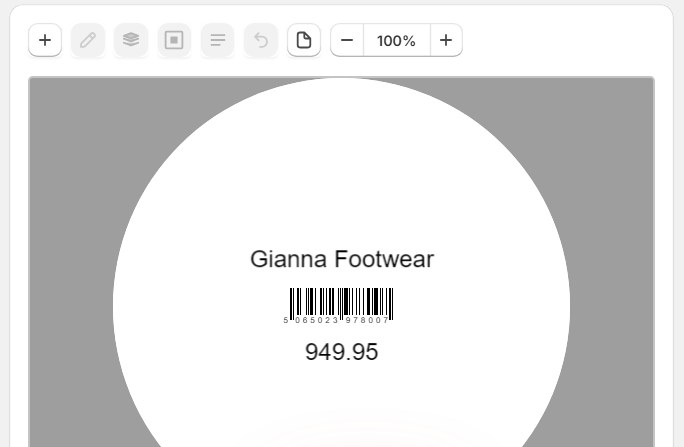
The editor: a product name, its barcode and its price placed on a round label. -
Preview on your real products, then print. Previewing doesn't use credits. Labels print one per page at 203 DPI for roll printers, or as a full sheet for laser.
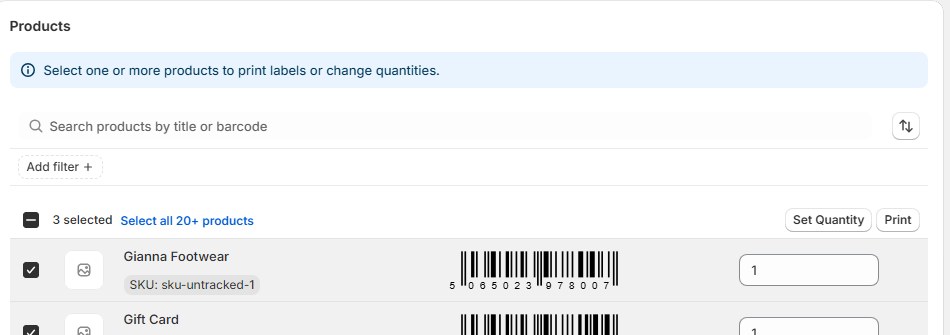
The print screen: tick products, check each barcode, set the quantity. "was able to design and print professional looking labels almost immediately!" (5★, 22 December 2025)
-
Print one label and scan it before a full run. It's the quickest way to confirm the new label scans like the old one.
Long product names wrap to fit instead of being cut off, and accented, Cyrillic and Chinese characters all print correctly.
What it costs. Pay As You Go has no monthly fee. Your first 20 labels every 30 days are free, then it's $0.03 a label up to 500, and less after that.
Printing 333 labels in 30 days costs about $9.39. Pro is $24.99 a month or $199 a year, and works out cheaper from about 1,060 labels every 30 days.
What you give up by switching:
- Barcode creation. Label Wizard doesn't create barcodes, so keep Retail Barcode Labels for new products, or type your own.
- A free app. Retail Barcode Labels costs nothing at any volume.
- Label counts from stock. You enter how many labels each product needs.
- The POS app. Label Wizard works in the Shopify admin only.
- A help centre. There's no help centre or guided tour yet. The app opens and you start designing.
- A long review record. Label Wizard has 3 reviews, all five stars, against Retail Barcode Labels' 478, and no Built for Shopify badge.
If you print product variants in bulk, our guide to printing barcode labels for Shopify variants walks through it.
Frequently Asked Questions
Will my barcodes change if I uninstall Retail Barcode Labels?
You don't need to uninstall to switch, so you can keep the app and your barcodes as they are. Shopify's help says the app writes each barcode into the variant's Barcode field in your admin, the field other label apps read from. Shopify doesn't document what happens on uninstall, so if you do remove it, export your products to CSV first.
Are Retail Barcode Labels barcodes UPCs or GTINs?
No. Retail Barcode Labels barcodes are 8-digit Code 128 barcodes built from your variant IDs. Shopify says they "are not suitable for Google Shopping because they can be shared across multiple stores." For Google and other channels, you need GS1 barcodes.
Is there a free alternative to Retail Barcode Labels?
Yes. RF and Airo list no paid plan, and Yanet and MS Barcode include 200 labels a month. Label Wizard gives you 20 labels every 30 days, then $0.03 a label, with no monthly fee, and previewing doesn't use credits.