
Black Friday is Friday 27 November 2026, and Cyber Monday is Monday 30 November. You don't need all 25.
Pick the two or three that fix your weakest channel, and install them in early November. Set up a marketplace connector or a product feed in sale week, and you have no time to fix a rejected listing.
Which Shopify Black Friday apps do you need?
If your Shopify store also sells on Amazon, Google Shopping or over a counter, start with four apps. GS1 Assistant puts barcode numbers (GTINs) from your GS1 prefix into your Shopify products, and Shopify Marketplace Connect lists them on Amazon. Google & YouTube sends your sale prices to Google Shopping for free, and Label Wizard prints in-store sale price tags.
Other Black Friday problems each point to one app to start with, and that app's entry covers the trade-offs.
| If your problem is... | Start with |
|---|---|
| Products with no barcode, or barcode errors on Amazon or Google Shopping, when you have a GS1 prefix or want one | 1. GS1 Assistant |
| Listing your Shopify catalogue on Amazon for the first time | 2. Shopify Marketplace Connect |
| Shipping website orders from the stock you keep at Amazon | 5. Amazon MCF and Buy with Prime |
| Getting your sale prices into Google Shopping for free | 6. Google & YouTube |
| A separate Google feed for each country or currency | 8. Multifeed Google Shopping Feed |
| Sale price tags in your shop that match your website | 10. Label Wizard |
| Free gifts or BOGO offers online and at your till | 16. BOGOS |
| Pickup and local delivery orders overbooking your busiest days | 12. Delivery Date Picker Kite |
| Best-sellers selling out in the middle of the sale | 23. STOQ |
| Where-is-my-order messages flooding your inbox | 25. CWILL Order Tracking |
All 25 apps at a glance
Each price is the app's entry price on its Shopify App Store listing, in US dollars. The watch-out is one limit worth checking before the sale; each app's entry lists more.
| App and starting price | Best for, and what to watch |
|---|---|
| Amazon | |
| 1. GS1 Assistant Price: Free plan, then usage charges |
Brands that own a GS1 company prefix and sell on Amazon or Google Shopping Watch out: Needs a GS1 company prefix (in the US, you can license one in the app) |
| 2. Shopify Marketplace Connect Price: Free for 50 orders/month, then 1% (cap $99) |
Stores adding Amazon as a second channel without a monthly fee Watch out: Check order-import settings before connecting |
| 3. CedCommerce Amazon Channel Price: Free (50 orders, $0.20/order), then $19/month |
Sellers with several Amazon accounts or countries who want Amazon-specific controls Watch out: Free plan capped at 100 products |
| 4. LitCommerce Price: $29/month after a 7-day trial |
Sellers on three or more marketplaces at once Watch out: Amazon customer names and addresses may not import (reviewer report) |
| 5. Amazon MCF and Buy with Prime Price: Free, plus Amazon fulfilment fees |
FBA sellers who want one stock pool for Amazon and their own store Watch out: Prime delivery is US only |
| Google Shopping | |
| 6. Google & YouTube Price: Free (ads billed by Google) |
Every store starting on Google Shopping or free listings Watch out: Needs a barcode (GTIN) where one exists |
| 7. Simprosys Google Shopping Feed Price: $4.99/month (500 products) after a 21-day trial |
Stores that need feed rules, a promotions feed or Local Inventory Ads Watch out: Check feed size when the trial ends (reviewer report) |
| 8. Multifeed Google Shopping Feed Price: Free (10 products), then $5.95/month |
Stores selling in several Shopify Markets Watch out: Trial converts to a charge on day 8 |
| 9. Mulwi Price: Free (50 products), then $15/month |
Stores whose shoppers also come from idealo, Klarna, PriceRunner or affiliate networks Watch out: Listed prices are for Basic Shopify stores |
| In store | |
| 10. Label Wizard Price: Free for 20 labels, then $0.03 each |
Shops that sell in person and need sale price tags that match the online store Watch out: Prints existing barcodes; doesn't create them |
| 11. Shopify POS Price: Free (Lite); Pro $89/month per location |
Any store with a counter, a market stall or a pop-up Watch out: 3.2 stars; Pro is charged per location |
| 12. Delivery Date Picker Kite Price: Free (30 orders/month), then $5.99/month |
Food, florist, grocery and bakery shops taking pickup or local delivery orders Watch out: Slot limits need the Advanced plan |
| 13. Smile Price: Free (200 orders/month), then $15/month |
Stores that want Black Friday first-time buyers to come back, online or in person Watch out: Monthly order allowance on every plan |
| 14. Stockroom Price: Free |
POS stores that used Stocky and need purchase orders for restocking Watch out: Small review base (58) |
| 15. Easyteam Price: $5 per staff member/month ($30 minimum) |
Shops hiring extra hands for the holiday rush Watch out: POS Lite support not stated |
| Your own store's sale | |
| 16. BOGOS Price: Free (30 orders lifetime), then $29.99/month |
Stores running gift-with-purchase or BOGO offers in the shop and online Watch out: Plans tied to your Shopify plan |
| 17. Kaching Bundles Price: $14.99/month after a 7-day trial |
Stores whose shoppers buy several of the same item Watch out: Plan rises with revenue the app adds |
| 18. Frequently Bought Together Price: Free (3 bundles), then $9.99/month |
Stores with natural add-ons that shoppers miss Watch out: Bundle discounts don't combine by default |
| 19. Amp Slide Cart Price: Free; progress bar from $29.99/month |
Stores using a spend threshold to lift order value Watch out: You create the matching Shopify discount |
| 20. Zipify One Click Upsell Price: $9.95/month, rising with upsell revenue |
Stores with a natural second purchase, such as a refill or accessory Watch out: No post-purchase offer for Apple Pay, Google Pay or Klarna |
| 21. Klaviyo Price: Free (250 profiles), then $20/month |
Stores that want to keep the customers Black Friday brings in Watch out: Billed by active profiles |
| 22. Judge.me Price: Free; Google Shopping stars on $15/month |
Stores that want review stars on Google Shopping and reviews imported from Amazon or Etsy Watch out: Google stars need 50+ reviews |
| 23. STOQ Price: Free (10 preorders/month), then $10/month |
Stores whose best-sellers sell out during the sale Watch out: Collect preorder balances in the app, not Shopify's bulk action |
| 24. Tidio Price: Free (50 chat users), then $29/month |
Small teams expecting a spike in where-is-my-order messages Watch out: Priced by conversations; check tidio.com too |
| 25. CWILL Order Tracking Price: Free (20 orders/month), then $11/month |
Stores expecting a wave of delivery questions after the sale Watch out: Notifications and delivery dates need Essential |
Prices and ratings checked on 22 October 2026 on each app's Shopify App Store listing.
Do you need a barcode to sell on Amazon and Google Shopping?
For most branded products, yes.
A GTIN (Global Trade Item Number) is the number behind your barcode, and it's what Amazon and Google look for. On a US product the GTIN is usually a UPC; in Europe it's an EAN.
Fix missing or wrong barcodes before you set up any connector or feed.
Do you need a UPC to sell on Amazon, or can you get a GTIN exemption?
Not always. Amazon US asks for a product ID such as a UPC to create a new listing in most categories.
You can apply for a GTIN exemption instead, but only if your product has no product ID (UPC, EAN, JAN or ISBN) or GS1 barcode, and isn't already in Amazon's catalogue. Amazon's US GTIN exemption help page lists who can't apply:
- products that have "an existing GS1-approved barcode",
- products that have "an existing GTIN/EAN/UPC/ISBN",
- products from "a brand requiring mandatory UPC".
Private-label and handmade products that have no GTIN yet can apply for the exemption.
If your products already have GS1 barcodes, printed or not, the exemption isn't open to you, and Amazon points you to GS1 to license UPCs. Once you license a GS1 company prefix, GS1 Assistant assigns barcode numbers from it to your products and writes them into Shopify's barcode field.
Does Google Shopping need a GTIN?
Google recommends a GTIN for every product that has one. Google's Merchant Center help warns that "if the product does have a GTIN assigned and you don't submit it, then the product could be disapproved."
Google's rule for products without one: "If you're the only seller of a product or if your product is a store brand, it generally won't have a GTIN, so you don't need to submit one." Submit the brand and MPN instead.
If you assign GS1 barcodes to your own-brand products, those products do have GTINs, and Google can disapprove a product that has one when you don't submit it.
Don't guess a barcode, either. Google says products "with missing or incorrect GTIN [gtin] attributes may have limited visibility."
If Merchant Center is already flagging your products, our guide to fixing Google Merchant Center GTIN errors on Shopify walks you through each message.
Apps for selling on Amazon
Selling on Amazon too? Your products need a GTIN or an approved exemption, and if the same stock sells on two channels at once, you can oversell and cancel orders. These five help you get barcodes in place, list your catalogue and ship from Amazon stock.
1. GS1 Assistant
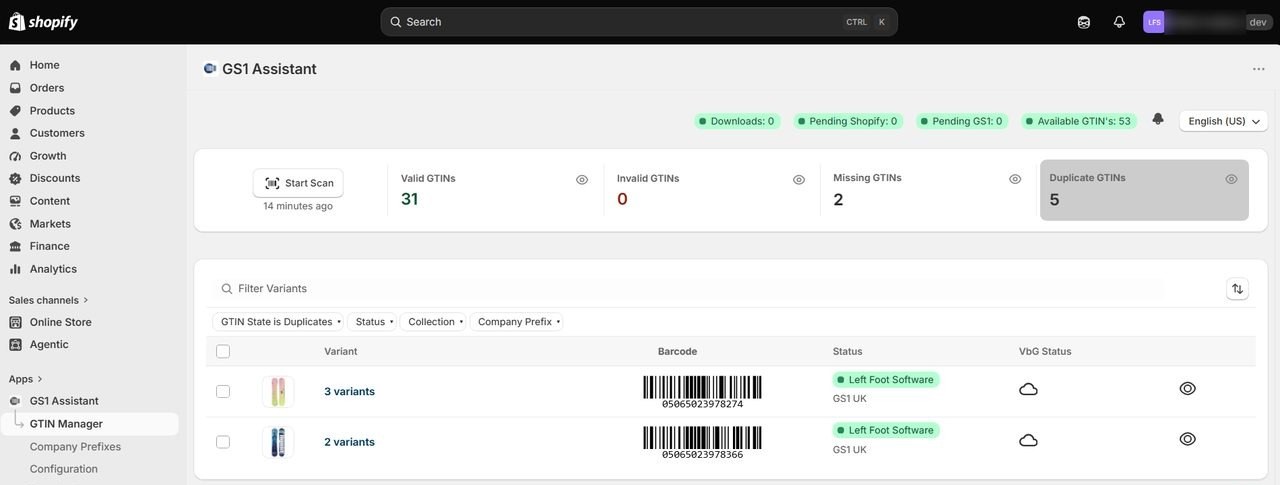
GS1 Assistant: GS1 barcode numbers (GTINs) from the prefix you already own, written into your Shopify barcode field.
- Developer: Left Foot Software
- Rating: 4.2 ★ (13 reviews) on the Shopify App Store
- Pricing: Essential $0/month plus usage charges (first GTIN assignment free, $4.99 for 2 to 10, $9.99 for 11+ a month); Growth $4.99/month plus usage; Automation $29.99/month or $299.99/year
GS1 Assistant is a Shopify app by Left Foot Software for brands that own a GS1 company prefix and sell on Amazon or Google Shopping. It assigns barcode numbers (GTINs) to your products from that prefix, with no duplicates, and writes them into Shopify's barcode field.
It also finds products with missing or invalid barcodes, so you can fix them before Amazon or Google sees your catalogue.
You need a GS1 company prefix. In the US, GS1 Assistant also offers GS1 US prefixes in the app, as a GS1 US Channel Partner. Once the numbers are in Shopify, Label Wizard prints them on your labels.
Before a Black Friday launch, you get:
- Bulk assignment. Your new lines and variants get their barcode numbers in one pass, not one spreadsheet row at a time. Our guide to bulk-assigning GTINs to Shopify variants shows the steps.
- GS1 upload files. You download a ready-to-upload file in your GS1 organisation's import format.
- Auto Sync (Growth plan and up). If your GS1 organisation has an API, your products sync automatically and appear in Verified by GS1. The listing names GS1 Brazil, Germany, Netherlands and Sweden; GS1 US is a Channel Partner integration, not Auto Sync.
GS1 Assistant assigns numbers from your prefix and flags the missing or invalid ones. It doesn't check that your product descriptions are right, and it can't promise that Amazon or Google will accept a listing. To compare barcode apps, see our Shopify barcode and GTIN app ranking.
If you don't own a prefix yet, start with our GS1 company prefix setup guide for Shopify.
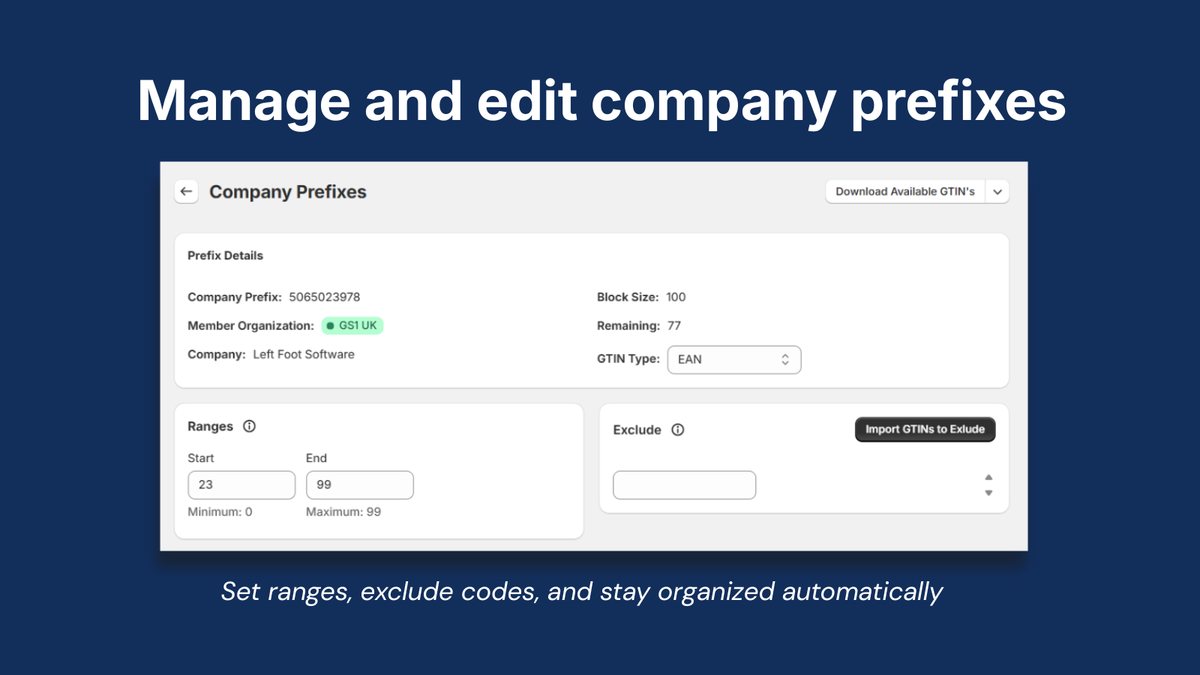
Watch out: to auto-assign barcodes to new products, you need the Automation plan. Auto Sync with your GS1 organisation starts on Growth, where your GS1 supports it.
Selected positive merchant reviews
“We have been using this app for 2+ years and in that time have been able to use the barcodes ( Ean and UPC ) to upload products to Amazon , eBay and Etsy ).”

“Assigning GTINs to products is simple, and the products appear in Verified by GS1 shortly after uploading to GS1.”

“I needed urgently to create GTIN code to our older stock (600 SKU), which would else be a nightmare, since GS1 has changed its layout of the bulk upload files. This App saved me 2 days of work!”
Find the products missing a barcode before the sale. GS1 Assistant lists the missing, invalid and duplicate barcodes in your catalogue. The Essential plan is $0 a month, with usage charges when you assign barcodes.
2. Shopify Marketplace Connect: Shopify Amazon Integration
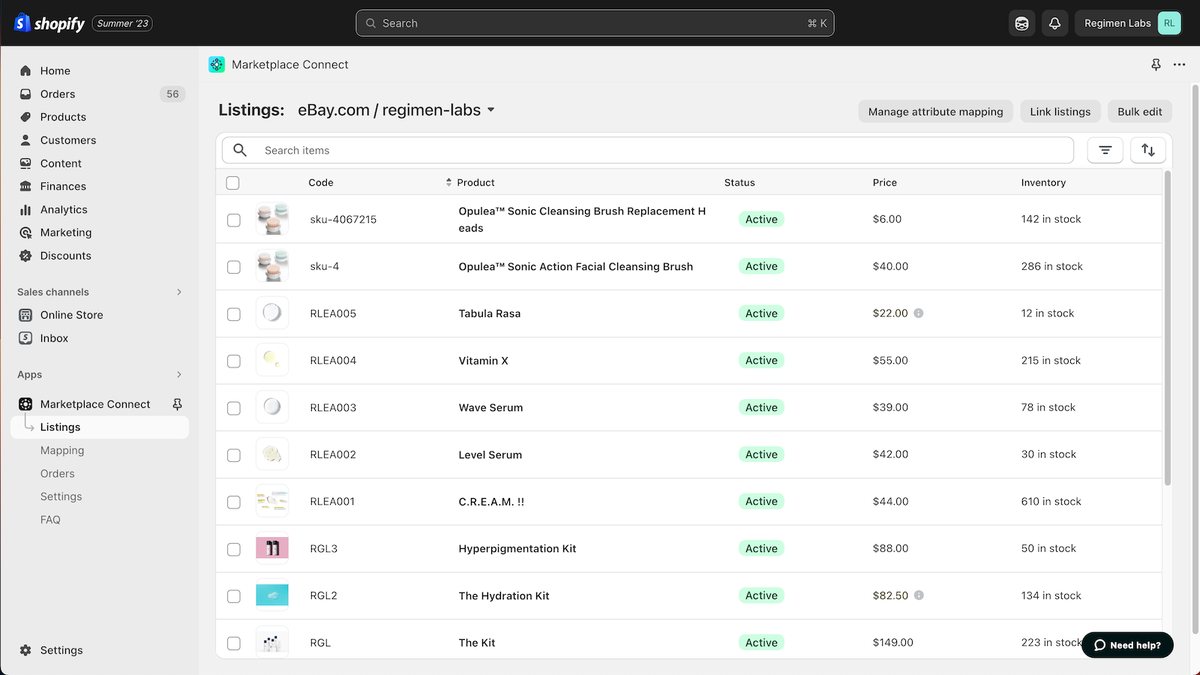
Shopify Marketplace Connect: Shopify's own app for listing on Amazon, Walmart, eBay and Target Plus.
- Developer: Shopify
- Rating: 4.1 ★ (2,128 reviews) on the Shopify App Store
- Pricing: Free to install; first 50 synced marketplace orders a month free, then 1% per order, capped at $99/month
Marketplace Connect lists your Shopify products on Amazon, Walmart, eBay and Target Plus, and brings marketplace orders and stock back into Shopify. You keep one stock count across your channels, so a sale on one channel comes off the stock count on the others.
Its listing says you can connect unlimited marketplace accounts across all marketplace regions, with currency conversion. Shopify runs the support.
Watch out: you pay 1% on every synced order after the first 50 a month, up to the $99 cap. One merchant imported an old Amazon order history by accident, found no undo in the app, and used another app to delete the orders.
Read merchant reviews (2 positive, 1 critical)
“This app works great for order importing from Amazon, eBay and Walmart, as well as updating inventory for these marketplaces.”
AMERICAN RECORDER TECHNOLOGIES, INC. · United States · June 2026
“I was struggling with Amazon integration on marketplace connect and the person in the chat helped my get my products posted in one evening!”
Kitt’s Kandy Shop® · United States · July 2026
“i had accidentally imported all amazon orders(4000+) to my Shopify store. There was no way to delete or cancel import.”
Shopify Marketplace Connect review · August 2026 · United Kingdom · 1★
No reply from Shopify sits under this review. Read how imported marketplace orders are billed before you connect an Amazon account that already has a long order history.
View Shopify Marketplace Connect on the Shopify App Store →
3. CedCommerce Amazon Channel
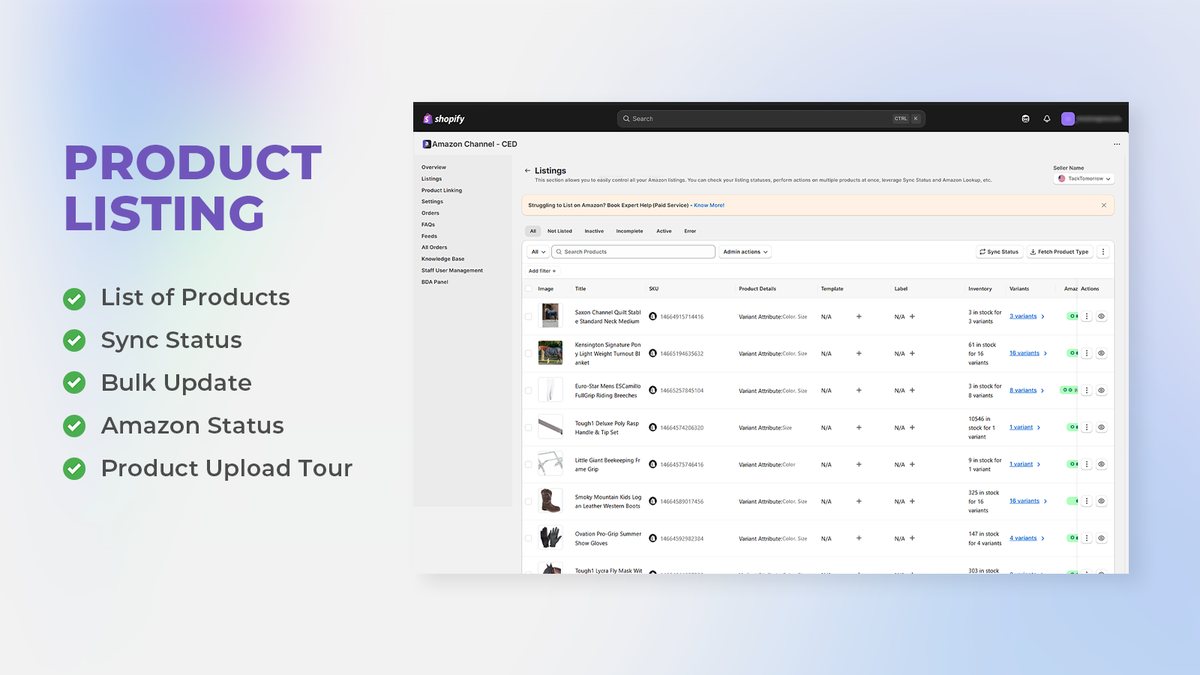
CedCommerce Amazon Channel: An Amazon-only connector with FBA and FBM order sync across 22+ Amazon countries.
- Developer: CedCommerce
- Rating: 4.6 ★ (1,167 reviews) on the Shopify App Store
- Pricing: Free: 50 orders a month at $0.20 per order, one Amazon account, up to 100 products; from $19/month
CedCommerce Amazon Channel is an Amazon-only connector for Shopify sellers whose main marketplace is Amazon. You connect several Amazon accounts across 22+ Amazon countries, and on paid plans you sync FBA and FBM orders in real time and run automated price sync rules. Choose it over Marketplace Connect if Amazon is your main channel and you want Amazon-specific controls.
Watch out: the free plan stops at 100 products and one Amazon account, and the pricing cards don't say which paid plan unlocks more accounts. Two paid plans share the name "Beginner" ($19 and $49), so check the order limits before you upgrade.
Read merchant reviews (2 positive, 1 critical)
“works really well, much better than the market place connect app.”
Bountiful Bees Limited · United Kingdom · October 2026
“The application and integration worked well for seeing orders from Amazon.”
GOHA · United States · September 2026
“Unable to upload the product and variation, they all get split once uploaded.”
CedCommerce Amazon Channel review · October 2026 · United Kingdom · 1★
The review was edited on 14 October 2026 and carries no developer reply. Two other reviews from the same weeks report frozen templates and wrong ASIN matches, so test a few variant products before you upload the full catalogue.
View CedCommerce Amazon Channel on the Shopify App Store →
4. LitCommerce: Shopify eBay and Etsy Integration
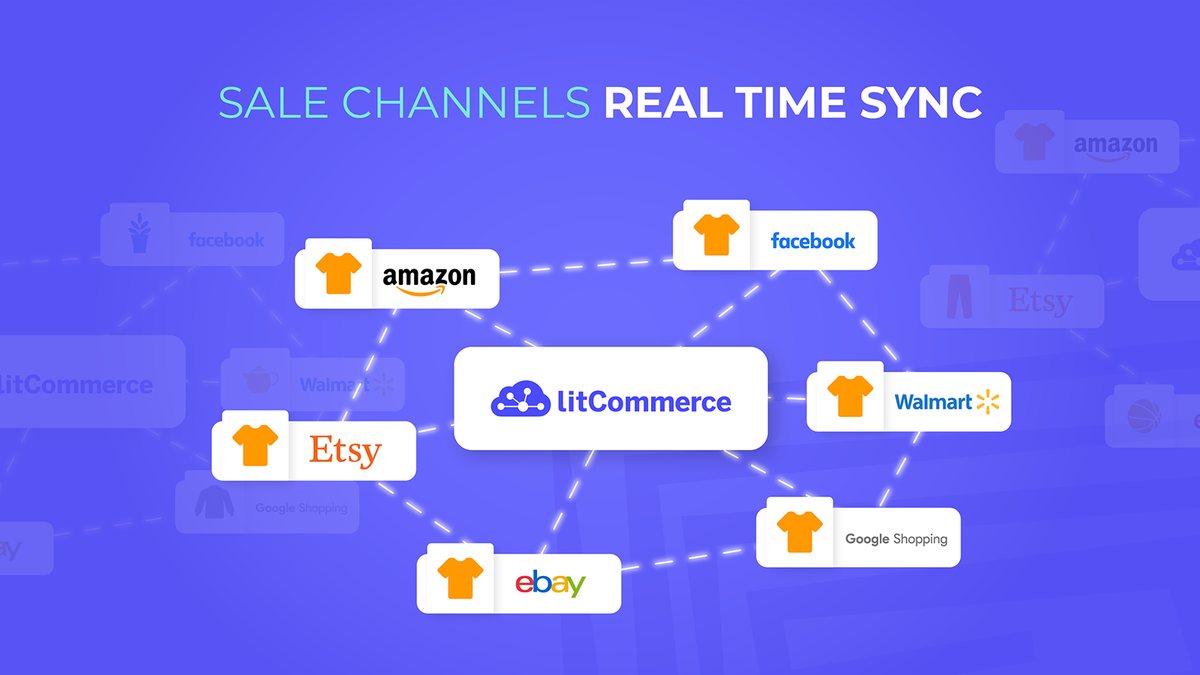
LitCommerce: One catalogue synced to Amazon, eBay, Etsy, Walmart and TikTok Shop.
- Developer: LitCommerce
- Rating: 4.8 ★ (976 reviews) on the Shopify App Store
- Pricing: No free plan; 7-day trial; Pay as you go $29/month or $278/year (from 1,000 listings, 3 channels)
LitCommerce connects your Shopify catalogue to Amazon, eBay, Etsy, Walmart, TikTok Shop and Faire, and keeps your stock, prices and SKUs in sync. The entry plan syncs unlimited orders, so you don't pay a per-order fee that grows with a busy weekend.
Watch out: you get no free plan, only a 7-day trial, so start it close to the day you'll actually test.
Read merchant reviews (2 positive, 1 critical)
“We recently transitioned our business from Marketplace Connect to LitCommerce following untimely and prolonged problems with the former.”
Hampshire Models · United Kingdom · October 2026
“There’s a slight learning curve, but once you get the hang of it, it’s the best!”
Gearonimo Sports · United States · October 2026
“the dealbreaker for us is that it doesn't bring customer data (names, addresses) in to Shopify from Amazon.”
LitCommerce review · March 2026 · United Kingdom · 3★
No developer reply or later fix appears on the listing. If you fulfil Amazon orders from Shopify, ask LitCommerce which customer fields come across before you rely on it.
View LitCommerce on the Shopify App Store →
5. Amazon MCF and Buy with Prime: Amazon Multi-Channel Fulfillment
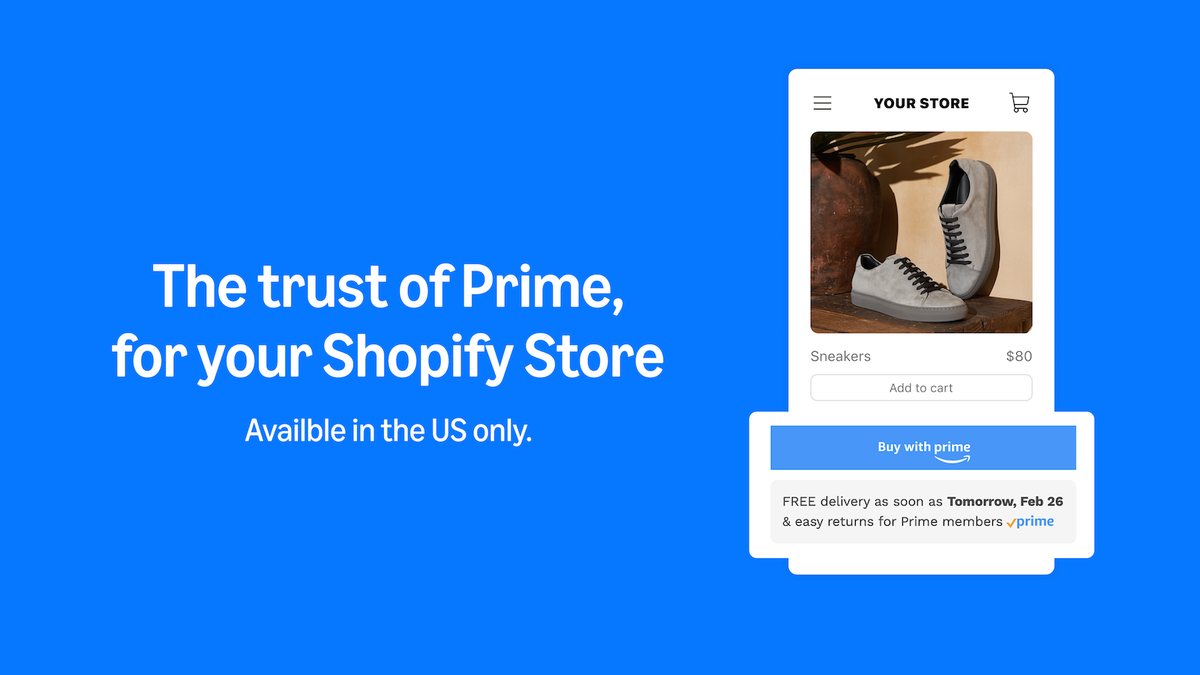
Amazon MCF and Buy with Prime: Ship your Shopify orders from the stock you already keep at Amazon.
- Developer: Amazon
- Rating: 3.7 ★ (102 reviews) on the Shopify App Store
- Pricing: Free to install; pay-as-you-go Amazon fulfilment fees per order
Amazon's own app ships your Shopify store's orders from the stock you already keep in Amazon's network, in unbranded packaging. In the US, you can also show Buy with Prime and Prime delivery on your own site. Over the sale, one stock pool then serves both storefronts.
Watch out: Prime delivery is US only, and your stock must already sit in Amazon's network. One merchant reports the app changing shipping settings on products that aren't synced to Amazon, and another reports a Prime shipping line at checkout with Buy with Prime turned off.
Read merchant reviews (2 positive, 1 critical)
“We just added buy with prime and found our conversion rates improved due to the simplicity and speed that customers receive the orders.”
MitoSynergy · United States · August 2026
“allowing us to automate fulfillment while utilizing our Amazon FBA inventory to fulfill orders to our Shopify site.”
Flood Buzz · United States · June 2026
“The app takes over the shipping profiles of ALL products, not just those synced to Amazon.”
Amazon MCF and Buy with Prime review · October 2026 · United States · 1★
Amazon has not replied. A June 2026 review reports a related shipping-rate problem, so check every shipping profile after you install, before the sale starts.
View Amazon MCF and Buy with Prime on the Shopify App Store →
Apps for selling on Google Shopping
Running Google Shopping ads or free listings? Google shows your sale price right beside other sellers' prices.
None of these apps creates a GTIN. Each sends the one you give it, and some drop invalid ones. Assigning GTINs from your own GS1 prefix is what GS1 Assistant does.
6. Google & YouTube: Google Shopping on Shopify
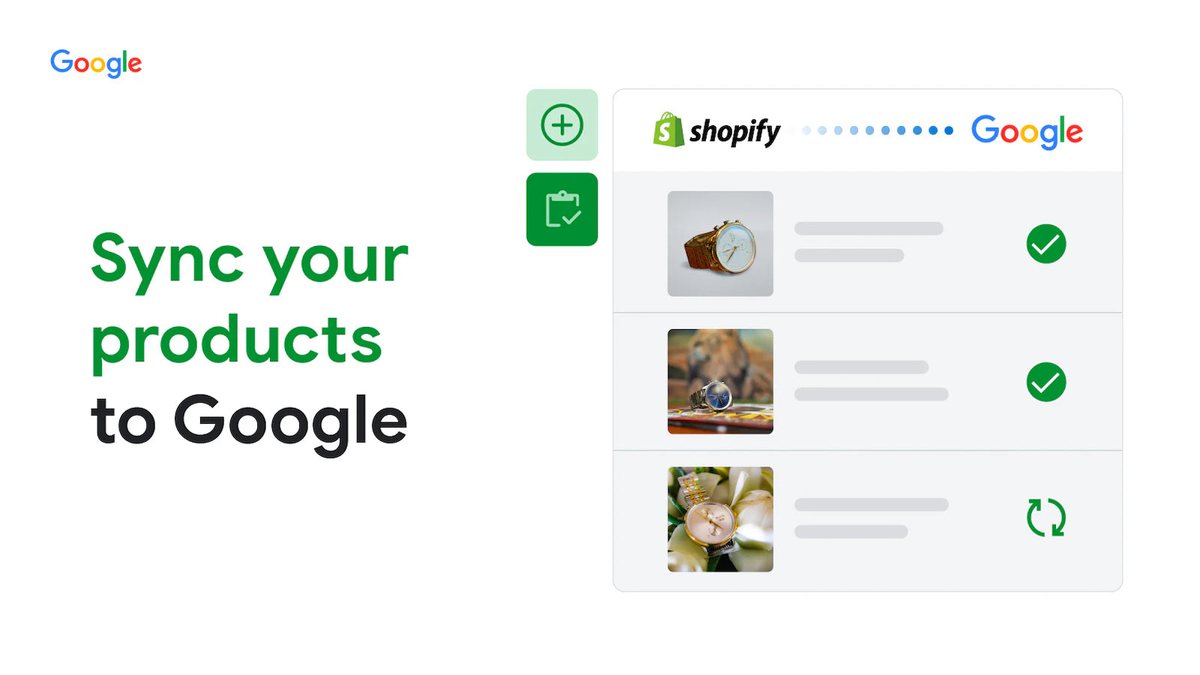
Google & YouTube: Google's free app for getting your products and sale prices into Merchant Center.
- Developer: Google LLC
- Rating: 4.5 ★ (5,554 reviews) on the Shopify App Store
- Pricing: Free to install; ad spend is billed by Google Ads
Google's free app syncs your products, deals and shipping settings to Merchant Center, so your Black Friday prices reach Google Shopping, free listings and YouTube. Start here before you pay for a feed app.
Google's help for the app says you enter a GTIN on the product variant wherever one exists. If a product has no GTIN, you add an MPN and a brand, and a "custom product" setting covers items with neither.
Watch out: wrong barcodes can stop your products publishing.
Read merchant reviews (2 positive, 1 critical)
“EASY TO SETUP AND HELP IDENTIFY ERRORS IN PRODUCT LISTING TOO”
Asian Stitches · Pakistan · October 2026
“Connecting Merchant Center and Google Analytics was straightforward, and having everything work through one app makes managing an online store much easier.”
Whisk & Whirl Designs · United Kingdom · September 2026
“it put my shop items, all of them listed as OUT OF STOCK for 12 days.”
Google & YouTube review · October 2026 · United States · 1★
Google has not replied to this review. A September review reports products going invisible, so check Merchant Center diagnostics daily in the week before Black Friday.
View Google & YouTube on the Shopify App Store →
7. Simprosys Google Shopping Feed: Shopify Product Feed
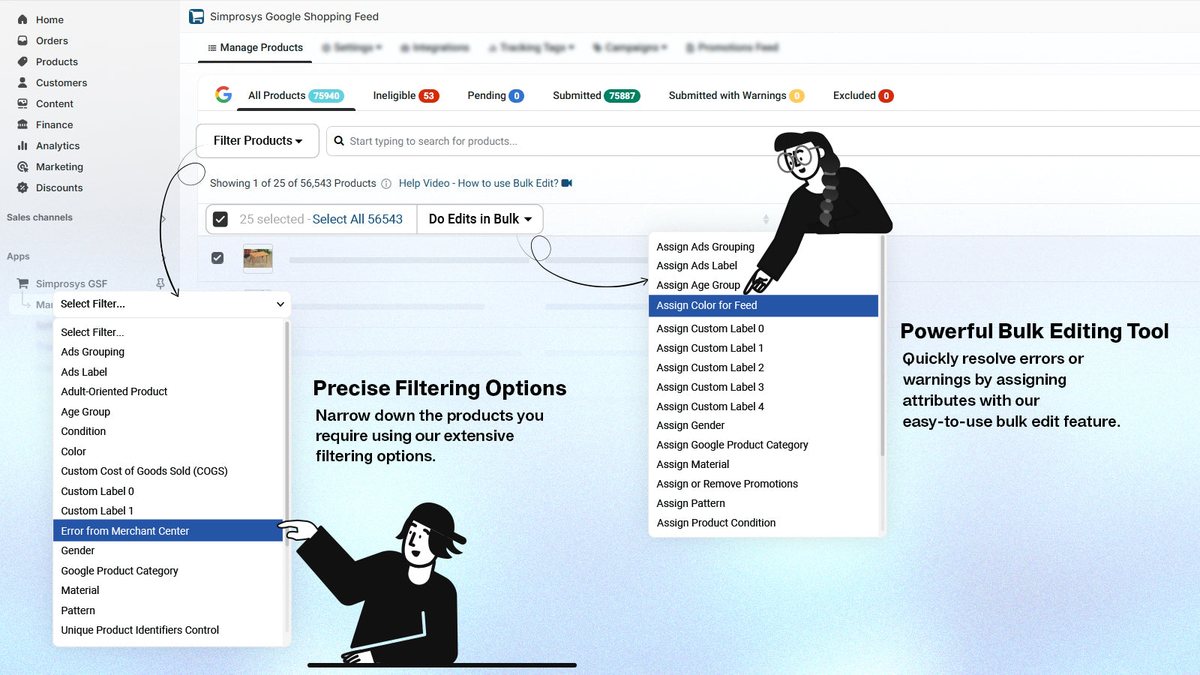
Simprosys Google Shopping Feed: One feed for Google, Meta, Microsoft and Pinterest, with bulk fixes for disapproved items.
- Developer: Simprosys InfoMedia
- Rating: 4.9 ★ (4,941 reviews) on the Shopify App Store
- Pricing: 21-day trial; from $4.99/month for up to 500 products, rising with product count; usage charges for AI optimisation, XML feeds and extra Markets feeds
Simprosys builds one feed for Google Shopping, free listings, Meta, Microsoft and Pinterest. You get feed rules, metafield mapping and bulk editing to fix disapproved items. It also sends a promotions feed and supports Local Inventory Ads, which show shoppers what's in stock at your shop.
Watch out: your price rises with your product count, and you pay extra for AI optimisation, XML feeds and extra Markets feeds.
Read merchant reviews (2 positive, 1 critical)
“The products synced very fast, truly impressed!”
Orasens · United Kingdom · October 2026
“The Simprosys team helped us resolve the Google Merchant Center (GMC) issues.”
Daebak · United States · October 2026
“when trial ends pause the sync and when you subcribe in some plan just sync everything making your feed 2,3x bigger”
Simprosys Google Shopping Feed review · July 2026 · United States · 1★
No developer reply is shown, and a May 2026 review describes the same jump in feed size. Check which products and variants the feed will submit before your trial ends.
View Simprosys Google Shopping Feed on the Shopify App Store →
8. Multifeed Google Shopping Feed
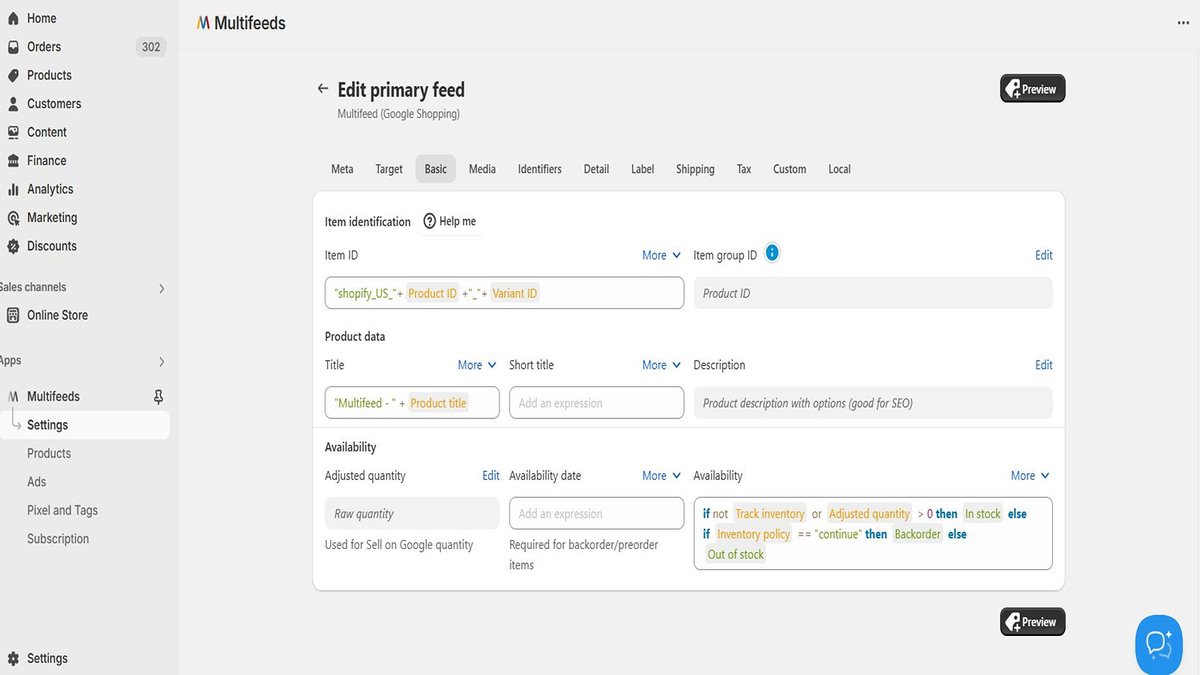
Multifeed Google Shopping Feed: A separate Google feed for each country, language or currency you sell in.
- Developer: WoolyTech
- Rating: 4.9 ★ (1,125 reviews) on the Shopify App Store
- Pricing: Free for 10 products; from $5.95/month (1,000 products, 2 feeds) after a 7-day trial
Multifeed runs a separate feed for each country, language or currency you sell in, and lets you set any attribute with an expression. You can schedule feeds, and unlimited metafields come on the free plan. The developer says it filters out invalid GTINs by default, and you can edit that rule.
Watch out: the free plan covers 10 products, so you'll test on a sample before you pay.
Read merchant reviews (2 positive, 1 critical)
“We've added custom data from product and variant metafields easily and it just works - forget it's there most of the time.”
Barrel & Batch · Australia · September 2026
“Probably one of the BEST apps when it comes to manage your product feeds to GMC, especially if you require multiple feeds, with different language settings etc..”
Your Muse Beauty · Hong Kong SAR · September 2026
“Charged for nothing.”
Multifeed Google Shopping Feed review · May 2026 · Ukraine · 1★
The developer replied that the charge came because the app was uninstalled on day 8 of the 7-day trial. If you are testing feed apps in November, uninstall the ones you reject before the trial ends.
View Multifeed Google Shopping Feed on the Shopify App Store →
9. Mulwi: idealo Shopify Feed
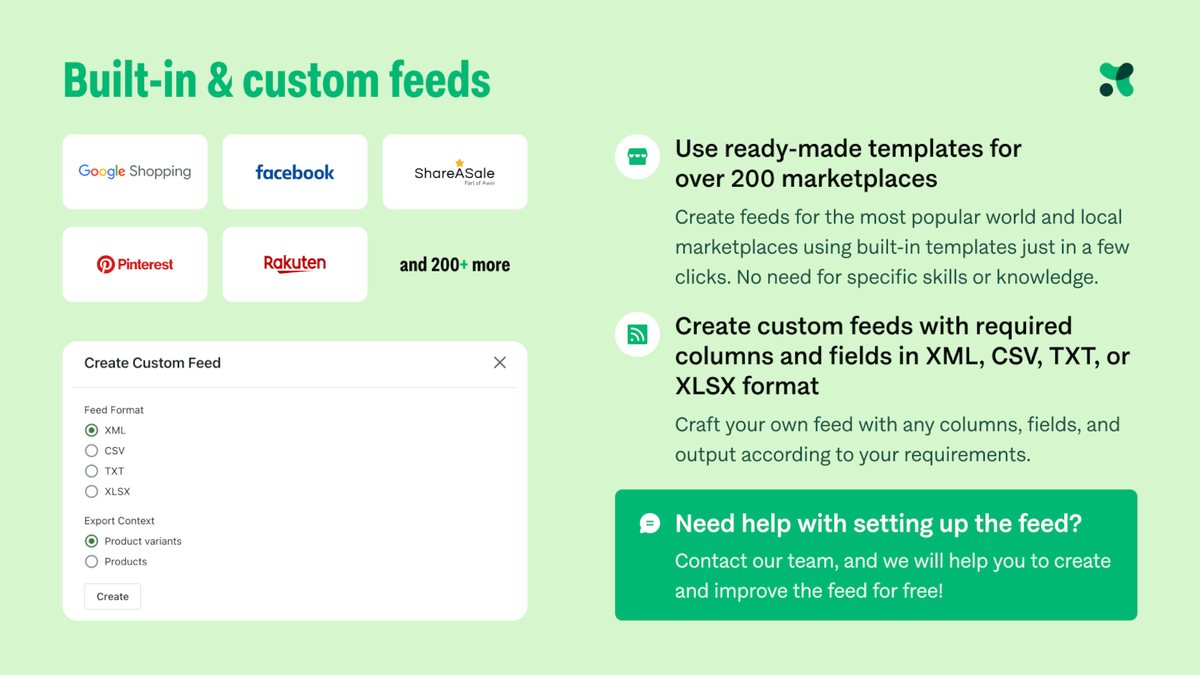
Mulwi: Feeds for 200+ comparison sites and marketplaces beyond Google.
- Developer: Mirasvit Ecommerce Solutions
- Rating: 5.0 ★ (611 reviews) on the Shopify App Store
- Pricing: Free for 50 products and 2 feeds; Pro 1 $15/month after a 7-day trial (prices shown are for Basic Shopify stores)
Mulwi builds feeds for 200+ channels from ready templates, including comparison sites and affiliate networks such as idealo, Awin, Klarna and PriceRunner. Its sample Google template sends your Shopify barcode as the GTIN and your SKU as the MPN, and you can edit any template.
Watch out: the listed prices are for stores on the Basic Shopify plan, so check the price for your plan. The free plan has no feed customisation.
Read merchant reviews (2 positive, 1 critical)
“We have build together with Serhii from Mulwi support, 25 feeds for Google, idealo, klarna in few days.”
All4cycling · Italy · October 2026
“We needed to create a product feed for ChatGPT while native integration is not yet available for Shopify stores in Israel, and the Mulwi team helped us set up a solution that works for our needs.”
Shilav · Israel · October 2026
“Hard to set up.”
Mulwi review · February 2026 · Sweden · 2★
The developer replied that the merchant stopped answering their follow-ups. Mulwi offers to build feeds on request, so ask before you start rather than after.
View Mulwi on the Shopify App Store →
Apps for selling in store
Got a shop counter as well as a website? Your Black Friday prices need to match in both places, your till needs to share your stock, and you need enough hands on the day. These six cover price tags, the till, pickup, loyalty, restocking and staff.
10. Label Wizard
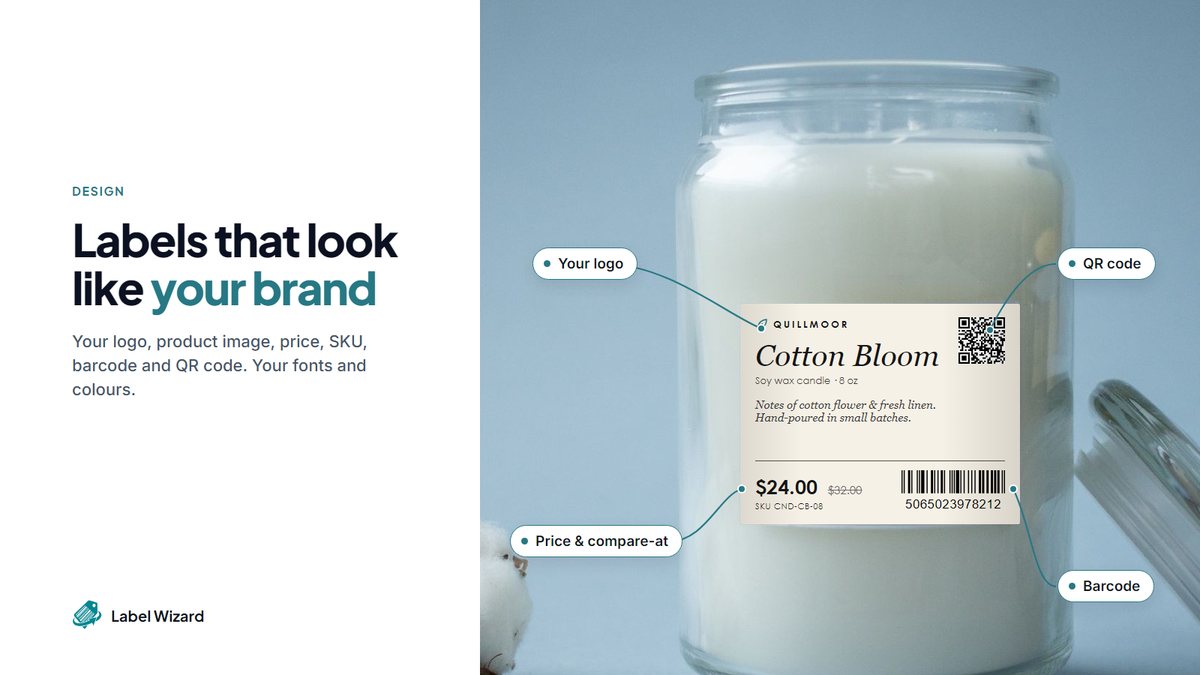
Label Wizard: Price tags and product labels printed from live Shopify data, including the compare-at price.
- Developer: Left Foot Software
- Rating: 5.0 ★ (4 reviews) on the Shopify App Store
- Pricing: Start Free: 20 labels free, then $0.03 each, no monthly fee; Unlimited $24.99/month or $199/year
Label Wizard is a Shopify app by Left Foot Software that prints barcode labels, product labels and price tags from live Shopify data, for shops that sell in person and need sale price tags that match the online store.
You design a layout once and place fields on it: name, image, price, compare-at price, SKU, barcode and custom metafields. Set your Black Friday prices in Shopify, and your printed tags show the sale price beside the struck-through compare-at price, with no retyping.
Shopify's free Retail Barcode Labels app is rated 2.3 from 476 reviews on its listing. Label Wizard gives you your first 20 labels free, then $0.03 each, and one merchant says "their customer support is excellente!"
For in-store sale tags, you choose:
- Your label stock. Pick from 400+ templates for Avery, Online Labels and Uline sheets, or set your own size.
- Your printer. You get print-ready PDFs for laser, inkjet, thermal and direct transfer printers, on sheets, rolls or continuous feed.
- Your variants. Each variant prints its own label with its own name, price and barcode. Our guide to printing barcode labels for Shopify variants walks you through it.
Our guide to printing compare-at prices on Shopify sale labels shows you the exact layout for a sale tag.
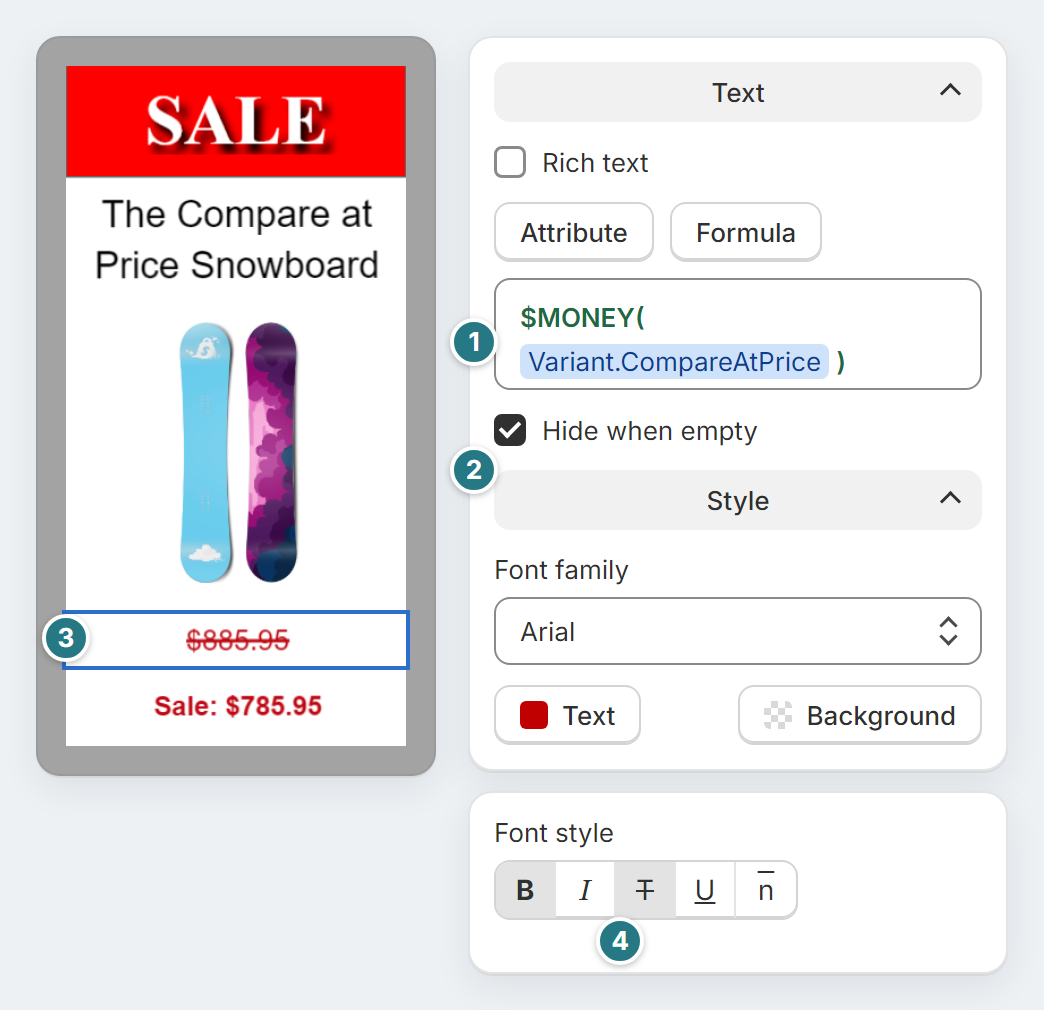
Watch out: Label Wizard prints the barcodes your products already have; it doesn't create them. If your products have no barcodes yet, pair it with GS1 Assistant.
The free plan charges $0.03 a label from label 21, less per label above 500; Unlimited ($24.99 a month) removes per-label charges. To compare label apps, see our Shopify barcode label app ranking.
Selected positive merchant reviews

“I can customise labels with product names, barcodes, SKUs, compare-at prices, and metafields.”

“Just installed Label Wizard and was able to design and print professional looking labels almost immediately!”

“The base-level app is fantastic. Super powerful, easy to use.”
Print one Black Friday sale tag from your own product. Add the compare-at price to a label and preview it on a product that's on sale. Previewing doesn't use credits, and your first 20 labels are free.
11. Shopify POS: Shopify Point of Sale System
Shopify POS: Shopify's own till, sharing one catalogue and one stock count with your online store.
- Developer: Shopify
- Rating: 3.2 ★ (402 reviews) on the Shopify App Store
- Pricing: POS Lite free with every Shopify plan; POS Pro $89/month per location, 14-day trial
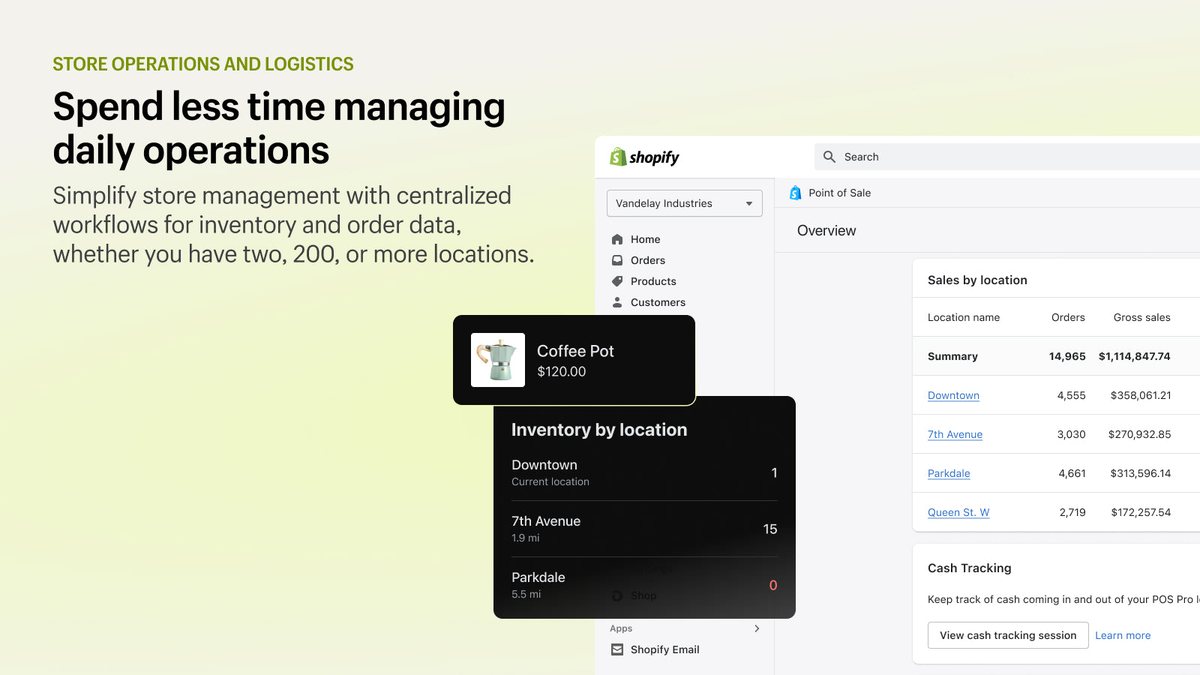
Shopify POS lets you sell in person from the same catalogue and stock count as your online store, so an item you sell at the counter comes off your online stock count. You can handle local pickup, gift cards, split payments, returns and exchanges, and sell stock held at another location.
Watch out: POS Lite is free and suits markets and pop-ups; POS Pro costs $89 a month for each location. It has the lowest rating of the 25, and recent critical reviews mention speed and stability.
Read merchant reviews (2 positive, 1 critical)
“Shopify POS makes it easy to manage in-person sales, inventory and customer information from one platform.”
Cashmere knot · Ireland · July 2026
“We have 75 different vendors with approximately 15,000+ unique inventory skus.”
Works of Wyoming Gift n Gallery · United States · December 2023
“This small detail is actually a critical part of preventing checkout errors for staff, especially during busy periods.”
Shopify POS review · January 2026 · India · 1★
Shopify replied in February 2026 that POS version 11.0 includes cart improvements. That is a fix reported by Shopify; we have not verified it, so run a test transaction on your own till before the weekend.
View Shopify POS on the Shopify App Store →
12. Delivery Date Picker Kite: Shopify Local Delivery and Pickup
Delivery Date Picker Kite: Pickup and local delivery slots with cut-offs, order limits and blocked holidays.
- Developer: KiteLane
- Rating: 5.0 ★ (41 reviews) on the Shopify App Store
- Pricing: Free up to 30 orders a month; Grow $5.99/month; Advanced $9.99/month (per-day and per-slot order limits); 14-day trial on paid plans
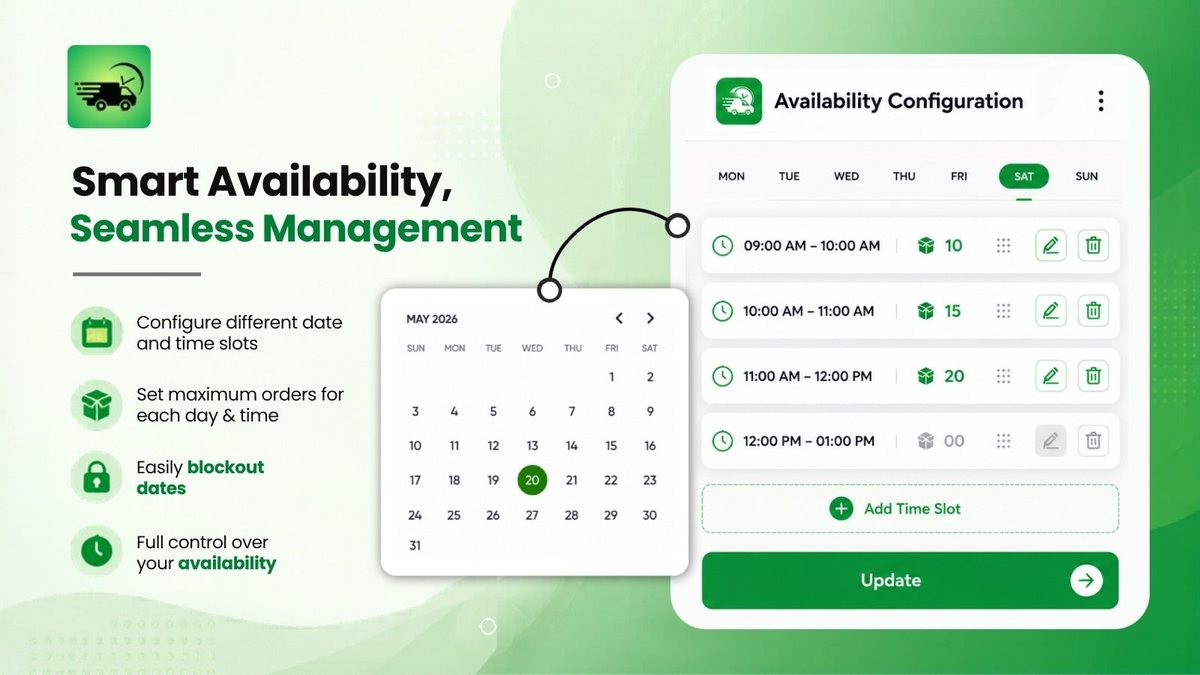
Delivery Date Picker Kite, from KiteLane, adds a date picker to your cart so your shoppers choose a local delivery date or a store pickup time. You set prep times and cut-offs and block holidays. On the Advanced plan, per-day and per-slot order limits stop the Saturday after Black Friday taking more orders than your team can prepare.
Each customer's choice is saved with their Shopify order.
Watch out: the free plan stops at 30 orders a month, and per-day and per-slot order limits need the Advanced plan. Checkout customisation is for Shopify Plus stores. Its 41 reviews on the listing are all five stars, so you have no critical review to weigh.
Read merchant reviews (2 positive)
“Seems to be the app we were looking for. It pretty much does everything we needed.”
Alexandra Ross Luxury Florist · United Kingdom · October 2026
“Brilliant customer service. Quick, efficient & prompt you to enable more features to improve the flow of your website for the customer.”
Eastington Farm Shop · United Kingdom · October 2026
View Delivery Date Picker Kite on the Shopify App Store →
13. Smile: Shopify Loyalty and Rewards App
Smile: Points and referral rewards that work online and at your Shopify POS till.
- Developer: Smile.io
- Rating: 4.9 ★ (4,647 reviews) on the Shopify App Store
- Pricing: Free up to 200 orders a month, works with Shopify POS; Essential $15/month (500 orders); Standard $79/month adds bonus events; 14-day trial
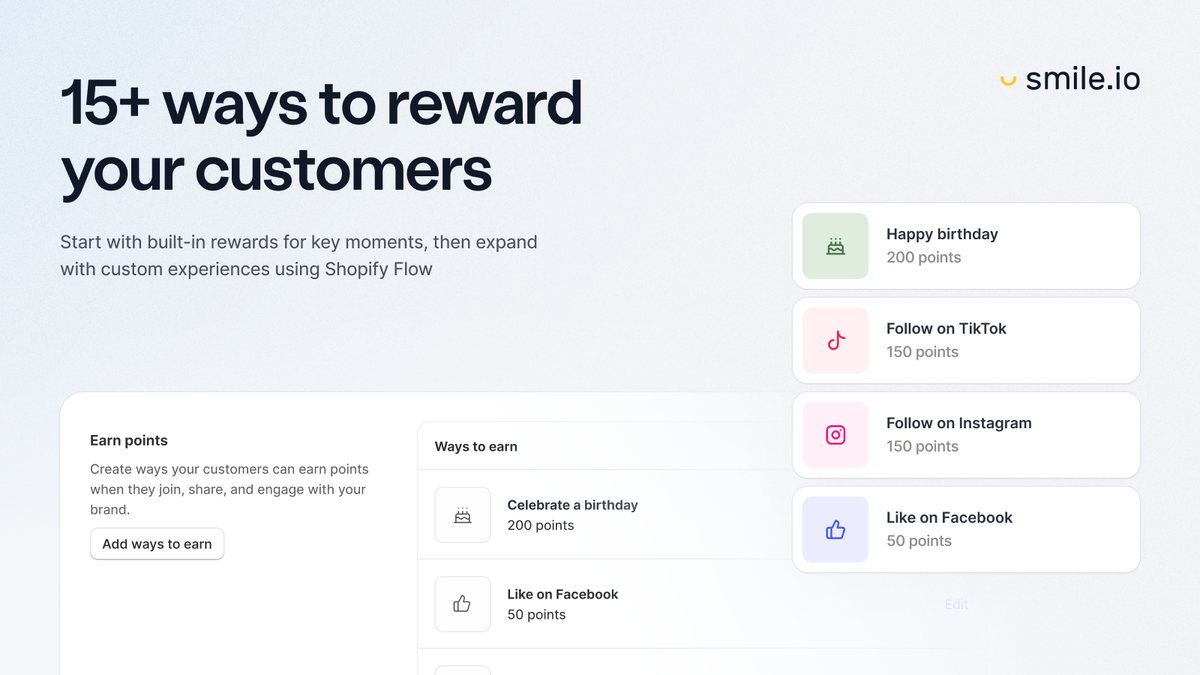
Smile is a loyalty app that runs points, referrals and VIP rewards, and its free plan works with Shopify POS. A customer who first buys from your shop on Black Friday earns the same points online. Bonus events, such as double points for a weekend, need the Standard plan.
Watch out: each plan includes a monthly order allowance (200 on Free, 500 on Essential). Growth charges $20 per 100 extra orders; the listing doesn't say what happens on the lower plans when a busy month goes over.
Read merchant reviews (2 positive, 1 critical)
“We set it up for our physical store using Shopify POS, and everything is working great.”
Schatzkarten Store · Germany · October 2026
“Our onboarding has been amazing from start to finish, and our rewards program is off to a great start.”
Sunborn Organics · United States · October 2026
“there is no easy way to add this list to SMILE so they are made members and enter the flow”
Smile review · July 2026 · New Zealand · 2★
Smile replied that it contacted the merchant directly; no fix is reported. If you plan to import a customer list after BFCM, ask how members get added before you choose a plan.
View Smile on the Shopify App Store →
14. Stockroom: Stocky Alternative
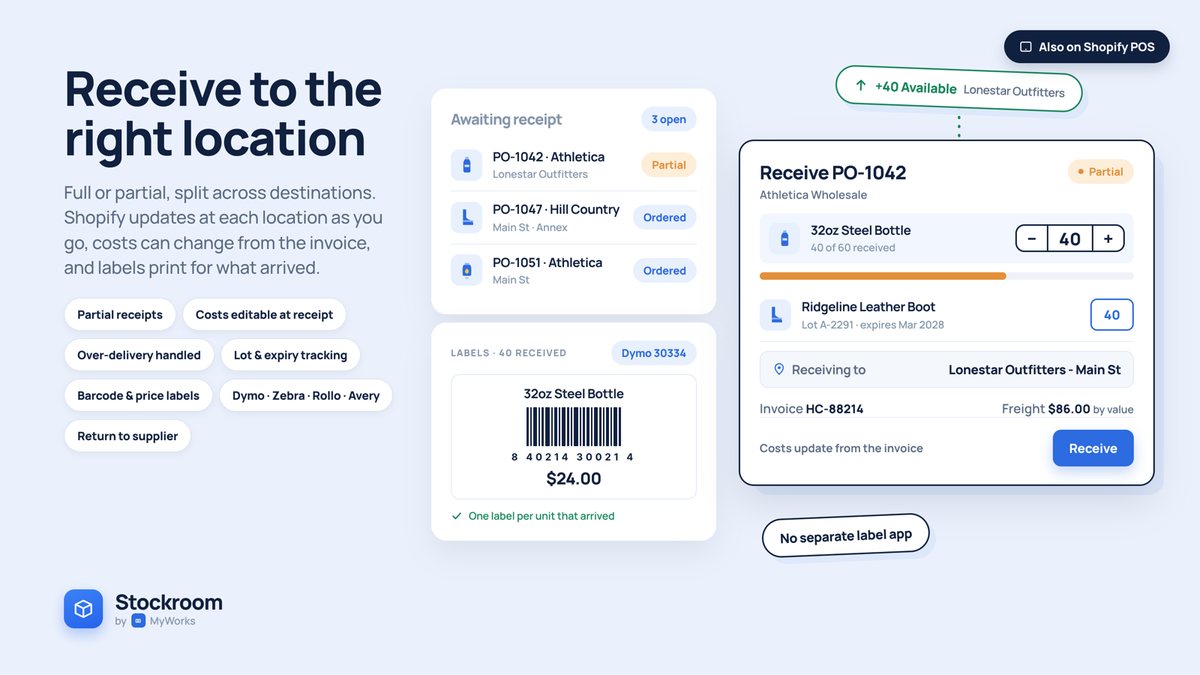
Stockroom: Free purchase orders and receiving, with a migration path from Stocky.
- Developer: MyWorks
- Rating: 4.9 ★ (58 reviews) on the Shopify App Store
- Pricing: Free (the only plan on the listing)
Stockroom handles your purchase orders and receiving: unlimited purchase orders and suppliers, one order split across several locations, partial receiving, and stock counts with an audit trail. Shopify retired Stocky on 31 August 2026, and Stockroom can import your data from it.
Watch out: it has 58 reviews on its listing, fewer than most apps here, and none below four stars, so you have no critical review to weigh. It also prints labels; for sale price tags, see Label Wizard.
Read merchant reviews (2 positive)
“Great replacement for Stocky.”
SewingMachine.com · United States · October 2026
“STOCKROOM bridges that gap and provides many of the inventory tools and functionality that Shopify is missing.”
Supplement Warehouse Davie · United States · September 2026
View Stockroom on the Shopify App Store →
15. Easyteam
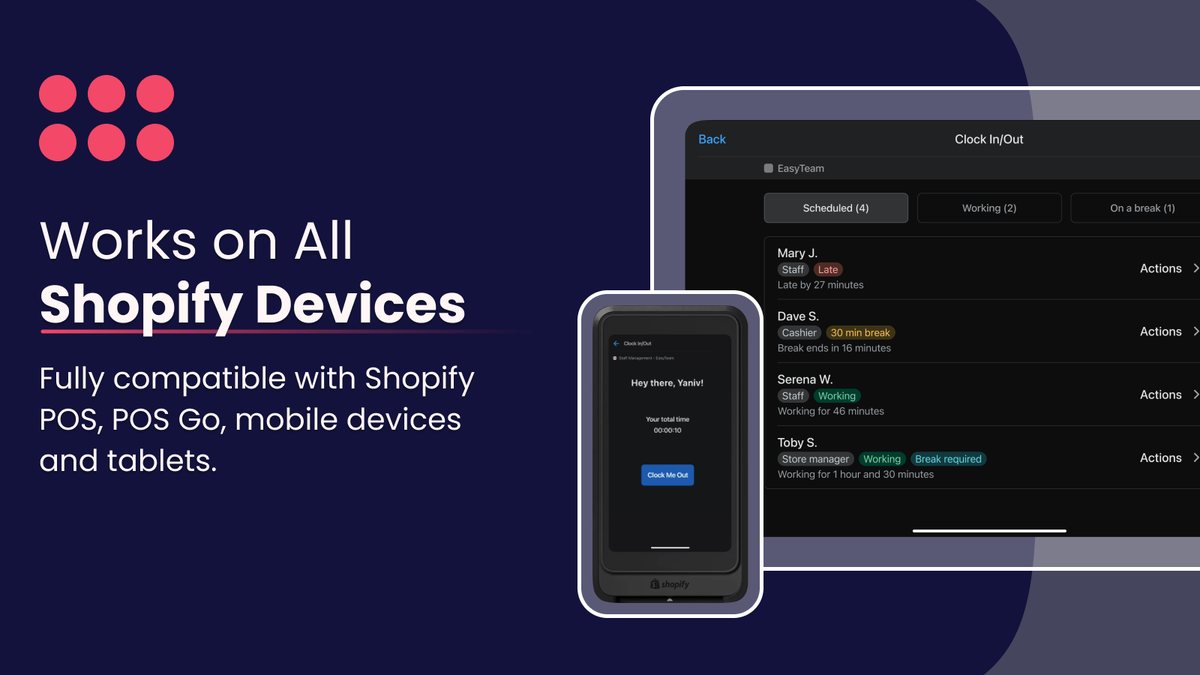
Easyteam: Clock-in, shifts and checklists for seasonal staff, on the Shopify POS itself.
- Developer: Easyteam®
- Rating: 5.0 ★ (328 reviews) on the Shopify App Store
- Pricing: Core $5 per staff member a month, $30 minimum, 14-day trial; payroll add-on (US and Canada) $45/month + $6 per employee
Easyteam lets your staff clock in and out, see their shifts and work through store checklists on the Shopify POS or a phone. It also tracks sales performance and commission plans, which helps if you pay seasonal staff partly on sales.
Watch out: the listing doesn't say whether the POS clock-in needs POS Pro, so ask before you rely on POS Lite. Payroll is a US and Canada add-on.
Read merchant reviews (2 positive, 1 critical)
“The entire employee onboarding process was incredibly simple and straightforward, making it easy to get everything set up for our business.”
BrieflyFunny · United States · October 2026
“App is easy to use, ties clock in and timecard mgmt capabilities into POS.”
Geechee Girl Apothecary · United States · August 2026
“Employees are having trouble logging in and there is no easy resolution.”
Easyteam review · June 2026 · United States · 2★
The developer replied the same day that support would reach out; the review was not updated. Have each new hire clock in once before the weekend.
View Easyteam on the Shopify App Store →
Black Friday sale apps for your own store: offers, upsells, reviews and support
Want each Black Friday order to be worth more, and each new customer to come back? These ten help you raise order value, keep selling sold-out products, collect reviews, answer customers and bring them back.
16. BOGOS: Shopify Free Gift With Purchase and BOGO
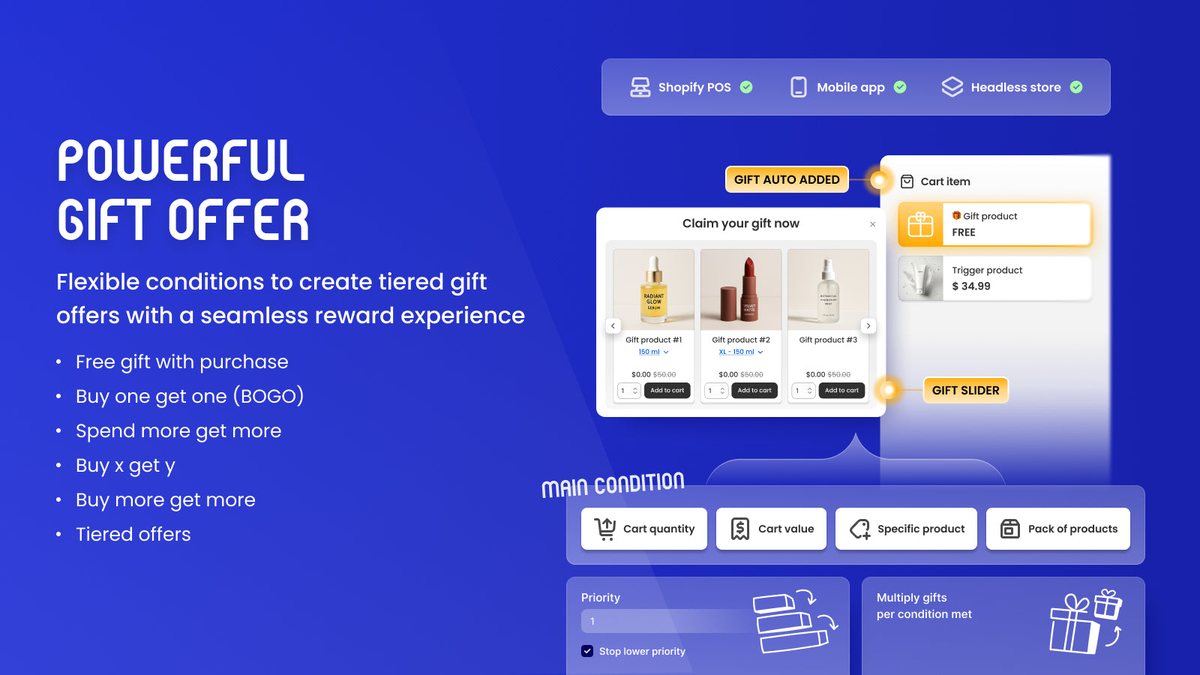
BOGOS: Free gifts and buy-one-get-one offers that add themselves to the cart, online and at POS.
- Developer: BOGOS
- Rating: 5.0 ★ (4,533 reviews) on the Shopify App Store
- Pricing: Free for 30 orders (lifetime); Basic $29.99/month for Shopify Basic stores, 300 orders then $0.05 each; POS offers and offer stacking on Basic and up; 7-day trial
BOGOS runs free-gift-with-purchase, buy-one-get-one and buy-X-get-Y offers, and adds the gift to the cart or shows your shopper a gift picker. On paid plans, the same offers run on Shopify POS, so one Black Friday promotion works online and at your till.
Each offer has toggles for combining with product, order and shipping discounts. BOGOS notes that your other discount must also allow combining, and recommends you test before a big campaign.
Watch out: plans are tied to your Shopify plan, and offer stacking and POS need Basic or above. Same-product BOGO offers create copies of the gift product in your catalogue.
Read merchant reviews (2 positive, 1 critical)
“The set-up for both was fairly seamless. Lots of customisable options for how the offer will look on the live site, and it's easy to understand/integrate with our Shopify fulfilment processes in the backend.”
Stitch Coffee · Australia · October 2026
“Used the Buy Two Get One Free discount with the cheapest item being free. Worked perfectly.”
Paddy's Pallets · United Kingdom · October 2026
“...the app automatically created 157 fake/dummy products inside my store.”
BOGOS review · January 2026 · Saudi Arabia · 1★
The developer replied in August 2026 that the copies are cloned gift products, created on purpose for same-product offers. Check which sales channels those copies are published to before Black Friday, so they don't appear in your Google or marketplace feeds.
View BOGOS on the Shopify App Store →
17. Kaching Bundles
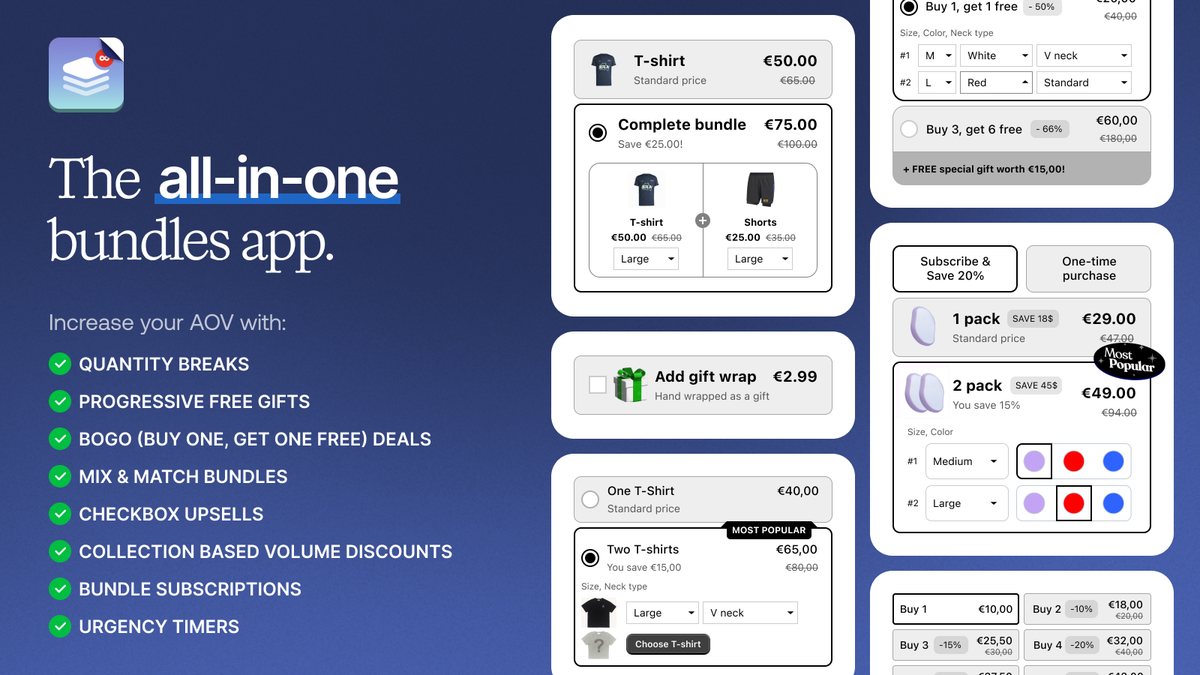
Kaching Bundles: Buy-more-save-more tiers on the product page, with built-in A/B tests.
- Developer: Kaching Bundles & Upsells
- Rating: 5.0 ★ (6,438 reviews) on the Shopify App Store
- Pricing: Starter $14.99/month (up to $1,000 of revenue added by the app); Scale $29.99; Pro $59.99; 7-day trial; free only on development stores
Kaching Bundles adds quantity-break tiers to your product page, so each extra unit in a pack costs your shopper less. You set each tier as a percentage, an amount off or a fixed price, and built-in A/B tests let you compare two tier designs during the sale.
Its Collection Breaks feature applies volume tiers to items added from any page, and Kaching says this is how you make bundle discounts work at POS.
Watch out: your plan follows the extra revenue the app attributes to itself, so a strong Black Friday can move you up a tier. Items already discounted by Collection Breaks don't get a second volume discount.
Read merchant reviews (2 positive, 1 critical)
“Doesn't destroy your theme. And seamlessly integrates with their Subscriptions App”
Alex&eve · Cyprus · October 2026
“We started getting bundle upgrade from day 1.”
NAB Leather · Canada · October 2026
“We are up to over 100 orders where the wrong size variant was forced on the customer when they chose the bundle.”
Kaching Bundles review · August 2026 · United States · 1★
The developer replied that a conflict with the store's custom variant picker caused it and that a fix was built for that store. That is reported by the developer only, so test a bundle with each size before the sale if your theme has a custom picker.
View Kaching Bundles on the Shopify App Store →
18. Frequently Bought Together: Shopify Upsell App
Frequently Bought Together: AI or hand-picked bundles on the product page, with an optional bundle discount.
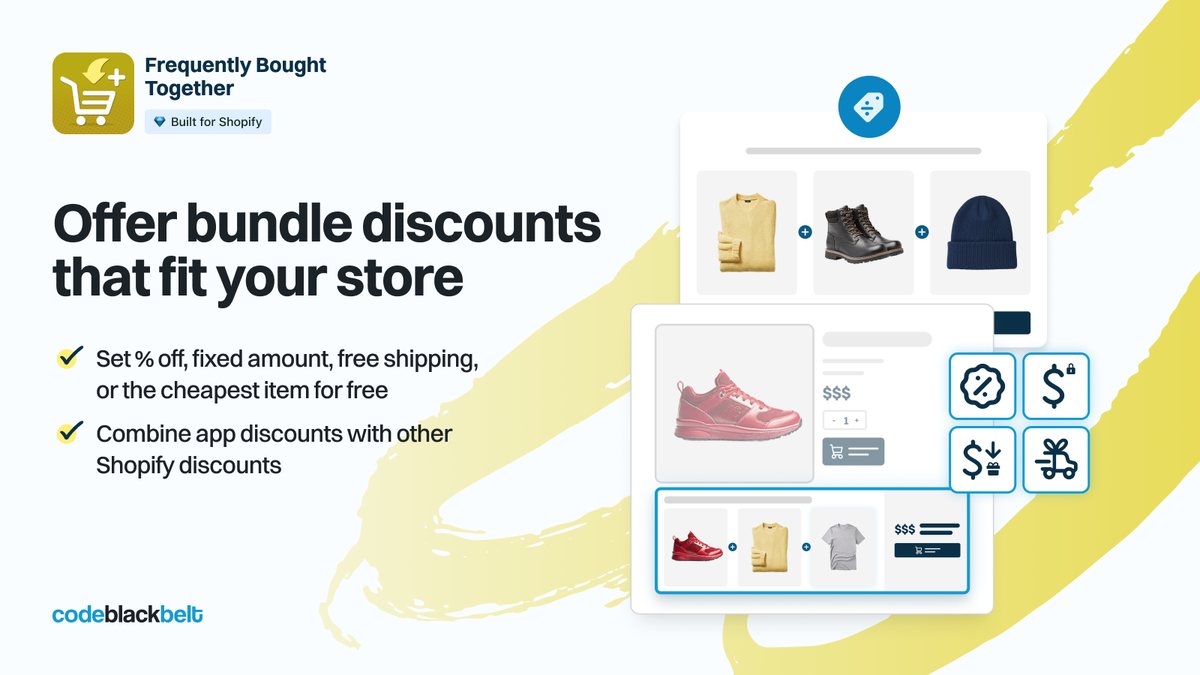
- Developer: Code Black Belt
- Rating: 4.9 ★ (1,212 reviews) on the Shopify App Store
- Pricing: Free for 3 manual bundles; Professional I $9.99/month (50 orders) adds AI recommendations and bundle discounts; 14-day trial
Frequently Bought Together shows a bundle of related products on your product page with a one-click add, chosen by AI or by you. You can attach one of four bundle discount types and set it to combine with other discounts, per bundle or for your whole store.
Watch out: its discounts don't combine with other discounts by default, so your automatic Black Friday discount can remove the bundle discount until you change that setting.
Read merchant reviews (2 positive, 1 critical)
“great app been using it for years has contributed a lot of revenue to our store”
PC Traders Ltd · New Zealand · August 2026
“Really helpful app and increases my average order value! would recommend.”
Douvalls Beauty · United Kingdom · August 2026
“Not applicable to the shopping cart.”
Frequently Bought Together review · March 2026 · France · 3★
The developer replied in March 2026 that the widget worked on product pages only. The listing now says paid plans show it on product and cart pages, so that limit appears resolved on paid plans (verified on the listing, 22 October 2026).
View Frequently Bought Together on the Shopify App Store →
19. Amp Slide Cart: Shopify Cart Upsell and Free Shipping Bar
Amp Slide Cart: A slide-out cart with a free-shipping or free-gift progress bar and in-cart upsells.
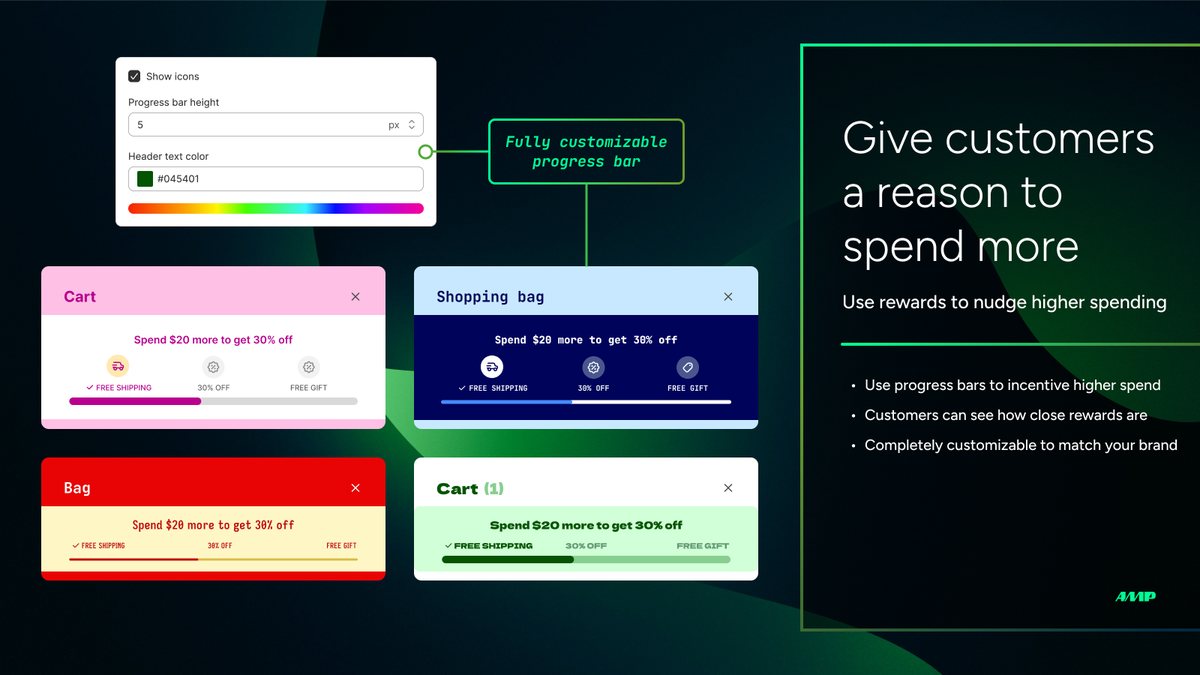
- Developer: App HQ Pte. Ltd.
- Rating: 5.0 ★ (778 reviews) on the Shopify App Store
- Pricing: Free: cart customisation and discount box, no upsells; Growth $29.99/month adds the progress bar and upsells; Pro $49.99/month for free gifts; 7-day trial
Amp Slide Cart replaces your theme's cart with a slide-out drawer. Your shoppers see a progress bar towards free shipping, a discount or a free gift, plus in-cart upsells. Its price stays flat as your sales grow, so a busy week doesn't raise your bill.
Watch out: you create the matching Shopify automatic discount or shipping rate yourself, and turn off your theme's own cart drawer first. Every cart item counts towards the bar, and auto-adding a free gift doesn't work for products with variants.
Read merchant reviews (2 positive, 1 critical)
“The Slide Cart team helped me fix how our compare-at pricing and bundle discounts were calculated and displayed in the final cart price.”
Salty Shenanigans Apparel · United States · September 2026
“This app has been very easy to set up, with support responding incredibly quickly when I contacted them with questions or issues.”
BakerCrate · United States · September 2026
“Several months later, we noticed that it had been taking $40 every single month from us despite the fact that we weren’t using the service.”
Amp Slide Cart review · September 2026 · Ireland · 1★
The developer replied the same day that it had started a refund and that it refunds unused installs. That is the developer's account; remove trial apps you don't keep after the sale.
View Amp Slide Cart on the Shopify App Store →
20. Zipify One Click Upsell: Shopify Post-Purchase Upsell
Zipify One Click Upsell: One-click offers after payment, without re-entering card details.
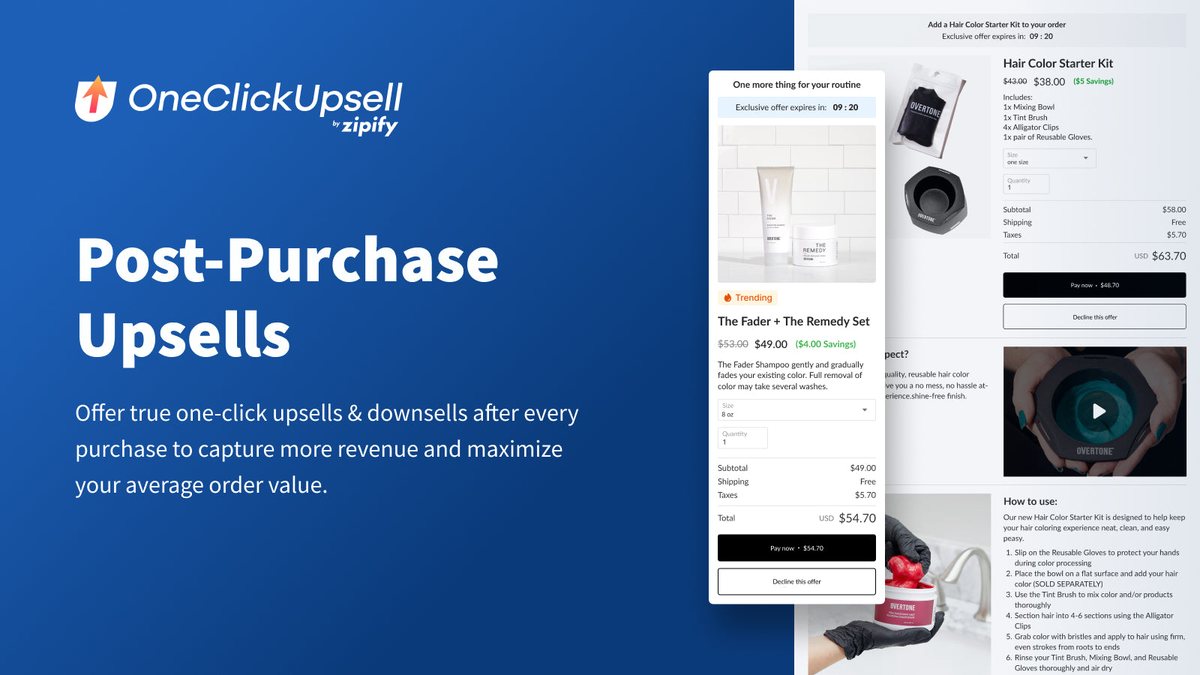
- Developer: Zipify Apps
- Rating: 4.6 ★ (569 reviews) on the Shopify App Store
- Pricing: $9.95/month while upsell revenue is under $200, rising with upsell revenue to a $999 cap; 30-day trial
Zipify One Click Upsell shows your shopper a one-click offer after payment, so they add an item without re-entering card details. You also get in-cart upsells and A/B tests, targeted by product, cart value or customer tag.
Watch out: post-purchase offers don't show for Apple Pay, Google Pay, Amazon Pay or pay-later methods such as Klarna, or for orders in another currency. In-checkout upsells need Shopify Plus.
Read merchant reviews (2 positive, 1 critical)
“There trial period is an excellent proof of concept”
Forejourney, LLC · United States · September 2026
“The OCU team has provided next level support, not just on technical setup but actually spending time in our store, setting up split tests, adding custom features to the cart for us and working hard to make us more money on every transaction.”
Cheech & Chong's Global · United States · July 2026
“In the past few weeks, upsell payments stopped being captured completely - every order has an upsell, but no payment.”
Zipify One Click Upsell review · April 2026 · United States · 1★
The developer referred the merchant to Shopify, and no fix is reported. After any Shopify checkout change, place a test order and confirm the upsell payment is captured.
View Zipify One Click Upsell on the Shopify App Store →
21. Klaviyo
Klaviyo: Email and SMS sign-up forms, abandoned-checkout flows and win-back emails.
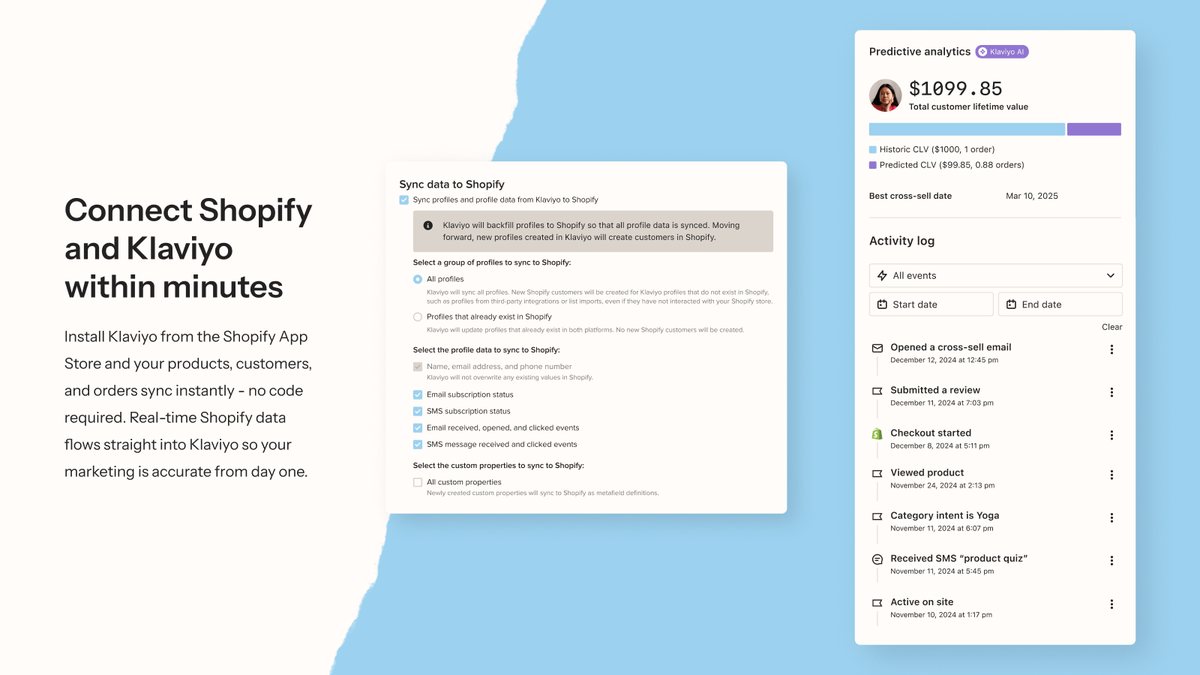
- Developer: Klaviyo
- Rating: 4.7 ★ (3,405 reviews) on the Shopify App Store
- Pricing: Free up to 250 active profiles and 500 emails a month; Email from $20/month; SMS from $15/month
Klaviyo collects your email and SMS sign-ups and runs automated flows. Its guided setup builds a sign-up form, a welcome email and an abandoned-checkout flow inside your Shopify admin.
Its feature list also includes back-in-stock and win-back emails. Set those flows up before the sale, so they run for the new subscribers Black Friday brings in.
Watch out: you're billed on active profiles, not only the people you email. Free accounts get email support for their first 60 days, according to a developer reply.
Read merchant reviews (2 positive, 1 critical)
“We've already recovered numerous abandoned carts.”
Coast and Trail · United States · October 2026
“Our sales grow and we are pretty in love with the flow.”
Mr.PianiK.com · United States · October 2026
“you can be billed based on the number of active profiles in your account not simply the number of people you are actually emailing”
Klaviyo review · October 2026 · Australia · 1★
Klaviyo replied the next day that billing support had contacted the merchant. A nearby one-star review reports a related billing jump, so watch your active-profile count in the weeks after the sale.
View Klaviyo on the Shopify App Store →
22. Judge.me: Shopify Reviews App
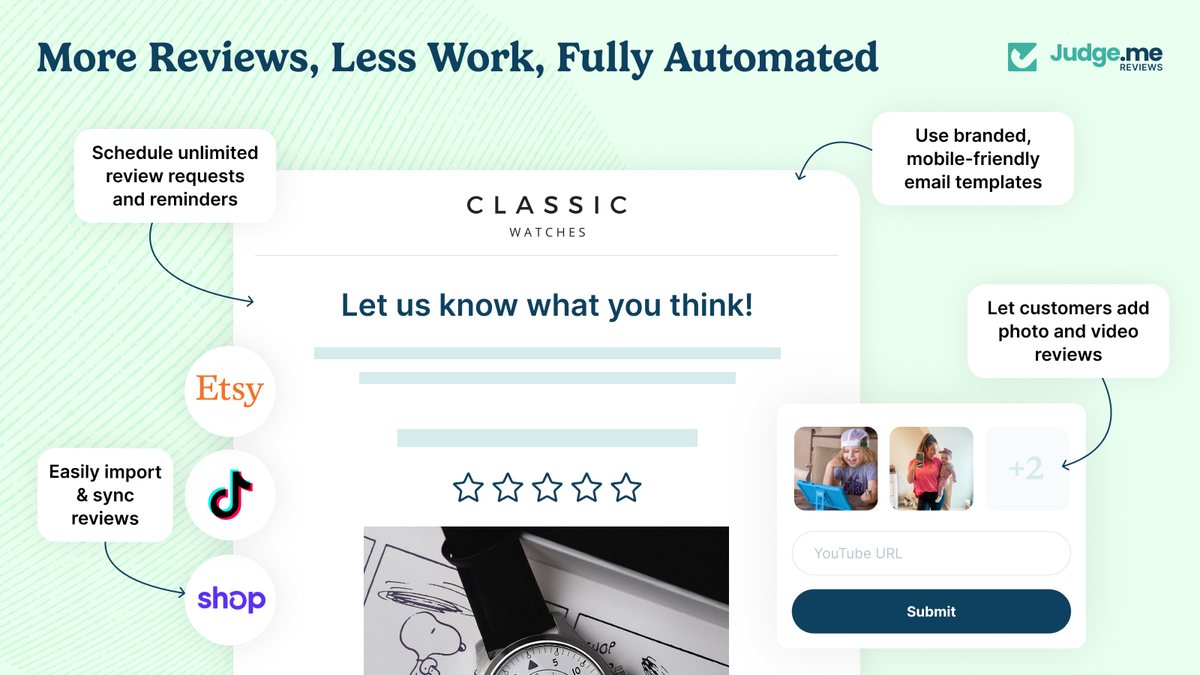
Judge.me: Reviews collected automatically, with star ratings sent to Google Shopping.
- Developer: Judge.me
- Rating: 5.0 ★ (48,913 reviews) on the Shopify App Store
- Pricing: Forever Free: unlimited reviews, Amazon and Etsy review import; Awesome $15/month adds the Google Shopping ratings feed, 15-day trial
Judge.me asks your customers for reviews after fulfilment or delivery, and its free plan imports your reviews from Amazon and Etsy. On the Awesome plan, it sends your product ratings to Google Shopping; Judge.me's help centre describes it as an approved Google review partner. The stars then appear beside your products where shoppers compare prices.
Watch out: Google needs at least 50 eligible reviews and a products feed already in Merchant Center before stars appear, and you can't delete reviews from Google once they're sent.
Read merchant reviews (2 positive, 1 critical)
“We were dealing with a frustrating Google Search Console issue involving duplicate review structured data across numerous product pages.”
lmbling · United States · October 2026
“I love how easy the app is to add to my website and all the different options I have to display my reviews.”
Our Crystal Corner · United States · October 2026
“Unfortunately there is a huge glitch by syncing etsy reviews and your tech team should fix it. I lost 2 days working on it for nothing.”
Judge.me review · September 2026 · Bulgaria · 2★
Judge.me replied that its support wrongly told the merchant that reconnecting Etsy would keep manual product matches. If you import Etsy reviews, match products once and don't reconnect during the sale.
View Judge.me on the Shopify App Store →
23. STOQ: Shopify Preorder and Back-in-Stock App
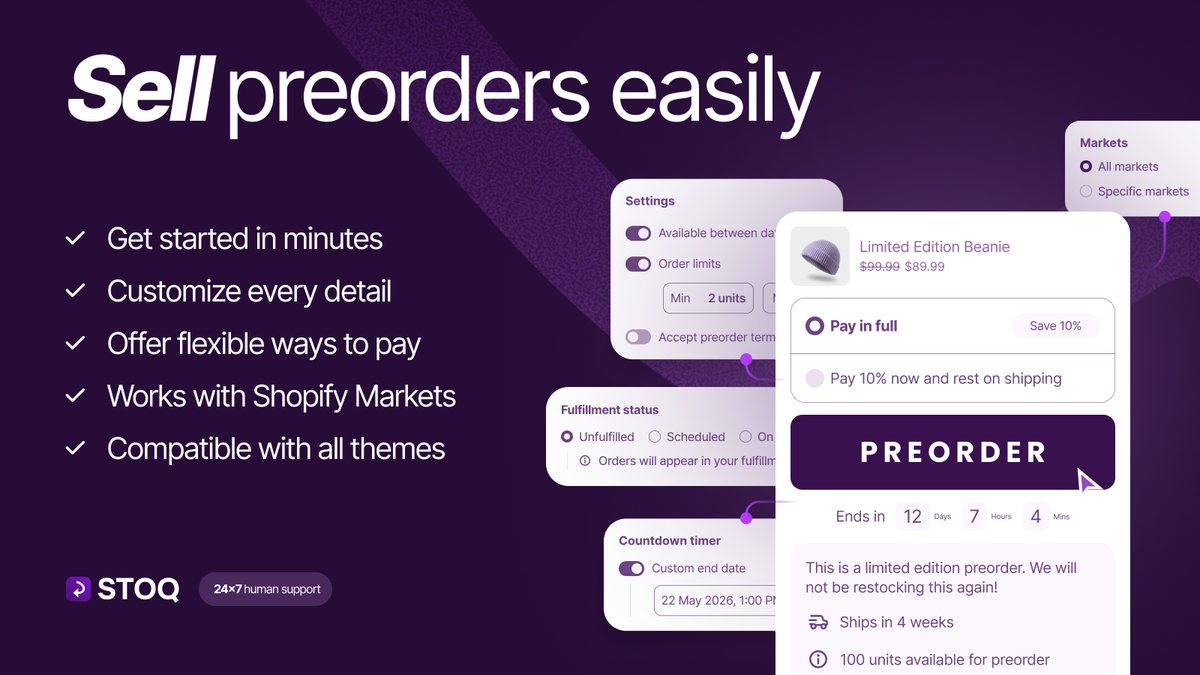
STOQ: Preorders, deposits and back-in-stock alerts for products that sell out.
- Developer: Artos Software
- Rating: 5.0 ★ (3,839 reviews) on the Shopify App Store
- Pricing: Free: 10 preorders and 30 emails a month; Lite $10/month; Pro $29/month; SMS $0.025 each, plus per-preorder fees above the plan limit
STOQ gives you two ways to keep selling a sold-out product: a Notify Me waitlist that emails or texts your shoppers on restock, and preorders with full payment, deposits or partial payment. It supports multiple locations and syncs with Klaviyo.
Watch out: the free plan allows 10 preorders and 30 emails a month. You tell STOQ which locations fulfil orders, and you collect preorder balances through the app, not Shopify's bulk Collect payments action.
Read merchant reviews (2 positive, 1 critical)
“Allows me to either sell out and notify when restocked or preorder.”
Mission ¹O₂ · United States · October 2026
“now my store is running like a CHAMP”
1849 · United States · October 2026
“Meanwhile, nearly $2,000 is in limbo with no way to properly charge customers or correct the orders.”
STOQ review · January 2026 · United States · 1★
STOQ's co-founder replied the same day that a Shopify bug in the bulk Collect payments action caused it and that it was escalated. Neither a fix nor a verified resolution is recorded, so collect preorder balances through STOQ's own actions.
View STOQ on the Shopify App Store →
24. Tidio
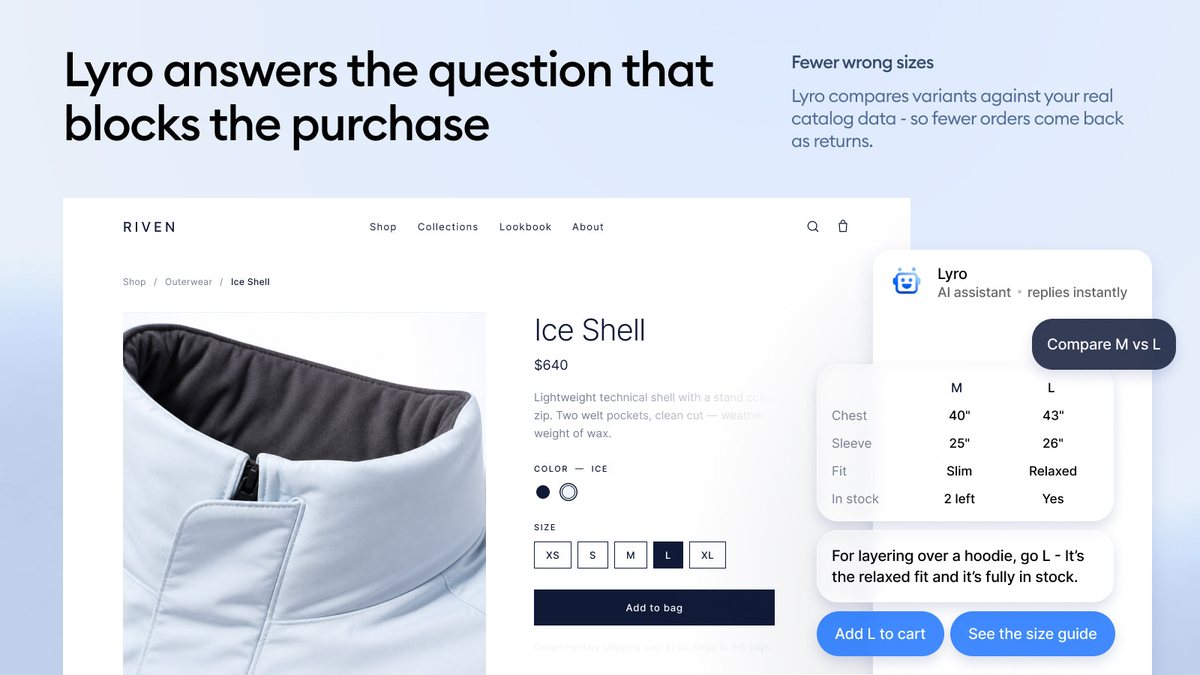
Tidio: An AI agent that answers order-status questions, plus one inbox for chat and social.
- Developer: TIDIO LLC
- Rating: 4.8 ★ (1,357 reviews) on the Shopify App Store
- Pricing: Free: 50 live chat users; Customer Service from $29/month; Lyro AI from $39/month (200 Lyro conversations); 7-day trial
Tidio puts chat, email, Instagram, WhatsApp and Messenger in one inbox, with the Shopify order beside each conversation. Its Lyro AI answers common questions and order-status queries in your shopper's language.
Watch out: plans are priced by conversations, and a reviewer reports different prices on the App Store and on tidio.com. You can't export customer questions and answers, according to a developer reply.
Read merchant reviews (2 positive, 1 critical)
“The setup was quick and intuitive from day one”
SunnyWhale · United States · September 2026
“I really like the easy access I have to chat with people live.”
Nicole Designs All · United States · October 2026
“I was charged twice by Tidio.”
Tidio review · May 2026 · France · 1★
No reply from Tidio sits under this review, and another review from May 2026 says prices shown on the App Store and on tidio.com differ. Check both before you pick a plan.
View Tidio on the Shopify App Store →
25. CWILL Order Tracking: Shopify Order Tracking App
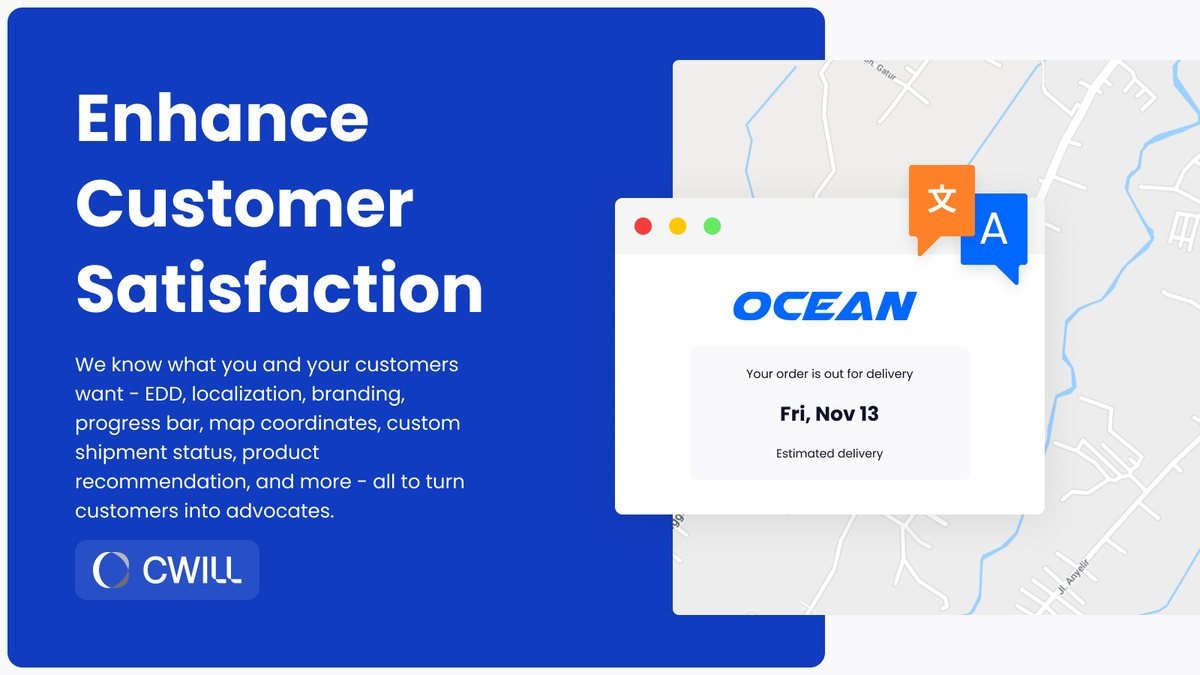
CWILL Order Tracking: A branded tracking page and shipping notifications that answer where-is-my-order before it's asked.
- Developer: CWILL INC
- Rating: 5.0 ★ (3,184 reviews) on the Shopify App Store
- Pricing: Free for 20 orders a month; Essential $11/month or $108/year (200 orders, shipping notifications); 7-day trial
CWILL, formerly ParcelPanel, gives your orders a branded, localized tracking page and sends your customers shipping notifications. It flags stalled shipments and delivery exceptions, so you can reply before your customer writes in. It covers 1,600+ carriers.
Watch out: the free plan covers 20 orders a month, and shipping notifications and estimated delivery dates need the Essential plan.
Read merchant reviews (2 positive, 1 critical)
“The tracking page makes it easy for customers to track their order status and shipment progress while staying on our site.”
TulipStuff · United States · September 2026
“It helps make order tracking easier and provides a better experience for customers.”
SDC SHOP · United States · October 2026
“We’ve noticed many cases where ParcelPanel’s tracking information is two to three days behind, while newer shipment updates are already visible on 17TRACK.”
CWILL Order Tracking review · September 2026 · Singapore · 1★
CWILL replied that it reviewed the case internally and contacted the merchant; no fix is reported. Before the sale, compare a few tracking pages with the carrier's own site.
View CWILL Order Tracking on the Shopify App Store →
How we chose and checked these apps
We looked for the jobs that trip up merchants who sell on more than one channel at Black Friday, then picked one app per job. When two apps did the same job, we kept the one with the stronger evidence and noted why.
For each app, we:
- opened its Shopify App Store listing and confirmed the developer and the install button,
- took the price, plan limits and rating from that listing,
- read its newest reviews and its one- to three-star reviews from the past 12 months,
- checked each feature against the listing, the developer's help pages or the platform's own documentation.
We didn't install the apps or run trials. "Available" means the listing showed an install button.
Some apps that other Black Friday lists still recommend showed "This app is not currently available on the Shopify App Store" when we checked, so they aren't here.
How we picked the reviews. For GS1 Assistant and Label Wizard, our own apps, you see selected positive merchant reviews. Every other entry shows two positive reviews and one critical review where a recent, specific one exists, with the developer's reply if there is one.
A short sample isn't a verdict, so read the full reviews on the listing before you install. Our two apps have few reviews: 13 for GS1 Assistant and 4 for Label Wizard.
Your Black Friday app checklist
Not sure where to start? Install early, test with real orders, and stop changing things before the weekend. In this order:
- Fix your barcodes first, by early November. Find products with missing or invalid barcodes and assign numbers from your own GS1 prefix before any connector or feed sends them out. GS1 Assistant does both.
- Connect your channels in early November. Leave time for your Amazon listings and Google feeds to clear review, and watch Merchant Center and Seller Central for rejections.
- Test your discounts together. Place a test order with every discount, bundle and free-gift app switched on at once. Check how they combine in Shopify's discount settings and at checkout.
- Check your theme. Preview each app block on your live theme on a phone, and remove the apps you tried but won't use.
- Print and check your sale tags. Set your sale prices in Shopify, print a test sheet, and confirm the compare-at price shows and the barcode scans. Label Wizard prints them.
- Test your pickup and delivery limits. Book a slot on your busiest day and confirm the limit stops the next order.
- Run one order end to end, the week before 27 November. Sell one item online and one at your till, then confirm your stock count drops in both places.
If you only fix one thing, fix what stops a product from being listed at all. On Amazon and Google, a missing or invalid barcode number can be one of those blockers.
GS1 Assistant finds products with a missing or invalid barcode number and assigns new numbers from your GS1 prefix. In your shop, the blocker is a price tag that doesn't match your sale price, and Label Wizard prints tags from your Shopify prices.
Questions merchants ask about Shopify Black Friday apps
What is the best Shopify app for Black Friday?
The best one fixes your weakest channel, so pick two or three apps, not all 25. If you sell on Amazon or Google Shopping, start with your barcodes; if you sell over a counter, start with sale price tags that match your website.
When should I install my Black Friday apps?
In early November. Marketplace connectors and product feeds need time for your listings to clear review, and you want a test order with your discounts switched on. Black Friday is 27 November 2026.
How do I print Black Friday price tags with the original price crossed out?
Set your sale price and compare-at price in Shopify, then print your tags with a label app that reads both fields. Label Wizard places the compare-at price on your label as a field, so each tag shows the sale price beside the struck-through compare-at price, with no retyping.
How do I print barcode labels from Shopify?
Use a label app that reads your Shopify product data. Label Wizard places the name, price, compare-at price, SKU, barcode and metafields on a layout you design once, and gives you print-ready PDFs for laser, inkjet, thermal and direct transfer printers, on 400+ Avery, Online Labels and Uline templates or your own size.
It prints the barcodes your products already have; it doesn't create them.
Can I sell my own products on Amazon without a UPC?
Yes, on Amazon US, if Amazon approves a GTIN exemption for it. You can apply only if your product has no UPC, EAN, JAN, ISBN or GS1 barcode, isn't already in Amazon's catalogue and isn't from a brand that requires a UPC.
Private-label and handmade products with no GTIN yet can apply. If your products already carry GS1 barcodes, you can't apply, and you list them with those barcodes.
How many UPCs do I need to sell on Amazon?
Amazon asks for a unique product ID (GTIN), such as a UPC, to create a new listing in most categories. Google is more specific: "Each product and variant of a product (different colors or sizes) has its own GTIN". Amazon also checks UPCs against GS1's database, so license yours from GS1, not from a reseller.
How do I add barcodes (GTINs) to my Shopify products?
Each barcode number goes in the barcode field of the product variant in Shopify. If you license a GS1 company prefix, GS1 Assistant assigns numbers from it to your new lines and variants in one pass, with no duplicates, and, where your GS1 organisation has a supported import format, gives you a file in that format to upload.
If you don't own a prefix yet, you license one from GS1 first.
Why is Google Shopping rejecting my products for a missing GTIN?
Google can disapprove a product that has a GTIN assigned when you don't submit it. Feed apps usually read the GTIN from each variant's Shopify barcode field (Mulwi's sample Google template does), so a blank field sends Google no GTIN. If you license a GS1 prefix, GS1 Assistant fills those fields with numbers from it.
Do these apps work with Shopify POS?
Yes, six of the 25 name Shopify POS on their listings: Smile, Stockroom, Easyteam, BOGOS, Kaching and STOQ, alongside Shopify POS itself. Check each listing for the POS plan you need before the sale.